
gloom8211 - Minecraft Skins & Skin History
Current Minecraft skin of the player gloom8211, loaded from the official Mojang API. Rotate the 3D model with your mouse or finger, then download the skin as a PNG file and use it in Minecraft: Bedrock Edition or Java Edition for free. When gloom8211 changes their skin, this page updates automatically and the old skin stays in the history below.
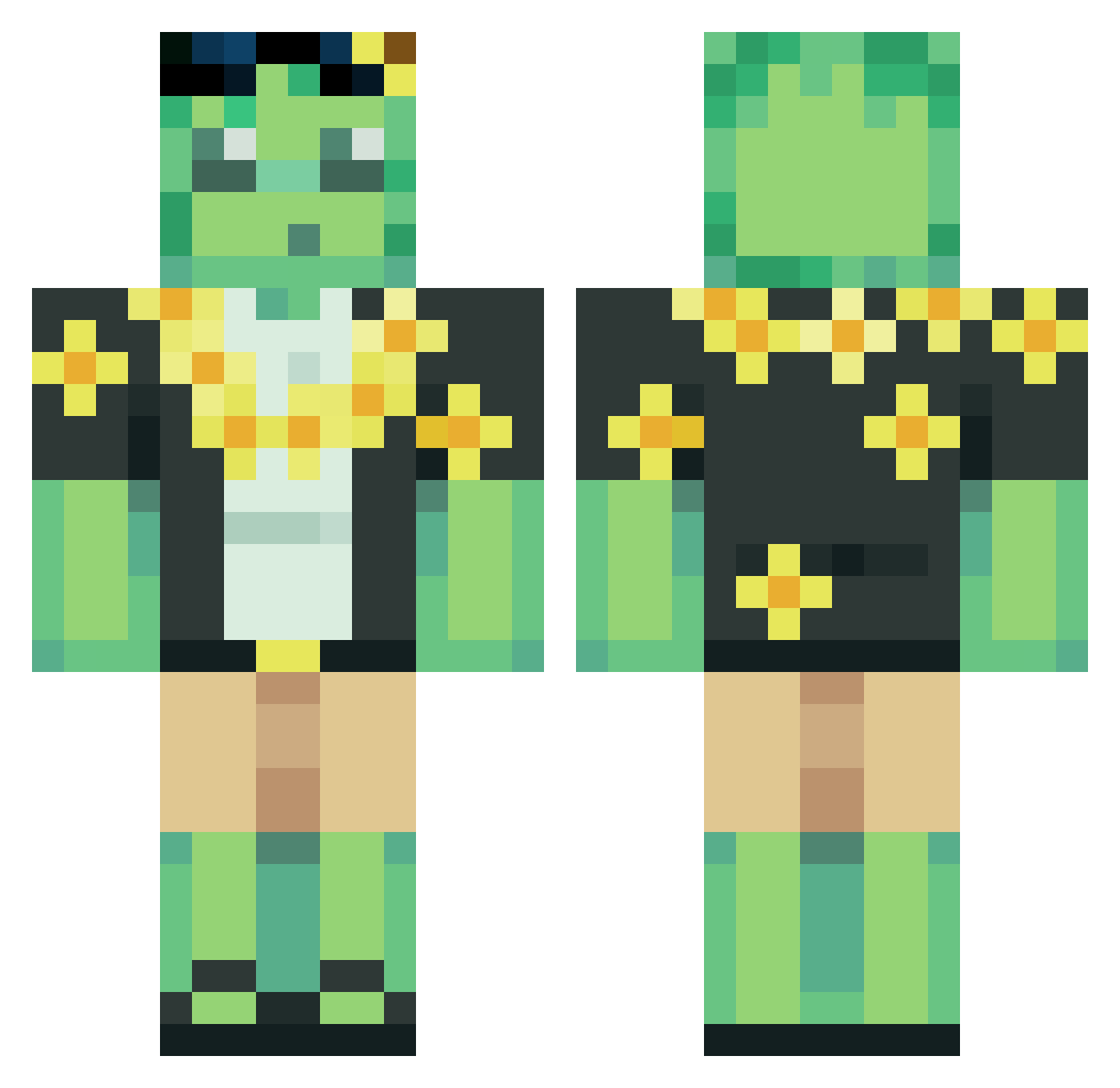
Other players with this skin (56)
gloom8211 was the 8th player we have seen with this skin, first spotted on 02.08.2026. The same skin was seen on these players. Open a nickname to see their current skin and skin history.
 Zyphqq
 Kubson9999 FerrisZ AverageAtheist
 muganot Acridermine74
 TuffestTavi Pogromca1568
 inti4fy
 zzyialyay
 _sloik_11 iMaiins Majonezo microwavedhoe SpookyyRat robertugs
 Kubaxyz TheUltimateShado XXAVERYXX4 SliperySlimer unicornpilot221 Aron_2012t Bosanac68 loulou0402 Kolut3 Mr_Meme7145 Furiadassombras1 Arqu_i_
 st8rry1 TocanCoin cantcope tiffany0sc kocyk2115 Fanat_X _Ives_ wasabite__ SmoothWithIt DannaMinecraft10 DrBoz49 Ajv3n Bizkui XLFENWINXL _omeen Frappucciino97 PrruDki CutePuppyDog11 yozakura16 snorlux19 OnniOV SKBD_MeKrR_13 Yochido MaeJcy Aung_Aung iiLunary_1 mOvc6i edam056
More Sunflower Minecraft skins
How to install the gloom8211 skin
- Press the Download button above to save the skin as a PNG file.
- Minecraft: Bedrock Edition (PE): open the Dressing Room from the main menu (or tap your character → Edit Character), go to Classic Skins → Owned, press the + (new skin) button, choose the downloaded PNG and pick the Classic (Steve) model. Works on PC and mobile; consoles cannot import custom skins.
- Minecraft: Java Edition: open the Minecraft Launcher, go to the Skins tab, click New Skin, load the PNG, pick the Classic (Steve) model and press Save & Use. You can also upload it at minecraft.net → Profile → Change Skin.
The skin does not show up after import - what should I do?
Restart Minecraft and open the Dressing Room again - imported skins sometimes appear only after a restart. Also make sure you selected the imported skin and picked the Classic (Steve) model.
Which model should I choose, Classic or Slim?
This skin is designed for the Classic (Steve) model. If you pick the wrong model, the arms of the skin will look stretched or squeezed.
Is the skin of gloom8211 free to download?
Yes. Press Download, save the PNG file and use it in Minecraft: Bedrock Edition or Java Edition - no payment or registration needed. The skin also works on multiplayer servers and Realms.
More skins
Looking for more? Go back to all Minecraft skins and check the top skins of the week, month and all time, or find any player's skin by nickname.