
glinds31 - Minecraft Skins & Skin History
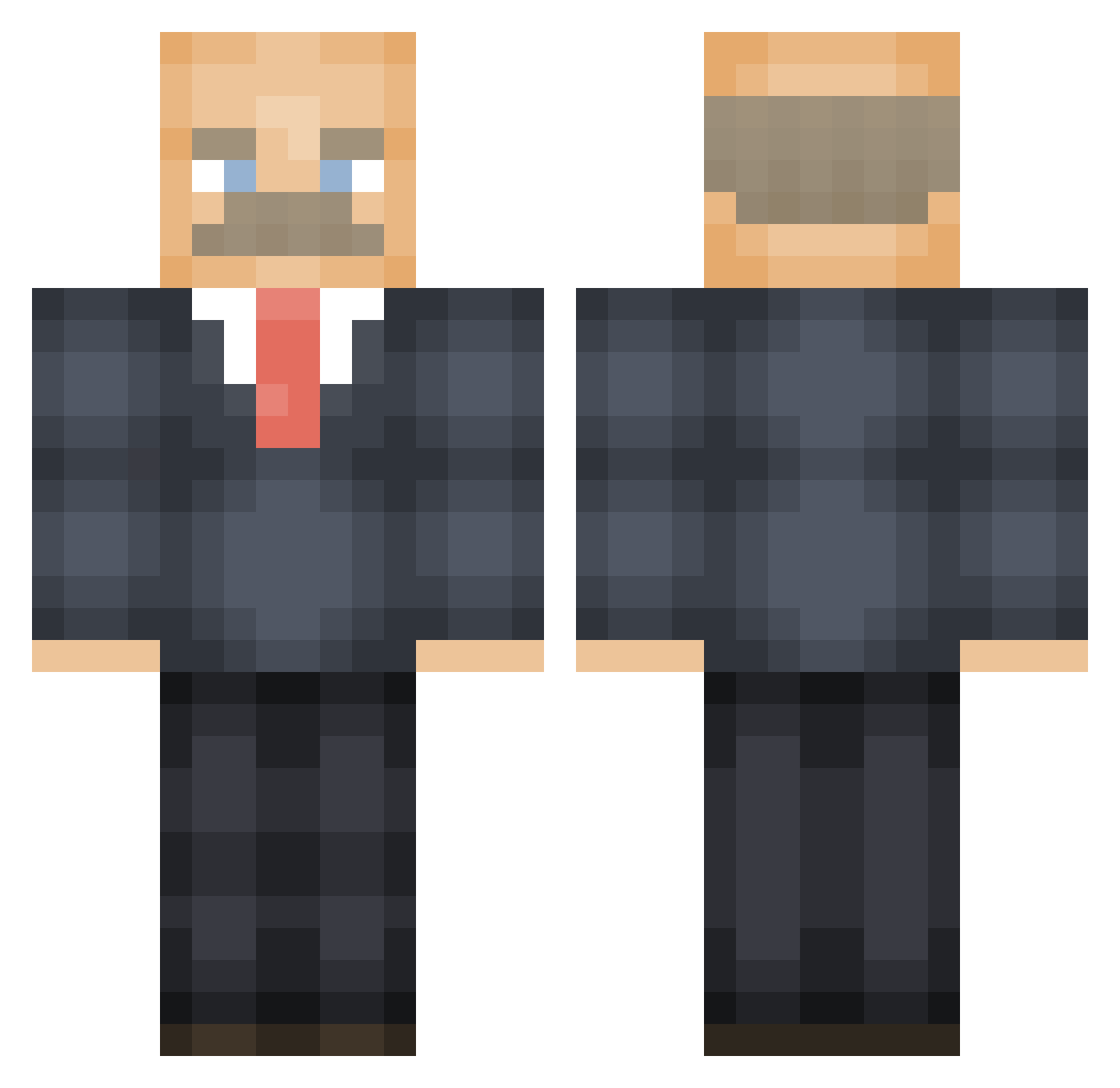
Current Minecraft skin of the player glinds31, loaded from the official Mojang API. Rotate the 3D model with your mouse or finger, then download the skin as a PNG file and use it in Minecraft: Bedrock Edition or Java Edition for free. When glinds31 changes their skin, this page updates automatically and the old skin stays in the history below.
Other players with this skin (595)
glinds31 was the 570th player we have seen with this skin, first spotted on 16.11.2026. The same skin was seen on these players. Open a nickname to see their current skin and skin history.
 zum468 pedrojfmorais FischNice TobyRy JuicyestOfDemAll Laiskurii NotBandito Knobic mayhem4921 thatwaslee Drozekar Arenadope Eirin0707 Starwarsmannen waterlover49 Markanator123 Faze__Default21 hughmongous4 Hex94 N1Night _r0sa_l lilvibes200 DroppingDragon lRevll Flakdot BigPapaTonka arkis0 CausticCantPea iiboombastic BennyTheRat Munkerotte theratboy_ Christofhosaurus MrGoko Big_Tuna_T ImNotDean iDoublexz Bernached BeanBurrit0420 kunshieo K_The_Plug StickToLetters FetaCheese1 CrystalMats alberdiw Rawsauce_ DrPhilsNose ShadyMcBiscuit Crox derekshmerick Johnnehhh Deano887 NetAche Maxjlim Nissexboss w33dlovers ChuckGlarming PogToucan __BREHGUY Awfline
More Vladimir Lenin Minecraft skins
See all 42 Vladimir Lenin skins
How to install the glinds31 skin
- Press the Download button above to save the skin as a PNG file.
- Minecraft: Bedrock Edition (PE): open the Dressing Room from the main menu (or tap your character → Edit Character), go to Classic Skins → Owned, press the + (new skin) button, choose the downloaded PNG and pick the Classic (Steve) model. Works on PC and mobile; consoles cannot import custom skins.
- Minecraft: Java Edition: open the Minecraft Launcher, go to the Skins tab, click New Skin, load the PNG, pick the Classic (Steve) model and press Save & Use. You can also upload it at minecraft.net → Profile → Change Skin.
The skin does not show up after import - what should I do?
Restart Minecraft and open the Dressing Room again - imported skins sometimes appear only after a restart. Also make sure you selected the imported skin and picked the Classic (Steve) model.
Which model should I choose, Classic or Slim?
This skin is designed for the Classic (Steve) model. If you pick the wrong model, the arms of the skin will look stretched or squeezed.
Is the skin of glinds31 free to download?
Yes. Press Download, save the PNG file and use it in Minecraft: Bedrock Edition or Java Edition - no payment or registration needed. The skin also works on multiplayer servers and Realms.
More skins
Looking for more? Go back to all Minecraft skins and check the top skins of the week, month and all time, or find any player's skin by nickname.