
gkswlgur - Minecraft Skins & Skin History
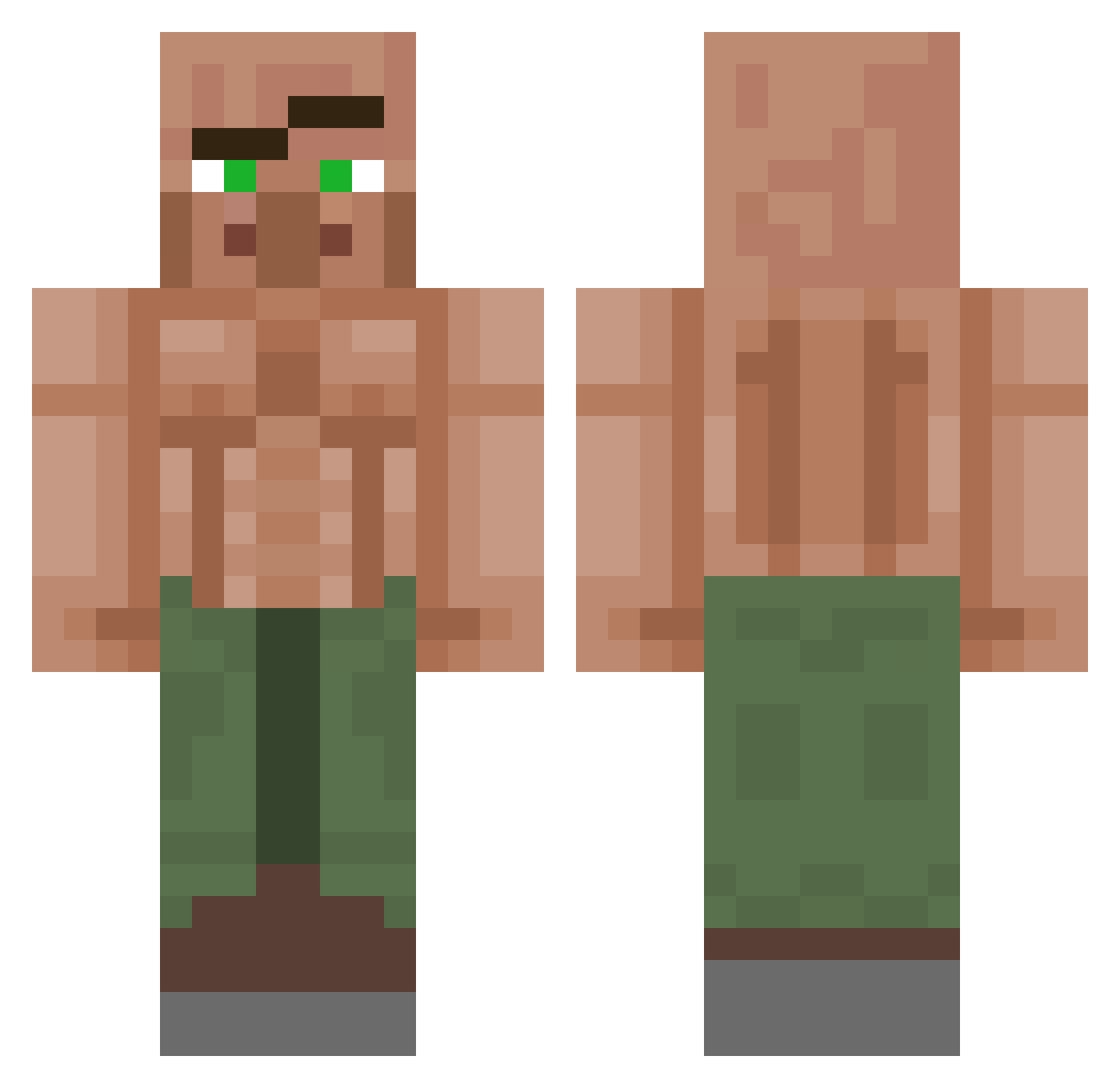
Current Minecraft skin of the player gkswlgur, loaded from the official Mojang API. Rotate the 3D model with your mouse or finger, then download the skin as a PNG file and use it in Minecraft: Bedrock Edition or Java Edition for free. When gkswlgur changes their skin, this page updates automatically and the old skin stays in the history below.
Other players with this skin (1382)
gkswlgur was the 1334th player we have seen with this skin, first spotted on 15.11.2026. The same skin was seen on these players. Open a nickname to see their current skin and skin history.
 KillshotKyle Ram_Yeager HippoRatDawg MvHP diego_5034 DeluxeSufi iTzCarbaPvp HorseshoeCrab413 Flix2020 Ythern_ Soapy_Box faz1zz Riftstalker13 PinkPanther2008 harrisoncrazy MarkSCoolGuy DOPEsky21 Cards013 JeroH09 Thapizzakillr MinatoSam BORkedX2 Duke444 Scootie_Rich JahD03 MIYURURA Knoah831 IntScrem deBranding Derpyherper_ 1berto58 r0pss Ulti000 Reika2225 BluuuueZ CedTheBoss20 1xuan1 gxlxrds RulitasJ RUSTBOY_ASH Nephrys21 S3rva1 jjcami011 SrChaneke IamCooky Sharacann Manuelnorge FawnMercury WGJGamer Khemmer_CG Kajjteko Durchfallmann110 CakePlayer3245 Lowca_Gremlinow BolaLisa nyxsi76 Ikaminaril brandiLuiz beatozzi QuiteMoist
More Buff Villager Minecraft skins
See all 43 Buff Villager skins
How to install the gkswlgur skin
- Press the Download button above to save the skin as a PNG file.
- Minecraft: Bedrock Edition (PE): open the Dressing Room from the main menu (or tap your character → Edit Character), go to Classic Skins → Owned, press the + (new skin) button, choose the downloaded PNG and pick the Classic (Steve) model. Works on PC and mobile; consoles cannot import custom skins.
- Minecraft: Java Edition: open the Minecraft Launcher, go to the Skins tab, click New Skin, load the PNG, pick the Classic (Steve) model and press Save & Use. You can also upload it at minecraft.net → Profile → Change Skin.
The skin does not show up after import - what should I do?
Restart Minecraft and open the Dressing Room again - imported skins sometimes appear only after a restart. Also make sure you selected the imported skin and picked the Classic (Steve) model.
Which model should I choose, Classic or Slim?
This skin is designed for the Classic (Steve) model. If you pick the wrong model, the arms of the skin will look stretched or squeezed.
Is the skin of gkswlgur free to download?
Yes. Press Download, save the PNG file and use it in Minecraft: Bedrock Edition or Java Edition - no payment or registration needed. The skin also works on multiplayer servers and Realms.
More skins
Looking for more? Go back to all Minecraft skins and check the top skins of the week, month and all time, or find any player's skin by nickname.