
gksthfwl - Minecraft Skins & Skin History
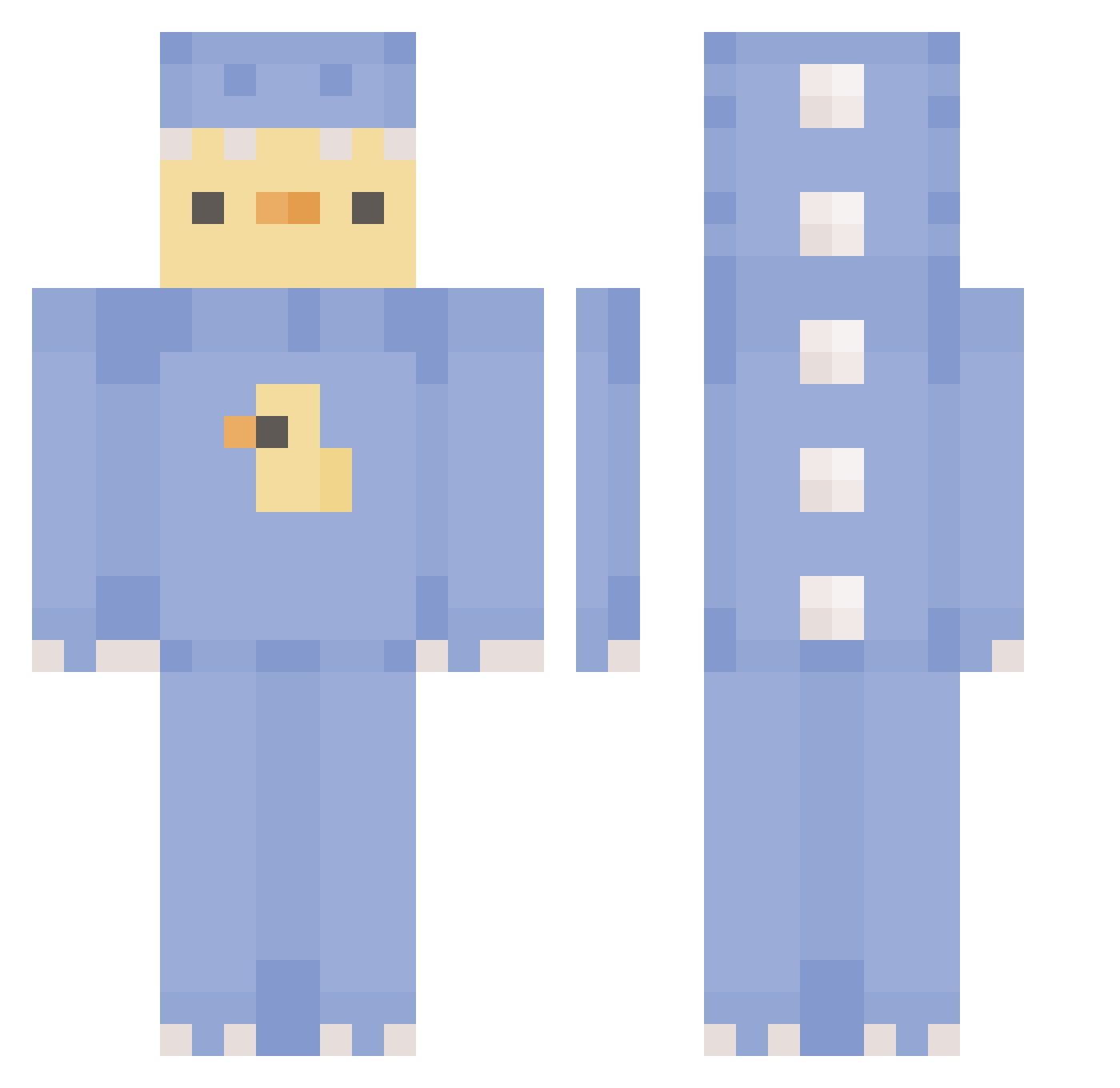
Current Minecraft skin of the player gksthfwl, loaded from the official Mojang API. Rotate the 3D model with your mouse or finger, then download the skin as a PNG file and use it in Minecraft: Bedrock Edition or Java Edition for free. When gksthfwl changes their skin, this page updates automatically and the old skin stays in the history below.
Other players with this skin (451)
gksthfwl was the 422nd player we have seen with this skin, first spotted on 11.11.2026. The same skin was seen on these players. Open a nickname to see their current skin and skin history.
 Adaptajer Dooo_H Alpaca10168 minmoon2378 szymonf147 chu_bbb E_NYE Terrs YANGYAN886 quackerjackker gnomik123 j_12345 STOPBARKING da_zou_5 5daehan hf78rty783y7r Garden057854 EXR_castilloluiz Stankzy EddieBaghetti Pochacco0319 Infinitymoney leo060727 kyoyap90 Rvdziak Popcop2000 ccrsp borolrom_ scientistuniver Im_Roro AntarticKitty inu4rang_ imghost444 TheDeafaultPlayz dennnjs mixnh PSYDUCK812 Lyla_S Trubles Conditionerrr 0tto_X ItsCaptainJo nicodidode w_jxnx_w QueenCoin BepsAgent Trollo_07 xWarfex YoSoyYisusXD SNORLAX_OH Genius_48 happexnet ApfxlBlitz Noelia034 LucyGoosey__ kulsid Mikiskut xviolettex bbover0711 damdascraazy
More Dinosaur Onesie Minecraft skins
See all 795 Dinosaur Onesie skins
How to install the gksthfwl skin
- Press the Download button above to save the skin as a PNG file.
- Minecraft: Bedrock Edition (PE): open the Dressing Room from the main menu (or tap your character → Edit Character), go to Classic Skins → Owned, press the + (new skin) button, choose the downloaded PNG and pick the Classic (Steve) model. Works on PC and mobile; consoles cannot import custom skins.
- Minecraft: Java Edition: open the Minecraft Launcher, go to the Skins tab, click New Skin, load the PNG, pick the Classic (Steve) model and press Save & Use. You can also upload it at minecraft.net → Profile → Change Skin.
The skin does not show up after import - what should I do?
Restart Minecraft and open the Dressing Room again - imported skins sometimes appear only after a restart. Also make sure you selected the imported skin and picked the Classic (Steve) model.
Which model should I choose, Classic or Slim?
This skin is designed for the Classic (Steve) model. If you pick the wrong model, the arms of the skin will look stretched or squeezed.
Is the skin of gksthfwl free to download?
Yes. Press Download, save the PNG file and use it in Minecraft: Bedrock Edition or Java Edition - no payment or registration needed. The skin also works on multiplayer servers and Realms.
More skins
Looking for more? Go back to all Minecraft skins and check the top skins of the week, month and all time, or find any player's skin by nickname.