
gksdnjs - Minecraft Skins & Skin History
Current Minecraft skin of the player gksdnjs, loaded from the official Mojang API. Rotate the 3D model with your mouse or finger, then download the skin as a PNG file and use it in Minecraft: Bedrock Edition or Java Edition for free. When gksdnjs changes their skin, this page updates automatically and the old skin stays in the history below.
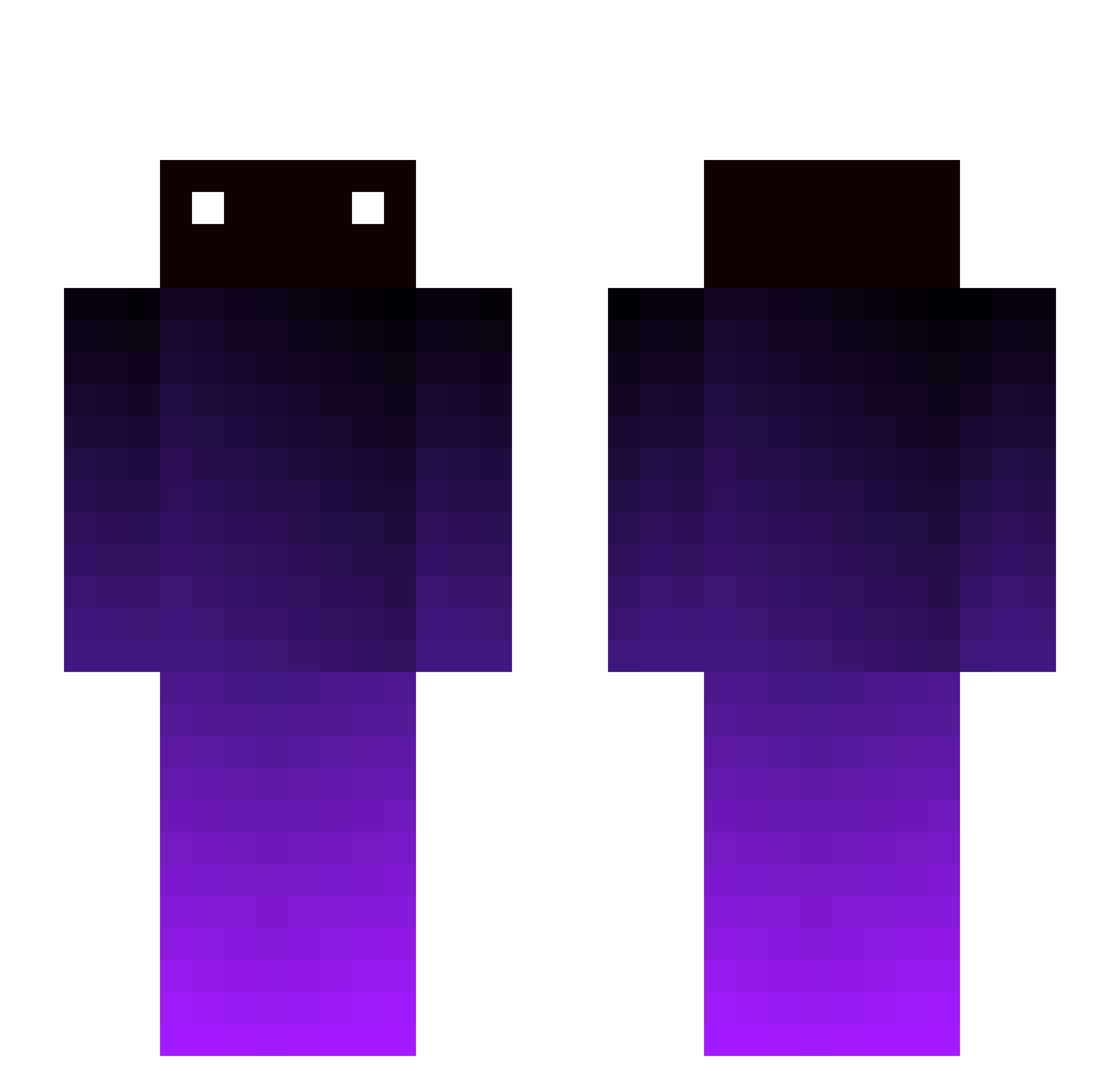
Other players with this skin (279)
gksdnjs was the 250th player we have seen with this skin, first spotted on 24.10.2026. The same skin was seen on these players. Open a nickname to see their current skin and skin history.
 YitzyDog IceDog96 YoungJeiner Railgun_031 Hanmy123 Swess_ Xpyre jhyun Eores _ebass0senka iSlamHomes rFLOYFI NhmNbd Cyber_Spooner Catnotfound kagantn_ Hachimon_Erwan WhatsKracken Itsadrian2503 Nurd_Sun yuri_1004 AgnarK Blipblopblopblip DirtNert li9487 Killerser qofgmu cliooo04 howhow_0118 sborniasuprema Ugerdnos KC135B ADog_138 plumsauce87 PigCat79 intoblvn MystiqOptix DrULTRON41 nothearty Ruco_2127 Tomohiro710 alaska_putra zEsplo Weyk_9 NotItalianNoob AltShivv Monkenaut Notch_Xephos pogoman12345 TeTe96 Panchoina Basutabu jcobn pepebolador zyzzfake Prtssguy astrqlol 4asenal XisaLs BidouMarVel95
How to install the gksdnjs skin
- Press the Download button above to save the skin as a PNG file.
- Minecraft: Bedrock Edition (PE): open the Dressing Room from the main menu (or tap your character → Edit Character), go to Classic Skins → Owned, press the + (new skin) button, choose the downloaded PNG and pick the Slim (Alex) model. Works on PC and mobile; consoles cannot import custom skins.
- Minecraft: Java Edition: open the Minecraft Launcher, go to the Skins tab, click New Skin, load the PNG, pick the Slim (Alex) model and press Save & Use. You can also upload it at minecraft.net → Profile → Change Skin.
The skin does not show up after import - what should I do?
Restart Minecraft and open the Dressing Room again - imported skins sometimes appear only after a restart. Also make sure you selected the imported skin and picked the Slim (Alex) model.
Which model should I choose, Classic or Slim?
This skin is designed for the Slim (Alex) model. If you pick the wrong model, the arms of the skin will look stretched or squeezed.
Is the skin of gksdnjs free to download?
Yes. Press Download, save the PNG file and use it in Minecraft: Bedrock Edition or Java Edition - no payment or registration needed. The skin also works on multiplayer servers and Realms.
More skins
Looking for more? Go back to all Minecraft skins and check the top skins of the week, month and all time, or find any player's skin by nickname.