
gio115 - Minecraft Skins & Skin History
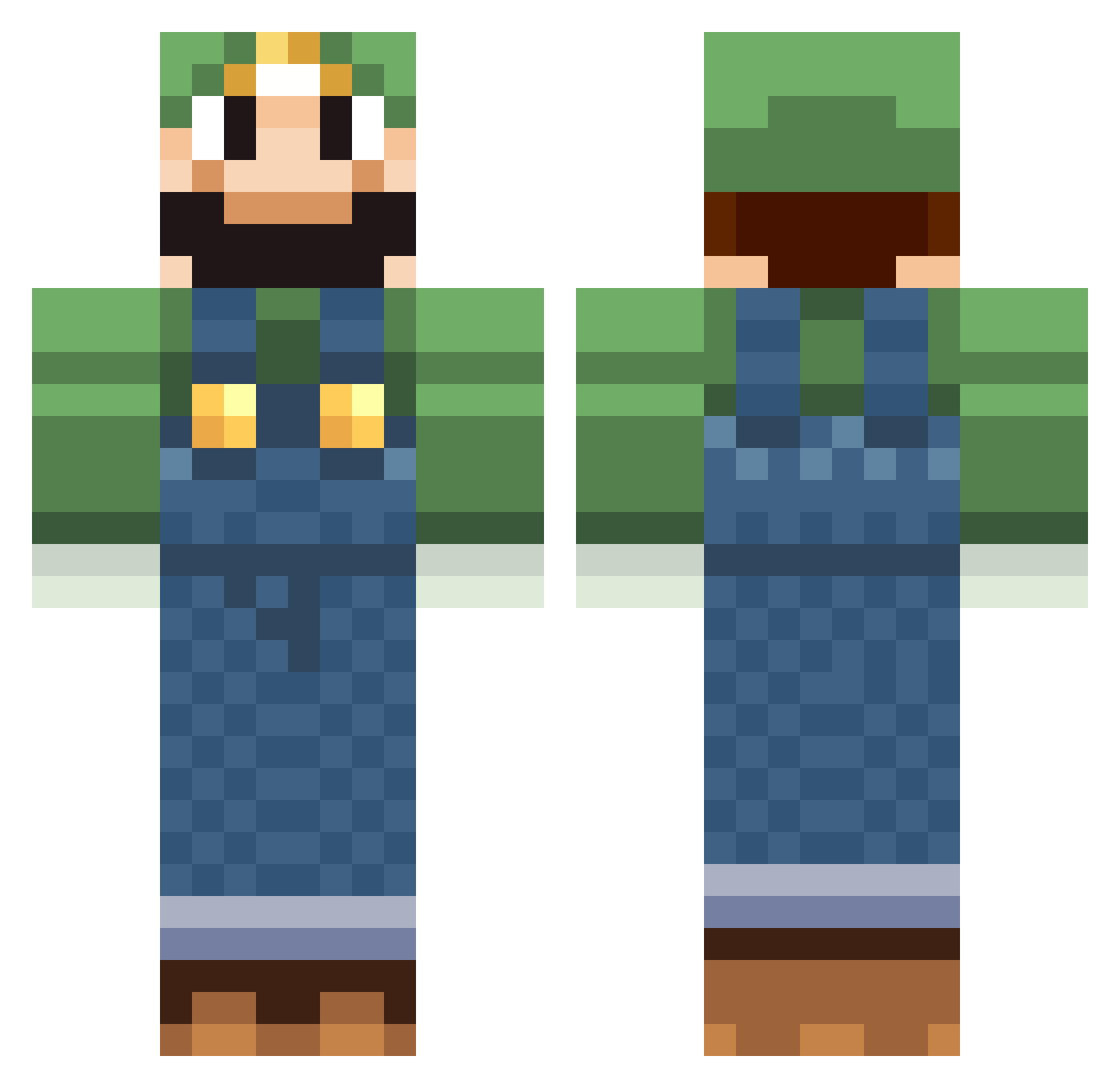
Current Minecraft skin of the player gio115, loaded from the official Mojang API. Rotate the 3D model with your mouse or finger, then download the skin as a PNG file and use it in Minecraft: Bedrock Edition or Java Edition for free. When gio115 changes their skin, this page updates automatically and the old skin stays in the history below.
Other players with this skin (518)
gio115 was the 22nd player we have seen with this skin, first spotted on 27.07.2026. The same skin was seen on these players. Open a nickname to see their current skin and skin history.
 Baconn99 Vinkol iHop3sh3was18 Todeshund5001 latempt fifoue71 taneboi LuXoTeTu baclex35 LucienSky MJ_Thatch megacarl roymz Xzibit_001 Drakkee knightboy9 Eric117 happymax10 aPoceSpy Roskem Baalken JDogish TomSan23 Nikanoru Heptaminol lordnintendo VGWizard etienneb2 spring_0505 PeacemakerJ jimbow445 Fudder25 Belac7 BukkitCraft PaDyMaN rorolalicorne bendesgaard122 GatsbyCioffi NurseMatt chesapekanicka MrMusikPlanet Flames620 wertus tbanwart FranktheTank096 future_robot The2TON sbardan Rampage07 FugYeahY LGTBIQ xijoey Icebox30 OmarOrn poku777 poltergust2001 Luigidm1 gruikette Yawnas microblue
More Luigi Minecraft skins
How to install the gio115 skin
- Press the Download button above to save the skin as a PNG file.
- Minecraft: Bedrock Edition (PE): open the Dressing Room from the main menu (or tap your character → Edit Character), go to Classic Skins → Owned, press the + (new skin) button, choose the downloaded PNG and pick the Classic (Steve) model. Works on PC and mobile; consoles cannot import custom skins.
- Minecraft: Java Edition: open the Minecraft Launcher, go to the Skins tab, click New Skin, load the PNG, pick the Classic (Steve) model and press Save & Use. You can also upload it at minecraft.net → Profile → Change Skin.
The skin does not show up after import - what should I do?
Restart Minecraft and open the Dressing Room again - imported skins sometimes appear only after a restart. Also make sure you selected the imported skin and picked the Classic (Steve) model.
Which model should I choose, Classic or Slim?
This skin is designed for the Classic (Steve) model. If you pick the wrong model, the arms of the skin will look stretched or squeezed.
Is the skin of gio115 free to download?
Yes. Press Download, save the PNG file and use it in Minecraft: Bedrock Edition or Java Edition - no payment or registration needed. The skin also works on multiplayer servers and Realms.
More skins
Looking for more? Go back to all Minecraft skins and check the top skins of the week, month and all time, or find any player's skin by nickname.