
gilthrope23 - Minecraft Skins & Skin History
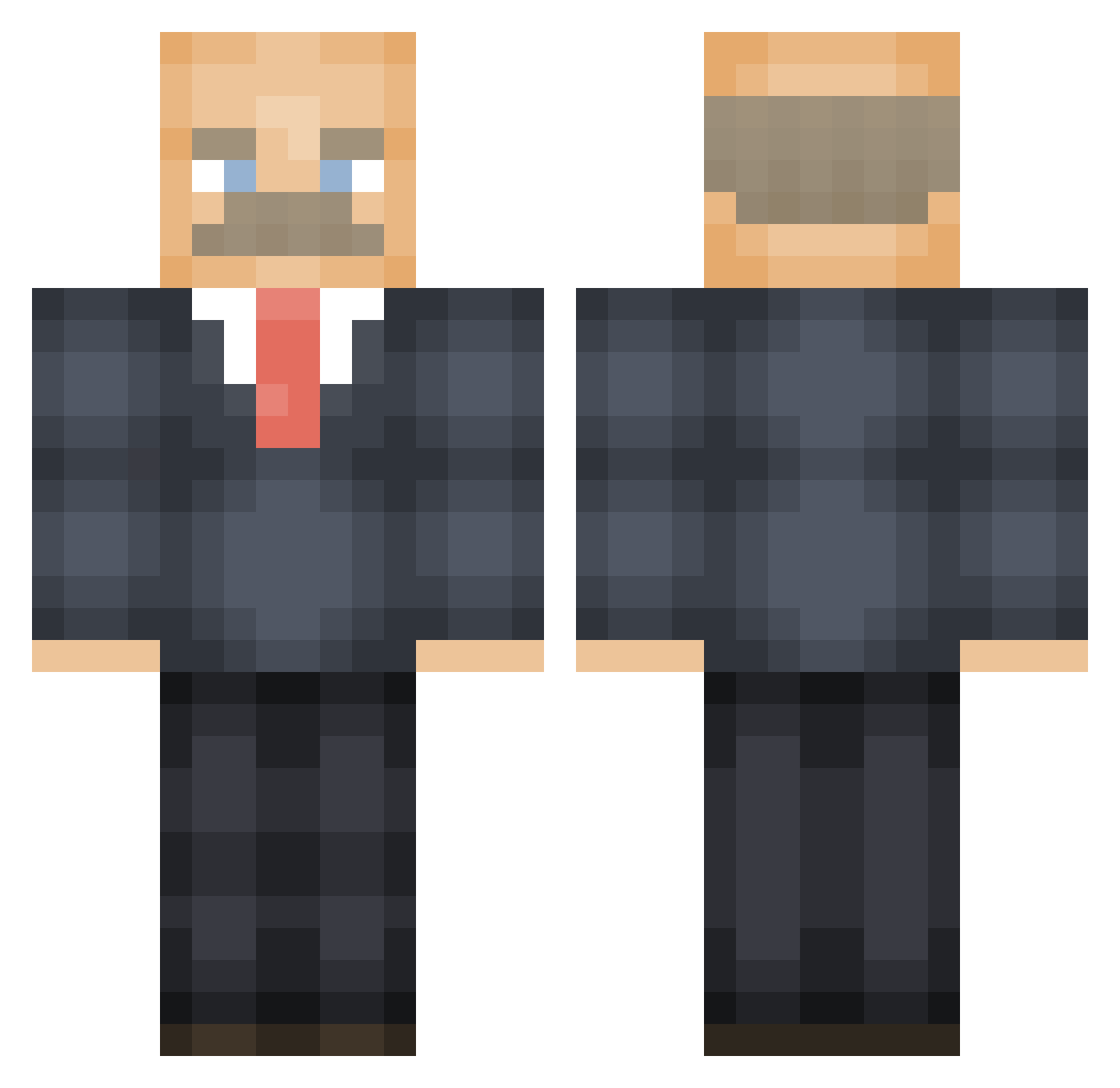
Current Minecraft skin of the player gilthrope23, loaded from the official Mojang API. Rotate the 3D model with your mouse or finger, then download the skin as a PNG file and use it in Minecraft: Bedrock Edition or Java Edition for free. When gilthrope23 changes their skin, this page updates automatically and the old skin stays in the history below.
Other players with this skin (595)
gilthrope23 was the 477th player we have seen with this skin, first spotted on 01.11.2026. The same skin was seen on these players. Open a nickname to see their current skin and skin history.
 Omaha43 jim710 Qubami TalentedSheep22 Nossel07 bruhkys roropepe k_coralgol Haz22 curvygerbil RidogRider ezrawr ShottyGamingYT rucoming2thetree Dobbyatmos emmacalifornia dmcsebastian klmaxx RonPaulTheSavior MelinAbloom Cupppo D0ctorPhill yourmomissalty Brohole wreckitwralph Shnak_ wormjail The_Vojin theg0nk prestonbunn katerkalle1 troopershades Azerrari Panzer_Ghost TheHeff18 readinggirl69 _P0tat0 erikrole ninjadan56 pappanich ellarella Jackattack615 JOYDUDE Fapperonie Elnourd Kamatahvel idyllicpisces _Peter_Klein_ lmf392_ Just_Josh97 eldraf Busterhymin NUT572 Sagenavna Cr4kHedMe15 osa_car doctorpeps _Just_Game_ Spyrek JamWithBread
More Vladimir Lenin Minecraft skins
See all 42 Vladimir Lenin skins
How to install the gilthrope23 skin
- Press the Download button above to save the skin as a PNG file.
- Minecraft: Bedrock Edition (PE): open the Dressing Room from the main menu (or tap your character → Edit Character), go to Classic Skins → Owned, press the + (new skin) button, choose the downloaded PNG and pick the Classic (Steve) model. Works on PC and mobile; consoles cannot import custom skins.
- Minecraft: Java Edition: open the Minecraft Launcher, go to the Skins tab, click New Skin, load the PNG, pick the Classic (Steve) model and press Save & Use. You can also upload it at minecraft.net → Profile → Change Skin.
The skin does not show up after import - what should I do?
Restart Minecraft and open the Dressing Room again - imported skins sometimes appear only after a restart. Also make sure you selected the imported skin and picked the Classic (Steve) model.
Which model should I choose, Classic or Slim?
This skin is designed for the Classic (Steve) model. If you pick the wrong model, the arms of the skin will look stretched or squeezed.
Is the skin of gilthrope23 free to download?
Yes. Press Download, save the PNG file and use it in Minecraft: Bedrock Edition or Java Edition - no payment or registration needed. The skin also works on multiplayer servers and Realms.
More skins
Looking for more? Go back to all Minecraft skins and check the top skins of the week, month and all time, or find any player's skin by nickname.