
ghhhhhhhhhhhhhh - Minecraft Skins & Skin History
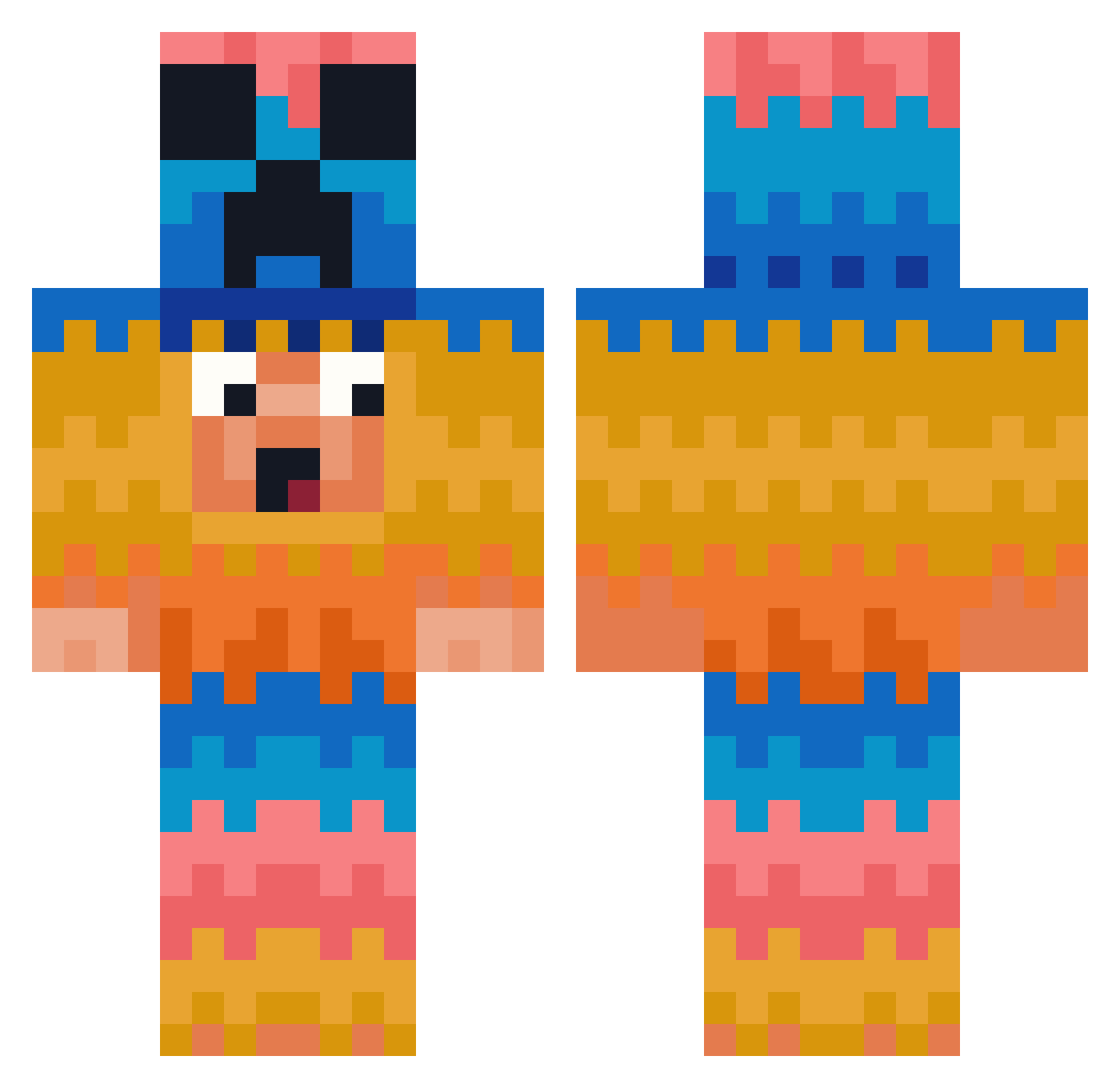
Current Minecraft skin of the player ghhhhhhhhhhhhhh, loaded from the official Mojang API. Rotate the 3D model with your mouse or finger, then download the skin as a PNG file and use it in Minecraft: Bedrock Edition or Java Edition for free. When ghhhhhhhhhhhhhh changes their skin, this page updates automatically and the old skin stays in the history below.
Other players with this skin (381)
ghhhhhhhhhhhhhh was the 357th player we have seen with this skin, first spotted on 24.10.2026. The same skin was seen on these players. Open a nickname to see their current skin and skin history.
 goggie177 naymarf FamedBuckle Nattakit1988 315245 AndrewTittler ToyBoy3101 Gorn12 peacewarrior911 Warlow19 AxVq16 pless84 SpotlightForBugs xijinping_666 BILOTTIMARIA01 MrStealYoKid452 leonardpro RatedQuantum MAYOEK fernandes_007 Gijshamlappie SATVIK_OP Feather_Night125 LuberTube Hearteyez4M Tupek1 CH1ckEN222 772356 MrOGKush93 Tristenjenkins B4ckx mMetaa TmrLuvsToes adasfwfaw BaByBooS123321 Diamanticrip DailyPassion schaapiooo jjkingjj GorgonTheGreat stefan19971 adminof42 MrDog916 hab13i Skyfall54 Jamisoniscool121 SmartBurrito190 meruru23 ukst1 Marty_0922 SpooksMyBoy CaptainKasalla leechanhao bladerunner515 KivancXPro flashfinn14 Uwakwau Trinity_Complete Spaketi jeff1345
More Pinata Minecraft skins
How to install the ghhhhhhhhhhhhhh skin
- Press the Download button above to save the skin as a PNG file.
- Minecraft: Bedrock Edition (PE): open the Dressing Room from the main menu (or tap your character → Edit Character), go to Classic Skins → Owned, press the + (new skin) button, choose the downloaded PNG and pick the Classic (Steve) model. Works on PC and mobile; consoles cannot import custom skins.
- Minecraft: Java Edition: open the Minecraft Launcher, go to the Skins tab, click New Skin, load the PNG, pick the Classic (Steve) model and press Save & Use. You can also upload it at minecraft.net → Profile → Change Skin.
The skin does not show up after import - what should I do?
Restart Minecraft and open the Dressing Room again - imported skins sometimes appear only after a restart. Also make sure you selected the imported skin and picked the Classic (Steve) model.
Which model should I choose, Classic or Slim?
This skin is designed for the Classic (Steve) model. If you pick the wrong model, the arms of the skin will look stretched or squeezed.
Is the skin of ghhhhhhhhhhhhhh free to download?
Yes. Press Download, save the PNG file and use it in Minecraft: Bedrock Edition or Java Edition - no payment or registration needed. The skin also works on multiplayer servers and Realms.
More skins
Looking for more? Go back to all Minecraft skins and check the top skins of the week, month and all time, or find any player's skin by nickname.