
ggrenouille - Minecraft Skins & Skin History
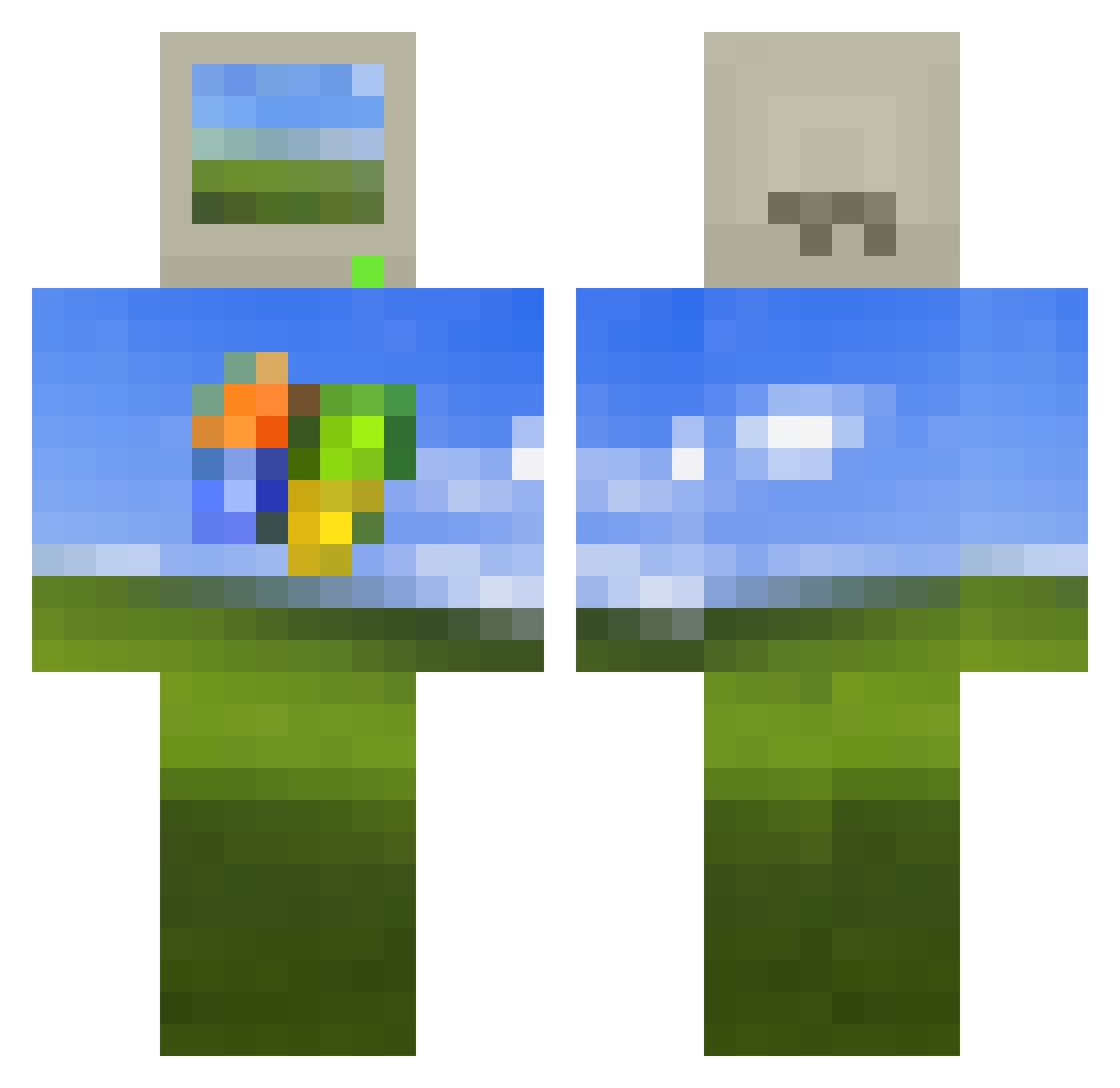
Current Minecraft skin of the player ggrenouille, loaded from the official Mojang API. Rotate the 3D model with your mouse or finger, then download the skin as a PNG file and use it in Minecraft: Bedrock Edition or Java Edition for free. When ggrenouille changes their skin, this page updates automatically and the old skin stays in the history below.
Other players with this skin (514)
ggrenouille was the 273rd player we have seen with this skin, first spotted on 24.09.2026. The same skin was seen on these players. Open a nickname to see their current skin and skin history.
 zitron_08 Doggoinc kklola olivetini GodRotito Corporate_Turtle Raggar_Ballar MasNiko_i AHB_Placebo makeitsocean Ag_Rom Pischingers Equivoco_facundo rootsMC Quokka2816 TheMightyPunion ChefBoyardee360 Fantapants69 danijel_ andre14th KarKar1234 TrashBoatGi0 RichardRSmothers yellowziN Canadiennerd IAlejandroZ lom1nat DrRex1 Cutechichi GretaColasberna MADXxXSMOKE JakeSoulEater RamaAC Sileuticomi Ry6i4 DonaldJTrump_jr Jesoan VinyLicMay11 jin110 Brave4Rider71 paninimeow idksnail cxxxc6 SenzoTanaka smparres kuvchin brokebabydaddy mishana33 RKLbigboy BattlingPie4159 duckbreadXD sdes13 DarkNiri Tagzho_TB Northuestern GammaGaminations TaeTae0211 fireeflyy Fruxwan louis12363
More Windows XP Minecraft skins
How to install the ggrenouille skin
- Press the Download button above to save the skin as a PNG file.
- Minecraft: Bedrock Edition (PE): open the Dressing Room from the main menu (or tap your character → Edit Character), go to Classic Skins → Owned, press the + (new skin) button, choose the downloaded PNG and pick the Classic (Steve) model. Works on PC and mobile; consoles cannot import custom skins.
- Minecraft: Java Edition: open the Minecraft Launcher, go to the Skins tab, click New Skin, load the PNG, pick the Classic (Steve) model and press Save & Use. You can also upload it at minecraft.net → Profile → Change Skin.
The skin does not show up after import - what should I do?
Restart Minecraft and open the Dressing Room again - imported skins sometimes appear only after a restart. Also make sure you selected the imported skin and picked the Classic (Steve) model.
Which model should I choose, Classic or Slim?
This skin is designed for the Classic (Steve) model. If you pick the wrong model, the arms of the skin will look stretched or squeezed.
Is the skin of ggrenouille free to download?
Yes. Press Download, save the PNG file and use it in Minecraft: Bedrock Edition or Java Edition - no payment or registration needed. The skin also works on multiplayer servers and Realms.
More skins
Looking for more? Go back to all Minecraft skins and check the top skins of the week, month and all time, or find any player's skin by nickname.