
georgekapone - Minecraft Skins & Skin History
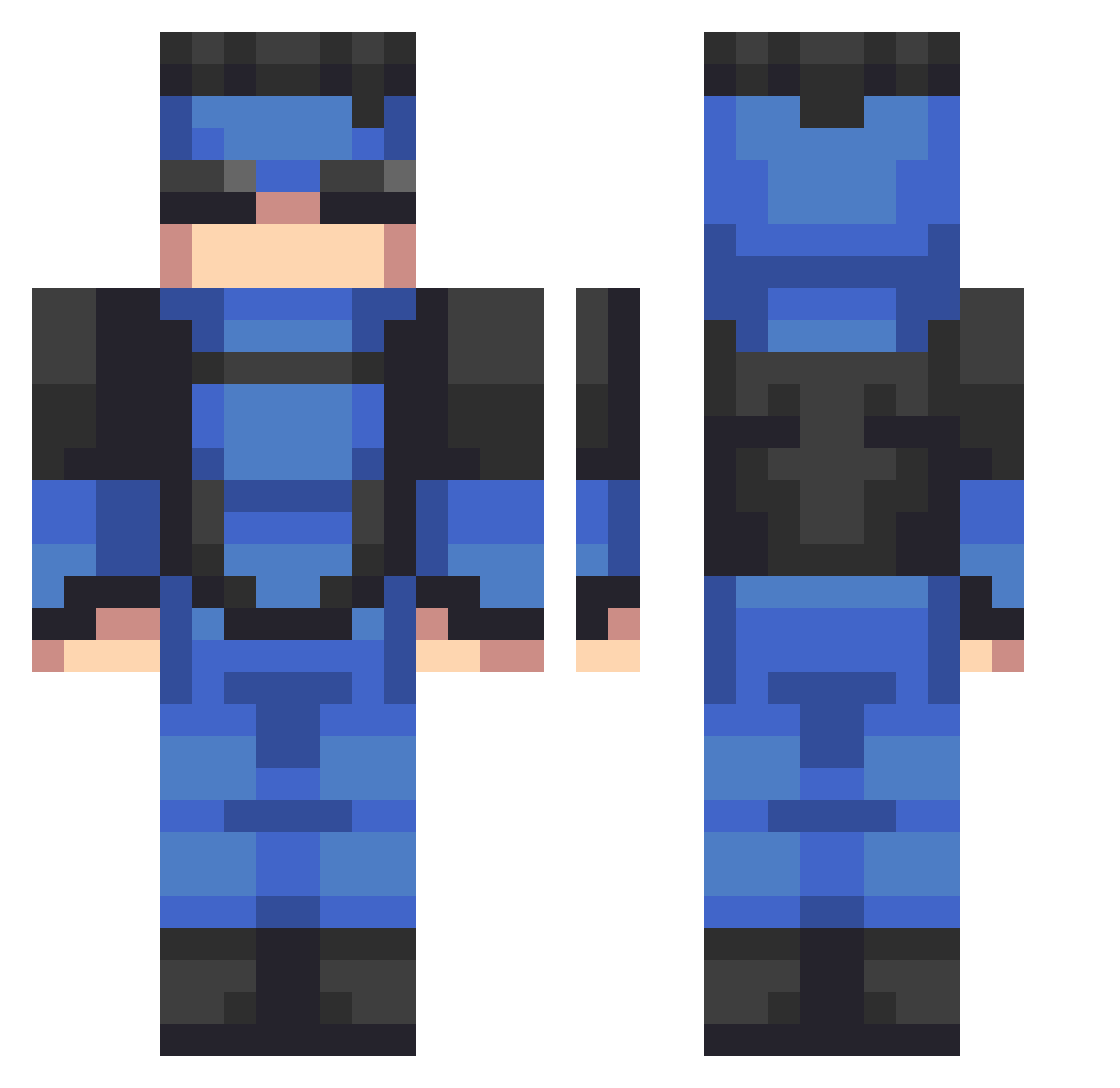
Current Minecraft skin of the player georgekapone, loaded from the official Mojang API. Rotate the 3D model with your mouse or finger, then download the skin as a PNG file and use it in Minecraft: Bedrock Edition or Java Edition for free. When georgekapone changes their skin, this page updates automatically and the old skin stays in the history below.
Other players with this skin (533)
georgekapone was the 223rd player we have seen with this skin, first spotted on 05.09.2026. The same skin was seen on these players. Open a nickname to see their current skin and skin history.
 Elbasty Maxletofu33 Sunyzn statefarm8074 sergiozuri10 zetooxx rxjaron Dasherr827 ExplosaoNuclear Goodz00 OREO29813 KrohZ_ Eivari FakeDeveloper11 Exploitability Junch0 LUOWW LuminousWitherOP SamGr07 goonsovereign 9L6 LordDrqco JasonBomber__03 skuullking
 BUTTERVR EgeBaba1234 SargentSarge17 keeping_03 N1ck3tie JackMySadBoy Cogote05 G2Turquoise a_bean_boi Tman_powerful26 glennvincible InvincibleMC blitsndash pdzz7 DonJuanW Blunt_Trauma13 SanguiniusF NukeyW HomelanderTBH dynamicryu SrCalichin mrxax efekara071 DetachedRex4119 Theoddson207 Burried_Delight RadioheadLuver85 InNiggethWePray Avocii Niancatman Powerplex__ Megarod392 budyyy_
 MrKonBon JaredGaming2010 jadiran
More Solid Snake Minecraft skins
How to install the georgekapone skin
- Press the Download button above to save the skin as a PNG file.
- Minecraft: Bedrock Edition (PE): open the Dressing Room from the main menu (or tap your character → Edit Character), go to Classic Skins → Owned, press the + (new skin) button, choose the downloaded PNG and pick the Classic (Steve) model. Works on PC and mobile; consoles cannot import custom skins.
- Minecraft: Java Edition: open the Minecraft Launcher, go to the Skins tab, click New Skin, load the PNG, pick the Classic (Steve) model and press Save & Use. You can also upload it at minecraft.net → Profile → Change Skin.
The skin does not show up after import - what should I do?
Restart Minecraft and open the Dressing Room again - imported skins sometimes appear only after a restart. Also make sure you selected the imported skin and picked the Classic (Steve) model.
Which model should I choose, Classic or Slim?
This skin is designed for the Classic (Steve) model. If you pick the wrong model, the arms of the skin will look stretched or squeezed.
Is the skin of georgekapone free to download?
Yes. Press Download, save the PNG file and use it in Minecraft: Bedrock Edition or Java Edition - no payment or registration needed. The skin also works on multiplayer servers and Realms.
More skins
Looking for more? Go back to all Minecraft skins and check the top skins of the week, month and all time, or find any player's skin by nickname.