
gasparek - Minecraft Skins & Skin History
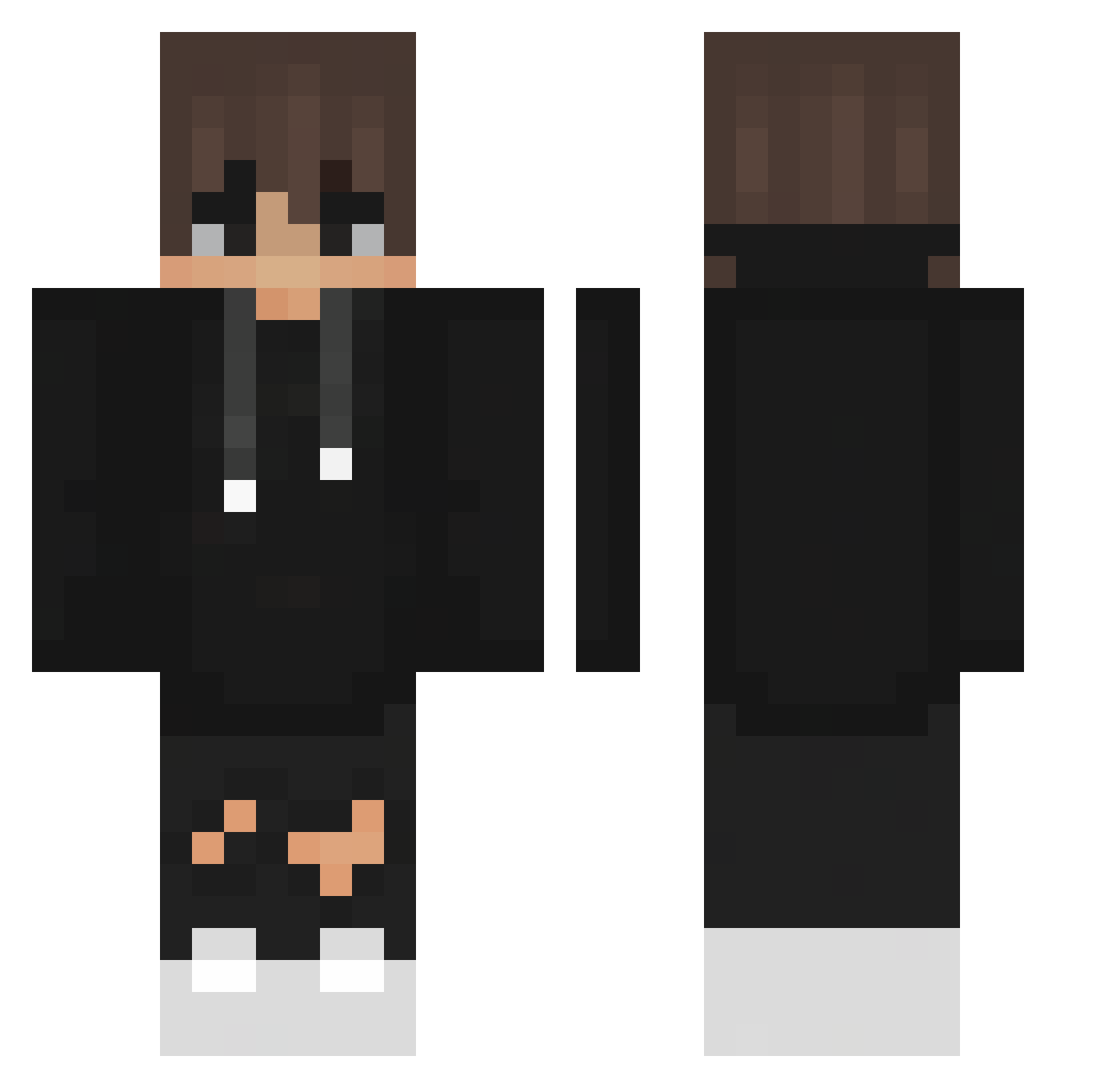
Current Minecraft skin of the player gasparek, loaded from the official Mojang API. Rotate the 3D model with your mouse or finger, then download the skin as a PNG file and use it in Minecraft: Bedrock Edition or Java Edition for free. When gasparek changes their skin, this page updates automatically and the old skin stays in the history below.
Other players with this skin (439)
gasparek was the 384th player we have seen with this skin, first spotted on 26.10.2026. The same skin was seen on these players. Open a nickname to see their current skin and skin history.
 Doyoon_ The_Nxva sutmindiller _ujjwal_ Vgeginatii kiliox515 1MrG1 JamesNelson Prese_nce ReddFluux Denchpony THR33ZZ Trizzzzyy Dom1nator269 Snup_Peta FyreNUKE TowerLiYu TONNOSUBITO xS_tarlord Some1one_ NinjaZavi ArabDad Kuboooch Unsungchiken ilyaFIREgo S4ltiq ILIKETURTLES20 TemkaWilson Rafal7788 PunBhakorn L05tOff teteudocapa shivarijal JustMDT Fumachu Irrigations BucidFr softbori Dubeck Doritosplayer15 denisreall zacksl Djjay007 xiaoran7322 ItsPhoenixMC MJT38119 ninaad69 Envy2231 zachuce remcov99 ItzzDenis104 samuelgdog GoofBape Crxckero TexoMc Zumbak digoLWC BT_team JulienMonAmour 4u_gp
How to install the gasparek skin
- Press the Download button above to save the skin as a PNG file.
- Minecraft: Bedrock Edition (PE): open the Dressing Room from the main menu (or tap your character → Edit Character), go to Classic Skins → Owned, press the + (new skin) button, choose the downloaded PNG and pick the Classic (Steve) model. Works on PC and mobile; consoles cannot import custom skins.
- Minecraft: Java Edition: open the Minecraft Launcher, go to the Skins tab, click New Skin, load the PNG, pick the Classic (Steve) model and press Save & Use. You can also upload it at minecraft.net → Profile → Change Skin.
The skin does not show up after import - what should I do?
Restart Minecraft and open the Dressing Room again - imported skins sometimes appear only after a restart. Also make sure you selected the imported skin and picked the Classic (Steve) model.
Which model should I choose, Classic or Slim?
This skin is designed for the Classic (Steve) model. If you pick the wrong model, the arms of the skin will look stretched or squeezed.
Is the skin of gasparek free to download?
Yes. Press Download, save the PNG file and use it in Minecraft: Bedrock Edition or Java Edition - no payment or registration needed. The skin also works on multiplayer servers and Realms.
More skins
Looking for more? Go back to all Minecraft skins and check the top skins of the week, month and all time, or find any player's skin by nickname.