
gappelz - Minecraft Skins & Skin History
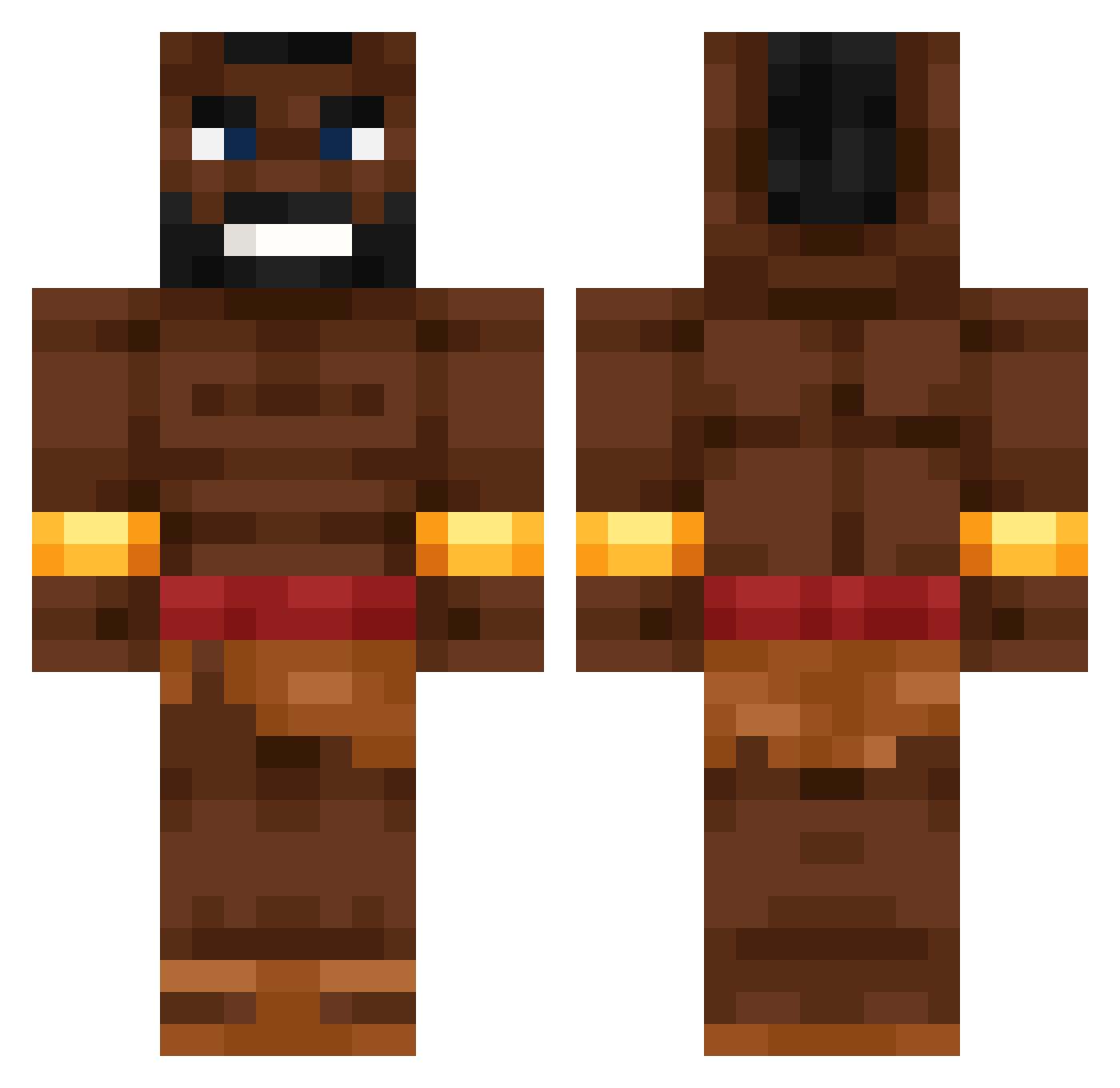
Current Minecraft skin of the player gappelz, loaded from the official Mojang API. Rotate the 3D model with your mouse or finger, then download the skin as a PNG file and use it in Minecraft: Bedrock Edition or Java Edition for free. When gappelz changes their skin, this page updates automatically and the old skin stays in the history below.
Other players with this skin (531)
gappelz was the 93rd player we have seen with this skin, first spotted on 09.08.2026. The same skin was seen on these players. Open a nickname to see their current skin and skin history.
 Y33ZY_ BlackGyat Nordjy Remcolinders Xvaktor Le10inchLog EgeRW
 Hwalla Henkiepower09 Daubzez
 clark574 br3nnais2cool AtixHd Hog_Rider_09 Nath2bb Mlichar Davix8
 exotic_05 Vegelima10 Nicollers Ezryn__ Elliotto_ migrove35 ItsAsane Kurwantas PapaJunior YecaCS TheBrownSecret ZenZeta VersedRain Batschy MansW98
 Badiue2
 HITO_007 ToNieMario Get_Sc0ped vectorohyeahh skarew CHEVETE98 N199ersaretrash rayzraiii Spider_Boy85456 weluvwill majkolaj_
 OgnistyGracz aeriiazzz Olek_2013 Zeck655 r8dhex Lxnli
 Peacepeace2019 Fifek098 alpha_leafs henalne10 FatihDaSavage napletinni Wrobert DaleLope
 Pasuuu lccxxr
More Actor Minecraft skins
How to install the gappelz skin
- Press the Download button above to save the skin as a PNG file.
- Minecraft: Bedrock Edition (PE): open the Dressing Room from the main menu (or tap your character → Edit Character), go to Classic Skins → Owned, press the + (new skin) button, choose the downloaded PNG and pick the Classic (Steve) model. Works on PC and mobile; consoles cannot import custom skins.
- Minecraft: Java Edition: open the Minecraft Launcher, go to the Skins tab, click New Skin, load the PNG, pick the Classic (Steve) model and press Save & Use. You can also upload it at minecraft.net → Profile → Change Skin.
The skin does not show up after import - what should I do?
Restart Minecraft and open the Dressing Room again - imported skins sometimes appear only after a restart. Also make sure you selected the imported skin and picked the Classic (Steve) model.
Which model should I choose, Classic or Slim?
This skin is designed for the Classic (Steve) model. If you pick the wrong model, the arms of the skin will look stretched or squeezed.
Is the skin of gappelz free to download?
Yes. Press Download, save the PNG file and use it in Minecraft: Bedrock Edition or Java Edition - no payment or registration needed. The skin also works on multiplayer servers and Realms.
More skins
Looking for more? Go back to all Minecraft skins and check the top skins of the week, month and all time, or find any player's skin by nickname.