
gabriell090909 - Minecraft Skins & Skin History
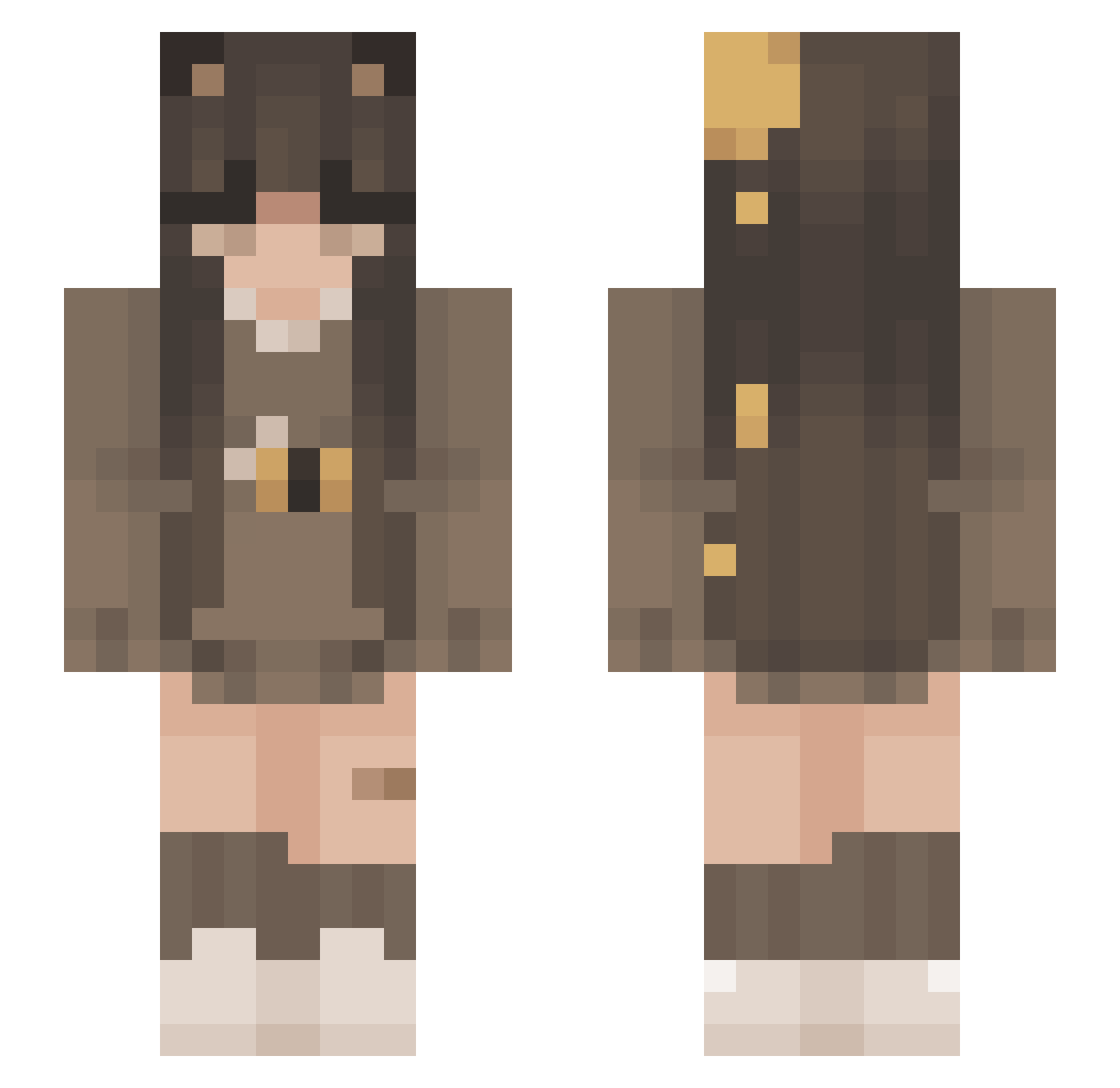
Current Minecraft skin of the player gabriell090909, loaded from the official Mojang API. Rotate the 3D model with your mouse or finger, then download the skin as a PNG file and use it in Minecraft: Bedrock Edition or Java Edition for free. When gabriell090909 changes their skin, this page updates automatically and the old skin stays in the history below.
Other players with this skin (272)
gabriell090909 was the 265th player we have seen with this skin, first spotted on 16.11.2026. The same skin was seen on these players. Open a nickname to see their current skin and skin history.
 hannuhh LeonieTzr INNO_CHANG ylaxll elisabethh TiinyAngel Esrouille Vercia nerowolsen sina_btw ycxm catpawbeans llamxi Bigots KoolEevee Dorotaa2000 Xirinn idkspoopy braeskiin mikameowww jossyta __die1emily1__ honeyarc cassiwassii hakankoc whordiss MooNstr6929 Hanitoru Sxbriina TotallyNotEmmie Sparkh007 Mxlle_Alexia_ astellaru ImFries_ TimmySonder Lelelara saadryy iD4rkkZ varajo Brot__ patrycja0000 BezzyXD HeyoItzJinx LoneLinguini DaddieAshley DustyTrips mikuisbae Clo7340 AzuraaIvy Kimme89 IsBi_ qodilqk plasticonos LynIsMe Annusi Kasiequ ewori Xx_Yukiii_xX _Ailie Scoundrella
More Bee Minecraft skins
How to install the gabriell090909 skin
- Press the Download button above to save the skin as a PNG file.
- Minecraft: Bedrock Edition (PE): open the Dressing Room from the main menu (or tap your character → Edit Character), go to Classic Skins → Owned, press the + (new skin) button, choose the downloaded PNG and pick the Slim (Alex) model. Works on PC and mobile; consoles cannot import custom skins.
- Minecraft: Java Edition: open the Minecraft Launcher, go to the Skins tab, click New Skin, load the PNG, pick the Slim (Alex) model and press Save & Use. You can also upload it at minecraft.net → Profile → Change Skin.
The skin does not show up after import - what should I do?
Restart Minecraft and open the Dressing Room again - imported skins sometimes appear only after a restart. Also make sure you selected the imported skin and picked the Slim (Alex) model.
Which model should I choose, Classic or Slim?
This skin is designed for the Slim (Alex) model. If you pick the wrong model, the arms of the skin will look stretched or squeezed.
Is the skin of gabriell090909 free to download?
Yes. Press Download, save the PNG file and use it in Minecraft: Bedrock Edition or Java Edition - no payment or registration needed. The skin also works on multiplayer servers and Realms.
More skins
Looking for more? Go back to all Minecraft skins and check the top skins of the week, month and all time, or find any player's skin by nickname.