
futileryan - Minecraft Skins & Skin History
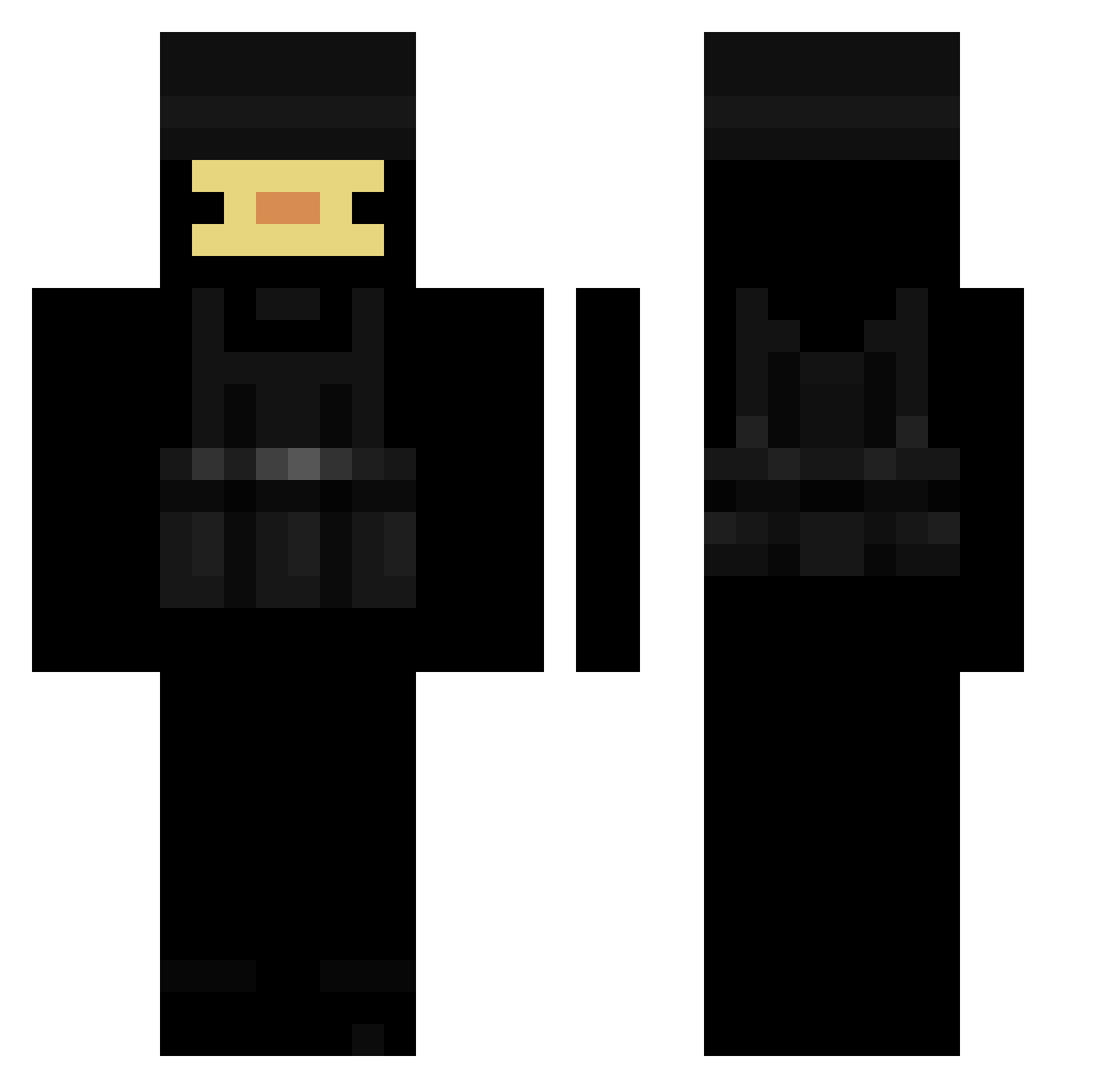
Current Minecraft skin of the player futileryan, loaded from the official Mojang API. Rotate the 3D model with your mouse or finger, then download the skin as a PNG file and use it in Minecraft: Bedrock Edition or Java Edition for free. When futileryan changes their skin, this page updates automatically and the old skin stays in the history below.
Other players with this skin (215)
futileryan was the 151st player we have seen with this skin, first spotted on 05.10.2026. The same skin was seen on these players. Open a nickname to see their current skin and skin history.
 Klamio snouwing Wallyzx Phorks_ TryhxrDuck01 Karazuk MadCuzBad_x iCroks 7DEADLYSINSS The_Forgotten_ timooooo10 ghast1234 Kor_Hirari QINEX Idetify Kaczuszka90809 Mazi1978 AstuteArt972523 I_snag_momz Termi307 willpadgett niekruj111 _Marioxdf_ Hoffen_ IISKEZY traviplayzmine oProduct Mattsav08 GO_EDUARDO ShokzTheDucky Se7ntHGoD jAm3s112 Patataboy45 y4mepi Awesomeboi69469 Ethren_ Gamemaster336 Zetagur STrey122 PoorlySkydiver rosixn BlurSweaty Fankuish Magniksss FBG_Duck IYKYK_ minipuxis Atthene BananaBreadMilk kira_173 Khxan Pretty_G00d Patrixon_2693 bakvs1_ cowsww Valentin_Spicy08 scoobert64 jrongfuel69 seaty kiluzafxp_9
More Swat Minecraft skins
How to install the futileryan skin
- Press the Download button above to save the skin as a PNG file.
- Minecraft: Bedrock Edition (PE): open the Dressing Room from the main menu (or tap your character → Edit Character), go to Classic Skins → Owned, press the + (new skin) button, choose the downloaded PNG and pick the Classic (Steve) model. Works on PC and mobile; consoles cannot import custom skins.
- Minecraft: Java Edition: open the Minecraft Launcher, go to the Skins tab, click New Skin, load the PNG, pick the Classic (Steve) model and press Save & Use. You can also upload it at minecraft.net → Profile → Change Skin.
The skin does not show up after import - what should I do?
Restart Minecraft and open the Dressing Room again - imported skins sometimes appear only after a restart. Also make sure you selected the imported skin and picked the Classic (Steve) model.
Which model should I choose, Classic or Slim?
This skin is designed for the Classic (Steve) model. If you pick the wrong model, the arms of the skin will look stretched or squeezed.
Is the skin of futileryan free to download?
Yes. Press Download, save the PNG file and use it in Minecraft: Bedrock Edition or Java Edition - no payment or registration needed. The skin also works on multiplayer servers and Realms.
More skins
Looking for more? Go back to all Minecraft skins and check the top skins of the week, month and all time, or find any player's skin by nickname.