
funnyfungi678 - Minecraft Skins & Skin History
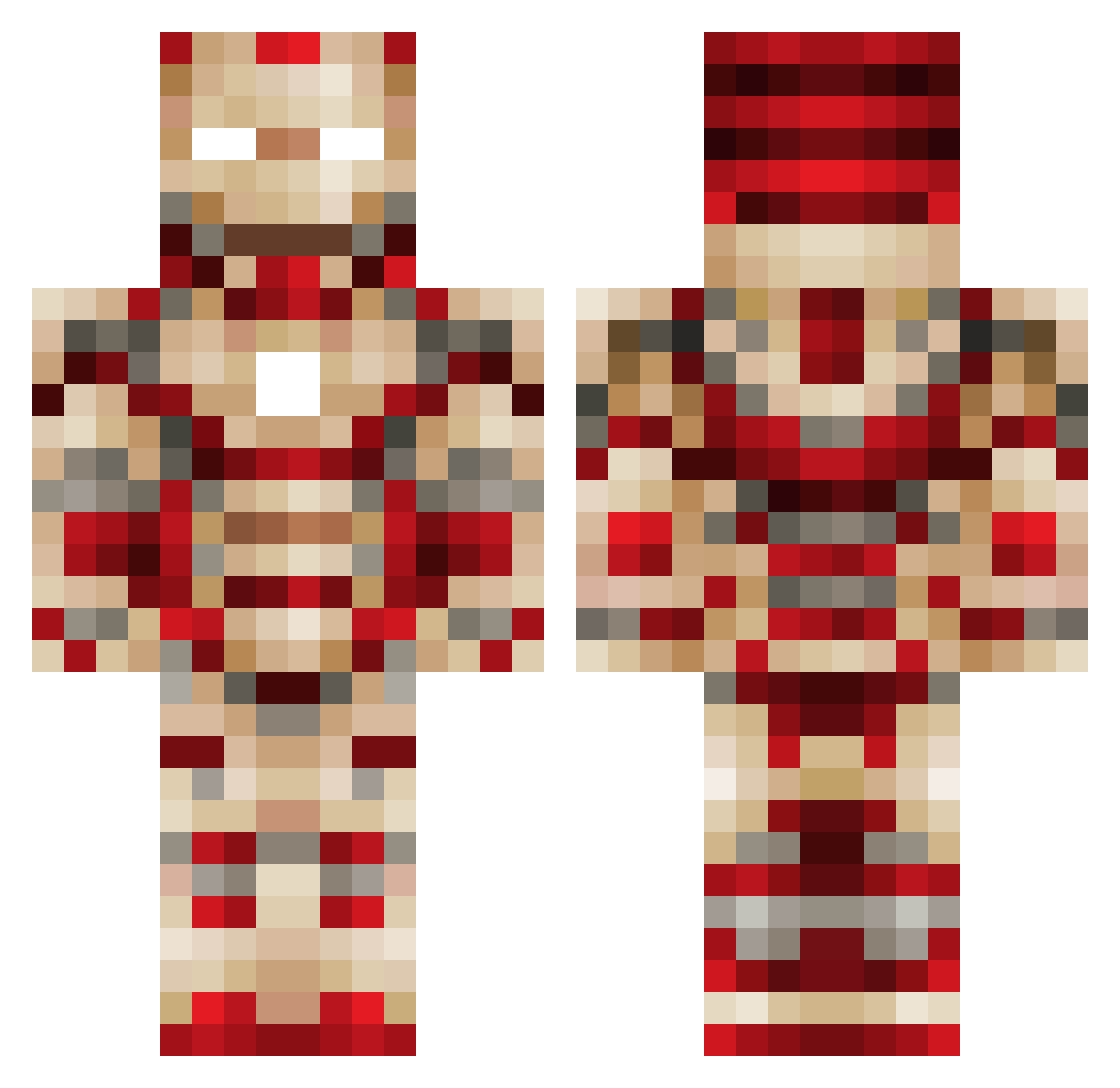
Current Minecraft skin of the player funnyfungi678, loaded from the official Mojang API. Rotate the 3D model with your mouse or finger, then download the skin as a PNG file and use it in Minecraft: Bedrock Edition or Java Edition for free. When funnyfungi678 changes their skin, this page updates automatically and the old skin stays in the history below.
Other players with this skin (449)
funnyfungi678 was the 266th player we have seen with this skin, first spotted on 20.09.2026. The same skin was seen on these players. Open a nickname to see their current skin and skin history.
 williammccoy21 sprtnfiz lukedecouter Destinyover9000 k0392 1NightWolf1 rockvet2002 Paul523 ulahs TivoCorrmat coolpieter Kackie91 Nicholas3150 JoshuaGs328 XXXZAN3XXX Aerijo zmarkey02 14walker obviouslybeau falcon60606 J04thecrafter PAJColb Everlasting_614 zamiboi guilleden bluechico1234 silvercole liamnpaige onyx66 Lotte_G Rstiles412 SuperFlyGuy2234 maxlou4000 Dan21c pussyslayer5555 teruteru42 ATKx HammerBird Hooseman TheCountryKid Kellogg00 SammuX_ js1025 sahil300 White_Cracka6909 Skitik jellybelly264 jacqat19 ericchico danjust24 TINYTITAN128 Onixion xCraq94 CuddlyCobra kgb_industries ezycool35 WinDyCloudxD hugo99999100 Sp3cialH thesawdustman
More Iron Man Minecraft skins
How to install the funnyfungi678 skin
- Press the Download button above to save the skin as a PNG file.
- Minecraft: Bedrock Edition (PE): open the Dressing Room from the main menu (or tap your character → Edit Character), go to Classic Skins → Owned, press the + (new skin) button, choose the downloaded PNG and pick the Classic (Steve) model. Works on PC and mobile; consoles cannot import custom skins.
- Minecraft: Java Edition: open the Minecraft Launcher, go to the Skins tab, click New Skin, load the PNG, pick the Classic (Steve) model and press Save & Use. You can also upload it at minecraft.net → Profile → Change Skin.
The skin does not show up after import - what should I do?
Restart Minecraft and open the Dressing Room again - imported skins sometimes appear only after a restart. Also make sure you selected the imported skin and picked the Classic (Steve) model.
Which model should I choose, Classic or Slim?
This skin is designed for the Classic (Steve) model. If you pick the wrong model, the arms of the skin will look stretched or squeezed.
Is the skin of funnyfungi678 free to download?
Yes. Press Download, save the PNG file and use it in Minecraft: Bedrock Edition or Java Edition - no payment or registration needed. The skin also works on multiplayer servers and Realms.
More skins
Looking for more? Go back to all Minecraft skins and check the top skins of the week, month and all time, or find any player's skin by nickname.