
frootipebbles - Minecraft Skins & Skin History
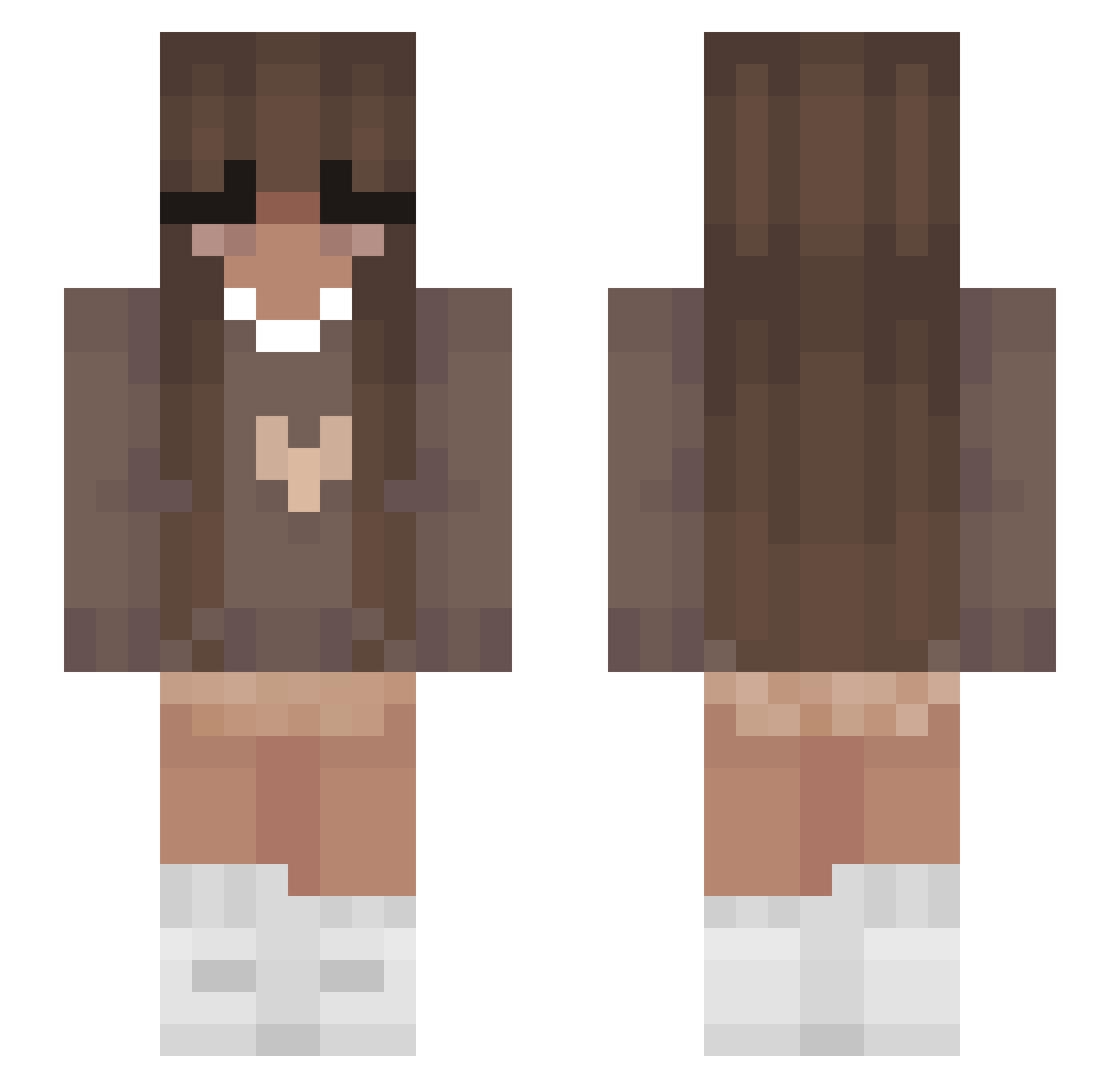
Current Minecraft skin of the player frootipebbles, loaded from the official Mojang API. Rotate the 3D model with your mouse or finger, then download the skin as a PNG file and use it in Minecraft: Bedrock Edition or Java Edition for free. When frootipebbles changes their skin, this page updates automatically and the old skin stays in the history below.
Other players with this skin (409)
frootipebbles was the 385th player we have seen with this skin, first spotted on 09.11.2026. The same skin was seen on these players. Open a nickname to see their current skin and skin history.
 gerii_zz Alxcia08 bellapacheco astora08 PineappleApple1 CherryBoo1 Linda6657 RIZZA156 Silvinixx Jeffrey_Agony shaqaliciouss Reverend_Pink xiaclv FadedeEGO whosamelcia BoberQ_22 michaela_207 Mlody_Zulis2115 spazzy247 TuvaxAlly Alee_lexii slodkakicia2173 Ovidia morgieeporgiee uhlawnuh Chloew1102 KidK123 YoloDjoko Spitzu Sophiexx_16 CrazyMeerkat68 SandwichHoop znrii Best_Mama inhqle Vengeant Alice_125 Korvilorv11 alexissgracee maeha pikamiyuh Berri__ JuniorDipsi Korkimu uwvq EmmaLotteMotte Angel0607 EmeliaRose GaoMichael Nvxpm veioo JaydahMwah Akeya04 akostolnikova SofySuper98 makaylalaz IcyyEmilyy Ditchi129 __M4RA__ GMMJULY
More Cozy Minecraft skins
How to install the frootipebbles skin
- Press the Download button above to save the skin as a PNG file.
- Minecraft: Bedrock Edition (PE): open the Dressing Room from the main menu (or tap your character → Edit Character), go to Classic Skins → Owned, press the + (new skin) button, choose the downloaded PNG and pick the Slim (Alex) model. Works on PC and mobile; consoles cannot import custom skins.
- Minecraft: Java Edition: open the Minecraft Launcher, go to the Skins tab, click New Skin, load the PNG, pick the Slim (Alex) model and press Save & Use. You can also upload it at minecraft.net → Profile → Change Skin.
The skin does not show up after import - what should I do?
Restart Minecraft and open the Dressing Room again - imported skins sometimes appear only after a restart. Also make sure you selected the imported skin and picked the Slim (Alex) model.
Which model should I choose, Classic or Slim?
This skin is designed for the Slim (Alex) model. If you pick the wrong model, the arms of the skin will look stretched or squeezed.
Is the skin of frootipebbles free to download?
Yes. Press Download, save the PNG file and use it in Minecraft: Bedrock Edition or Java Edition - no payment or registration needed. The skin also works on multiplayer servers and Realms.
More skins
Looking for more? Go back to all Minecraft skins and check the top skins of the week, month and all time, or find any player's skin by nickname.