
froglegsoup - Minecraft Skins & Skin History
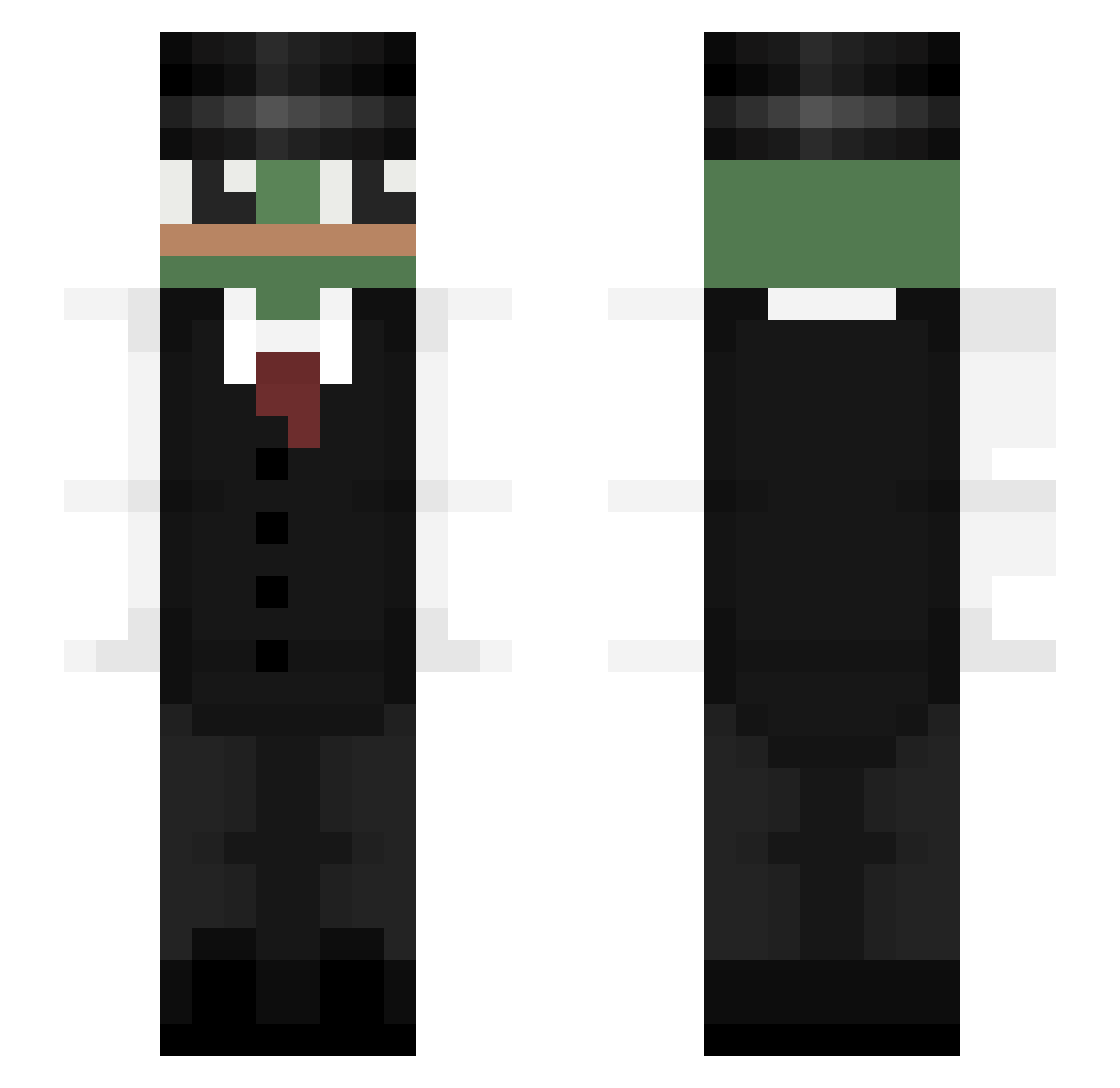
Current Minecraft skin of the player froglegsoup, loaded from the official Mojang API. Rotate the 3D model with your mouse or finger, then download the skin as a PNG file and use it in Minecraft: Bedrock Edition or Java Edition for free. When froglegsoup changes their skin, this page updates automatically and the old skin stays in the history below.
Other players with this skin (323)
froglegsoup was the 154th player we have seen with this skin, first spotted on 10.09.2026. The same skin was seen on these players. Open a nickname to see their current skin and skin history.
 tonio1236 rgh0324 ryanbedell Crustyheff Nepiay Kai_Oder_So Aguep90 ShekhZoro KyleSpelledCaio Coffee_Flash Caust0 KuroExceed Enot_222 Maczi7_ jober38 MulanSauce TenienteDan_64 Potlfeur Haniu_CZ Netiqq ayrobot GrkmYsrr pr0gramat0r jakes123 Arghanrelsk Patex10 Styler08 ShhhouT flojett pkyeon waltherpires pablinjonhzin123 MiniB00UNTY SMOTHhh Skinny_Matt Maela39 pablooml _Drone_ parkjoonbeom Tapo4ek_YT KingOfSW KeepTheCrocsOn A_xDssA DonnyT_ dalord0 fulgur56 Gravilight2010 ChickenUD zdenys Brekali IdoBeygel Maafk Ch8_Trop_CraZY Al3xx77 b_nning NostrBamus _douwi_ Navyyyyy RandomRandomak _ichijiku_
More Pepe Minecraft skins
How to install the froglegsoup skin
- Press the Download button above to save the skin as a PNG file.
- Minecraft: Bedrock Edition (PE): open the Dressing Room from the main menu (or tap your character → Edit Character), go to Classic Skins → Owned, press the + (new skin) button, choose the downloaded PNG and pick the Slim (Alex) model. Works on PC and mobile; consoles cannot import custom skins.
- Minecraft: Java Edition: open the Minecraft Launcher, go to the Skins tab, click New Skin, load the PNG, pick the Slim (Alex) model and press Save & Use. You can also upload it at minecraft.net → Profile → Change Skin.
The skin does not show up after import - what should I do?
Restart Minecraft and open the Dressing Room again - imported skins sometimes appear only after a restart. Also make sure you selected the imported skin and picked the Slim (Alex) model.
Which model should I choose, Classic or Slim?
This skin is designed for the Slim (Alex) model. If you pick the wrong model, the arms of the skin will look stretched or squeezed.
Is the skin of froglegsoup free to download?
Yes. Press Download, save the PNG file and use it in Minecraft: Bedrock Edition or Java Edition - no payment or registration needed. The skin also works on multiplayer servers and Realms.
More skins
Looking for more? Go back to all Minecraft skins and check the top skins of the week, month and all time, or find any player's skin by nickname.