
frizzyizzy007 - Minecraft Skins & Skin History
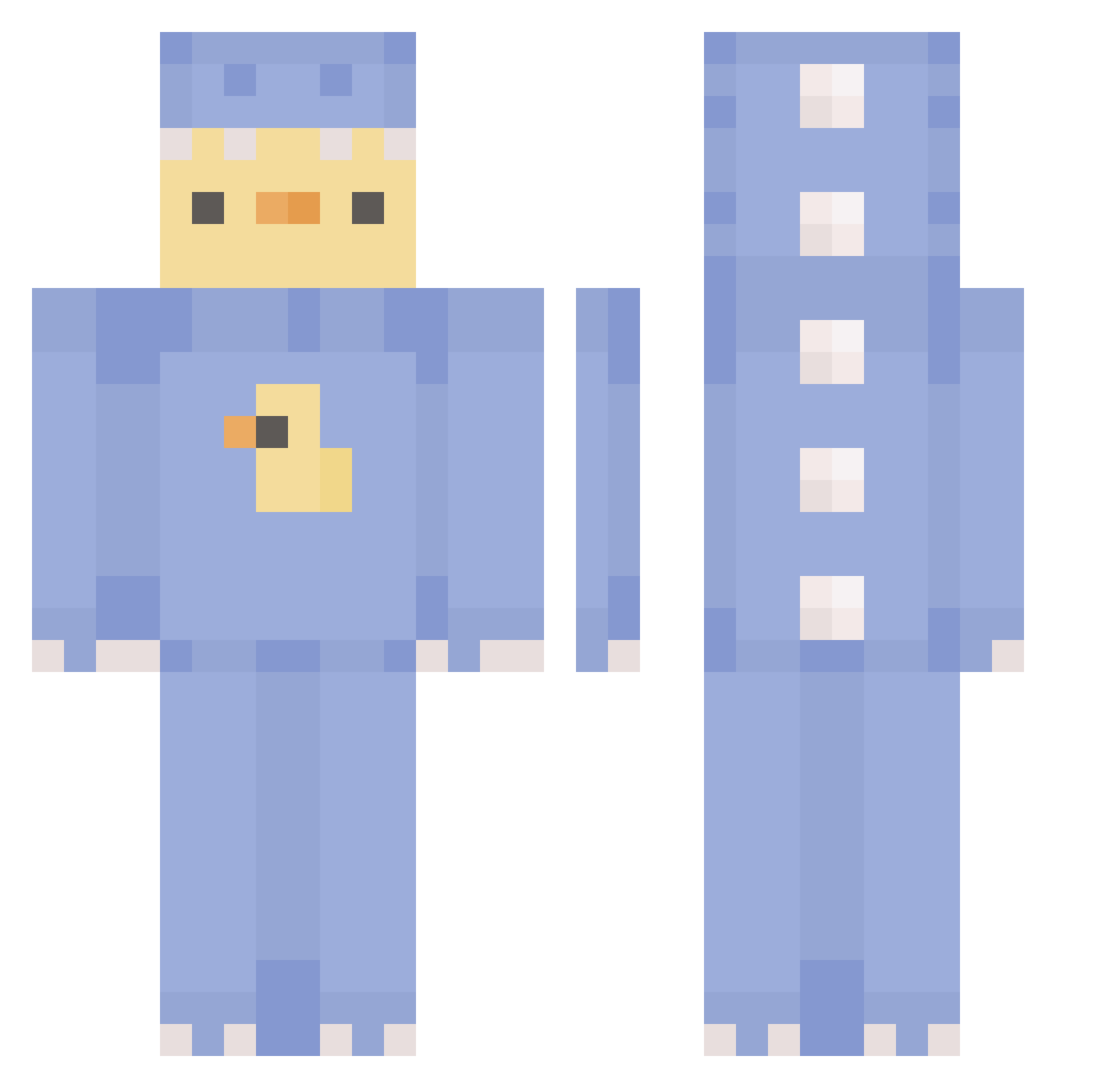
Current Minecraft skin of the player frizzyizzy007, loaded from the official Mojang API. Rotate the 3D model with your mouse or finger, then download the skin as a PNG file and use it in Minecraft: Bedrock Edition or Java Edition for free. When frizzyizzy007 changes their skin, this page updates automatically and the old skin stays in the history below.
Other players with this skin (373)
frizzyizzy007 was the 118th player we have seen with this skin, first spotted on 25.08.2026. The same skin was seen on these players. Open a nickname to see their current skin and skin history.
 MickeyD63 Belgique__ svetlana007 FlamingTru Domatiz DDMILK IcaMai chebulaji mybigtoe1193 Emp1fy_is_washed Naokieml Neouyt shawzy__ Carla04144 kirakijoe PANDAQ6411 Tebo27 steadypimp KangDongHee Sunpufz948943 sangminzora ya_Ang erika2512
 fbimoni Gilichko SpeedBuildKing AmiKotek7 dragonduck_thing nahbola sexysoeun ZZALL_RANG i_am_t1_rat kimch1214 william8545 eriiiiiiina BulletHDC yeetzbetz Anttttttt kittyb3an merlinlion off113 Wineopener arthy1020 dreamsmp68 Archwiazrd_OuO alyssia3462 duzydzoint cathysaur Avalanx SGalvanized lowintellect eo_O3O Blurzcin HAESOO_921 EunByeol20 Che__rry maaman426
 Burgerbun34 pink_dumpling Nadveikoouh
More Dinosaur Onesie Minecraft skins
See all 671 Dinosaur Onesie skins
How to install the frizzyizzy007 skin
- Press the Download button above to save the skin as a PNG file.
- Minecraft: Bedrock Edition (PE): open the Dressing Room from the main menu (or tap your character → Edit Character), go to Classic Skins → Owned, press the + (new skin) button, choose the downloaded PNG and pick the Classic (Steve) model. Works on PC and mobile; consoles cannot import custom skins.
- Minecraft: Java Edition: open the Minecraft Launcher, go to the Skins tab, click New Skin, load the PNG, pick the Classic (Steve) model and press Save & Use. You can also upload it at minecraft.net → Profile → Change Skin.
The skin does not show up after import - what should I do?
Restart Minecraft and open the Dressing Room again - imported skins sometimes appear only after a restart. Also make sure you selected the imported skin and picked the Classic (Steve) model.
Which model should I choose, Classic or Slim?
This skin is designed for the Classic (Steve) model. If you pick the wrong model, the arms of the skin will look stretched or squeezed.
Is the skin of frizzyizzy007 free to download?
Yes. Press Download, save the PNG file and use it in Minecraft: Bedrock Edition or Java Edition - no payment or registration needed. The skin also works on multiplayer servers and Realms.
More skins
Looking for more? Go back to all Minecraft skins and check the top skins of the week, month and all time, or find any player's skin by nickname.