
franco_2316 - Minecraft Skins & Skin History
Current Minecraft skin of the player franco_2316, loaded from the official Mojang API. Rotate the 3D model with your mouse or finger, then download the skin as a PNG file and use it in Minecraft: Bedrock Edition or Java Edition for free. When franco_2316 changes their skin, this page updates automatically and the old skin stays in the history below.
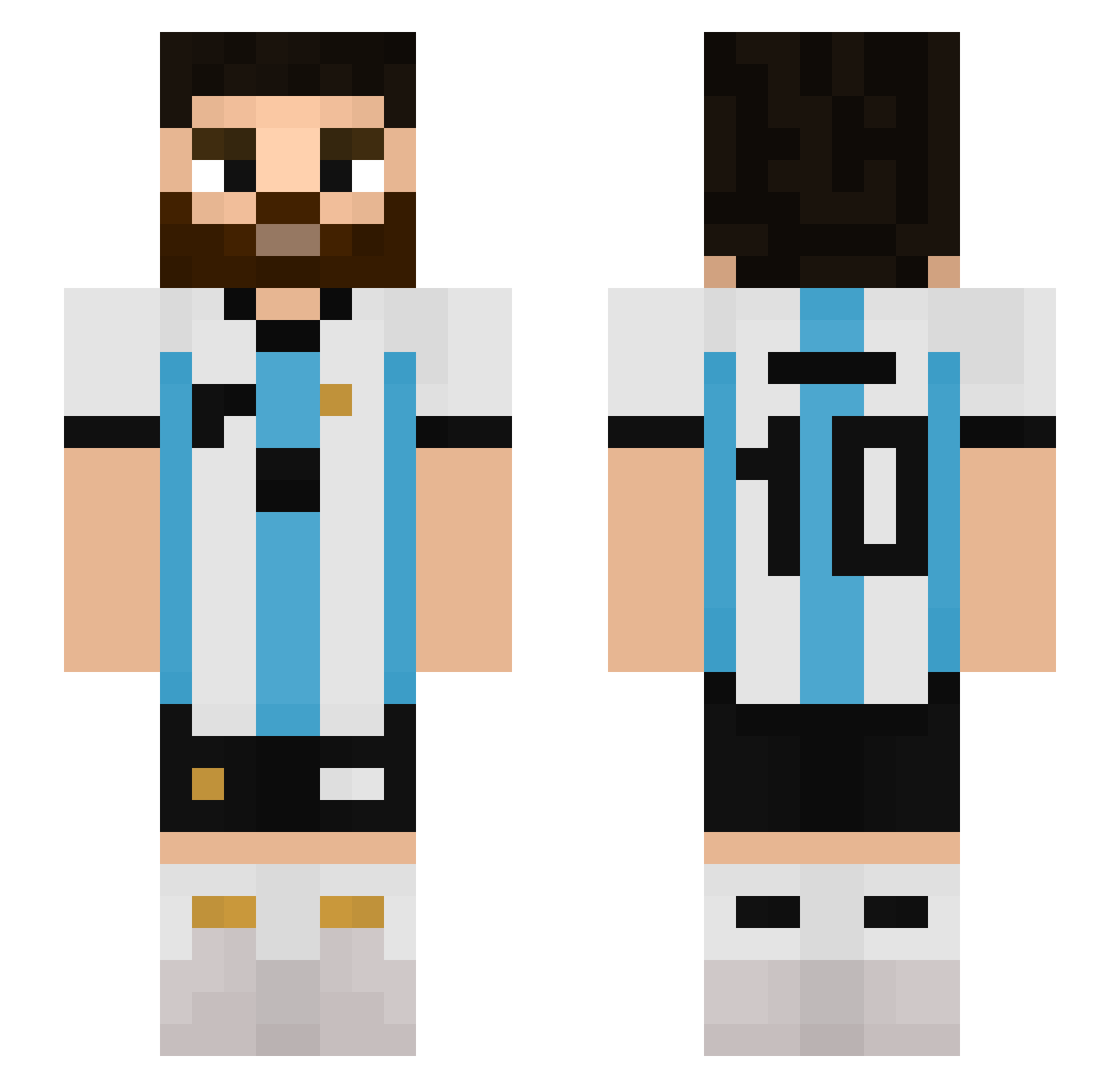
Other players with this skin (510)
franco_2316 was the 452nd player we have seen with this skin, first spotted on 11.10.2026. The same skin was seen on these players. Open a nickname to see their current skin and skin history.
 yamanclsk BlASi17 Camiipro Nickikun6 Omar12122 BraveWasTaken DimasGaymer joacofariasss yeejun0714 matzematze12 MisterDoubleD Adamce9 akuma_105 Momoooooow watermuscle Faruk097 DonSkipper crls0225 maaxcastillo Noguera_28 Mih3ly folus1944 lnternetCloth Kamasura18 xCordoon Pluma2 ManuJC kjh1106 MIGUEL_CAPIVARA GastonTRX Messssiiiiiiiiii DavidDietrich ClasityClase HakDark96 TonyGG123 BlakMak Xplotchh Nafra_0902 Enzo53 maniacs213 ZLonny TOMMU576 Fifaguy452 CommandoTrex angelote69 Emanuel1129 OMEGA_798 ciscomkh Kimosabii_ kjw1219 BANKAI_73 JTian_Xx LeoLozano10 EASportsFC _Burre_ ah_gg cagravc LionelSantos ordb tinygamer2647
More Argentina Minecraft skins
How to install the franco_2316 skin
- Press the Download button above to save the skin as a PNG file.
- Minecraft: Bedrock Edition (PE): open the Dressing Room from the main menu (or tap your character → Edit Character), go to Classic Skins → Owned, press the + (new skin) button, choose the downloaded PNG and pick the Slim (Alex) model. Works on PC and mobile; consoles cannot import custom skins.
- Minecraft: Java Edition: open the Minecraft Launcher, go to the Skins tab, click New Skin, load the PNG, pick the Slim (Alex) model and press Save & Use. You can also upload it at minecraft.net → Profile → Change Skin.
The skin does not show up after import - what should I do?
Restart Minecraft and open the Dressing Room again - imported skins sometimes appear only after a restart. Also make sure you selected the imported skin and picked the Slim (Alex) model.
Which model should I choose, Classic or Slim?
This skin is designed for the Slim (Alex) model. If you pick the wrong model, the arms of the skin will look stretched or squeezed.
Is the skin of franco_2316 free to download?
Yes. Press Download, save the PNG file and use it in Minecraft: Bedrock Edition or Java Edition - no payment or registration needed. The skin also works on multiplayer servers and Realms.
More skins
Looking for more? Go back to all Minecraft skins and check the top skins of the week, month and all time, or find any player's skin by nickname.