
fox020703 - Minecraft Skins & Skin History
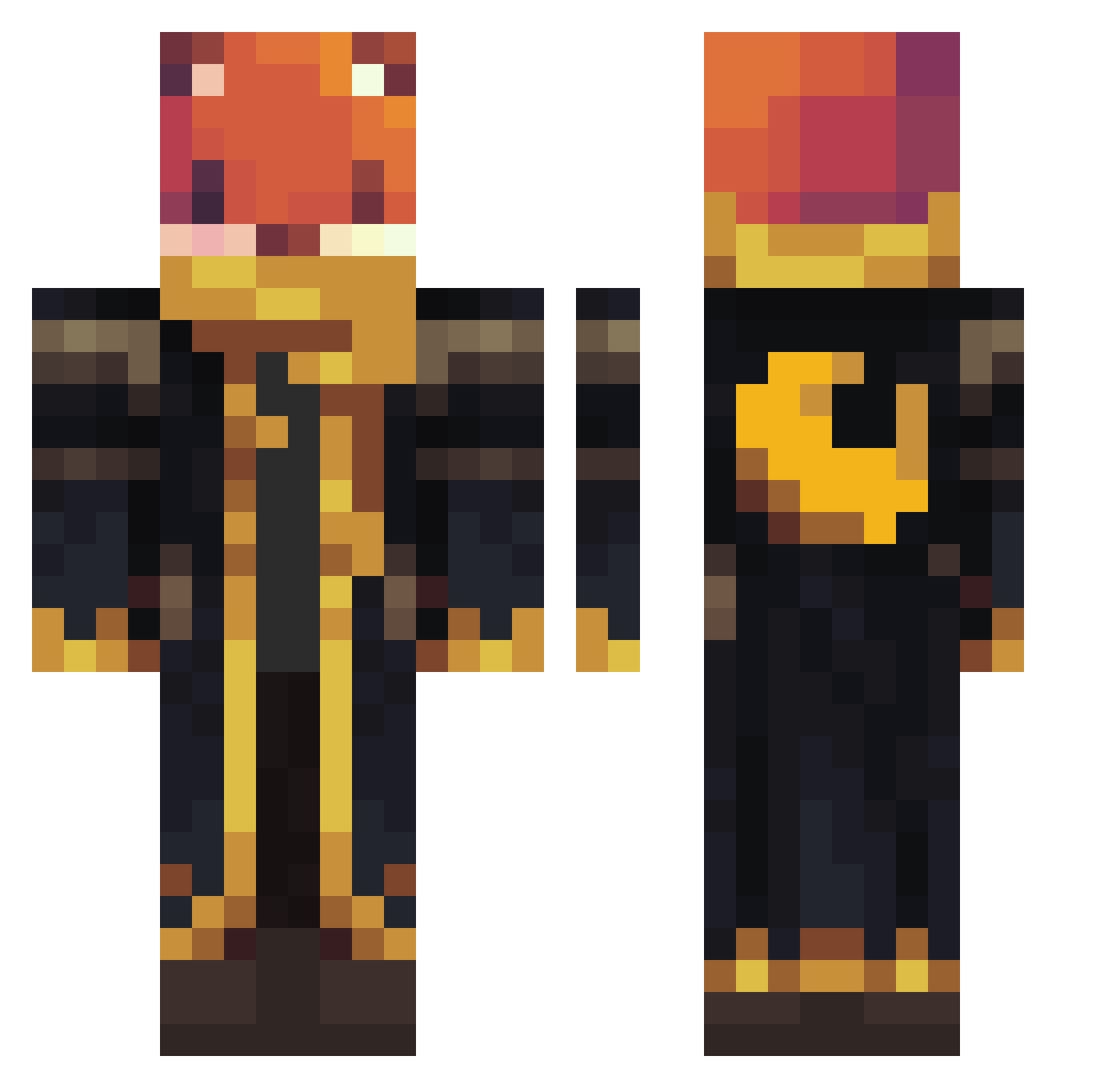
Current Minecraft skin of the player fox020703, loaded from the official Mojang API. Rotate the 3D model with your mouse or finger, then download the skin as a PNG file and use it in Minecraft: Bedrock Edition or Java Edition for free. When fox020703 changes their skin, this page updates automatically and the old skin stays in the history below.
Other players with this skin (925)
fox020703 was the 89th player we have seen with this skin, first spotted on 03.08.2026. The same skin was seen on these players. Open a nickname to see their current skin and skin history.
 Antek1987 RobKee2 neegus_ nagiuu
 godman8750
 DreifachKarotte AccelWarrior
 LynchSquad6 Anti1as beast6623 balintka07 Tokamak83 PINH4xx BigZzzzzzzz Leodigger13 NovumVitas Luizgui9
 Trex_1030 Pig_Main
 Aluros Haddicat17 SamanthaNW ExcisionPoint Witek9
 78kd TJSOWAVY zindeptrai1 Dk_olx0306 Gankiller _metheLuni SevenAgain
 Hasi3265 sssnaek CBShadow_
 GenAlphaGaming Outdoorgamer26
 Leometriacraft Ethanhe668 omer12346 HmongSausages
 Luca_the_gamer34 UtilityMinotaur heyheycat JairoComino48
 iG12o8 DortHit_2l14ohgr jgfgamer LionFoX48 azxcvbnml123 johnpaws smolCereal
 Ant0nho Onliverse CCVR1234
 SAVK2014
 Megasloth999 haseto504 SterryGamer
 Entity_303137 spiderwolf5102
More Crescent Moon Minecraft skins
See all 254 Crescent Moon skins
How to install the fox020703 skin
- Press the Download button above to save the skin as a PNG file.
- Minecraft: Bedrock Edition (PE): open the Dressing Room from the main menu (or tap your character → Edit Character), go to Classic Skins → Owned, press the + (new skin) button, choose the downloaded PNG and pick the Classic (Steve) model. Works on PC and mobile; consoles cannot import custom skins.
- Minecraft: Java Edition: open the Minecraft Launcher, go to the Skins tab, click New Skin, load the PNG, pick the Classic (Steve) model and press Save & Use. You can also upload it at minecraft.net → Profile → Change Skin.
The skin does not show up after import - what should I do?
Restart Minecraft and open the Dressing Room again - imported skins sometimes appear only after a restart. Also make sure you selected the imported skin and picked the Classic (Steve) model.
Which model should I choose, Classic or Slim?
This skin is designed for the Classic (Steve) model. If you pick the wrong model, the arms of the skin will look stretched or squeezed.
Is the skin of fox020703 free to download?
Yes. Press Download, save the PNG file and use it in Minecraft: Bedrock Edition or Java Edition - no payment or registration needed. The skin also works on multiplayer servers and Realms.
More skins
Looking for more? Go back to all Minecraft skins and check the top skins of the week, month and all time, or find any player's skin by nickname.