
flyingsquirrel7 - Minecraft Skins & Skin History
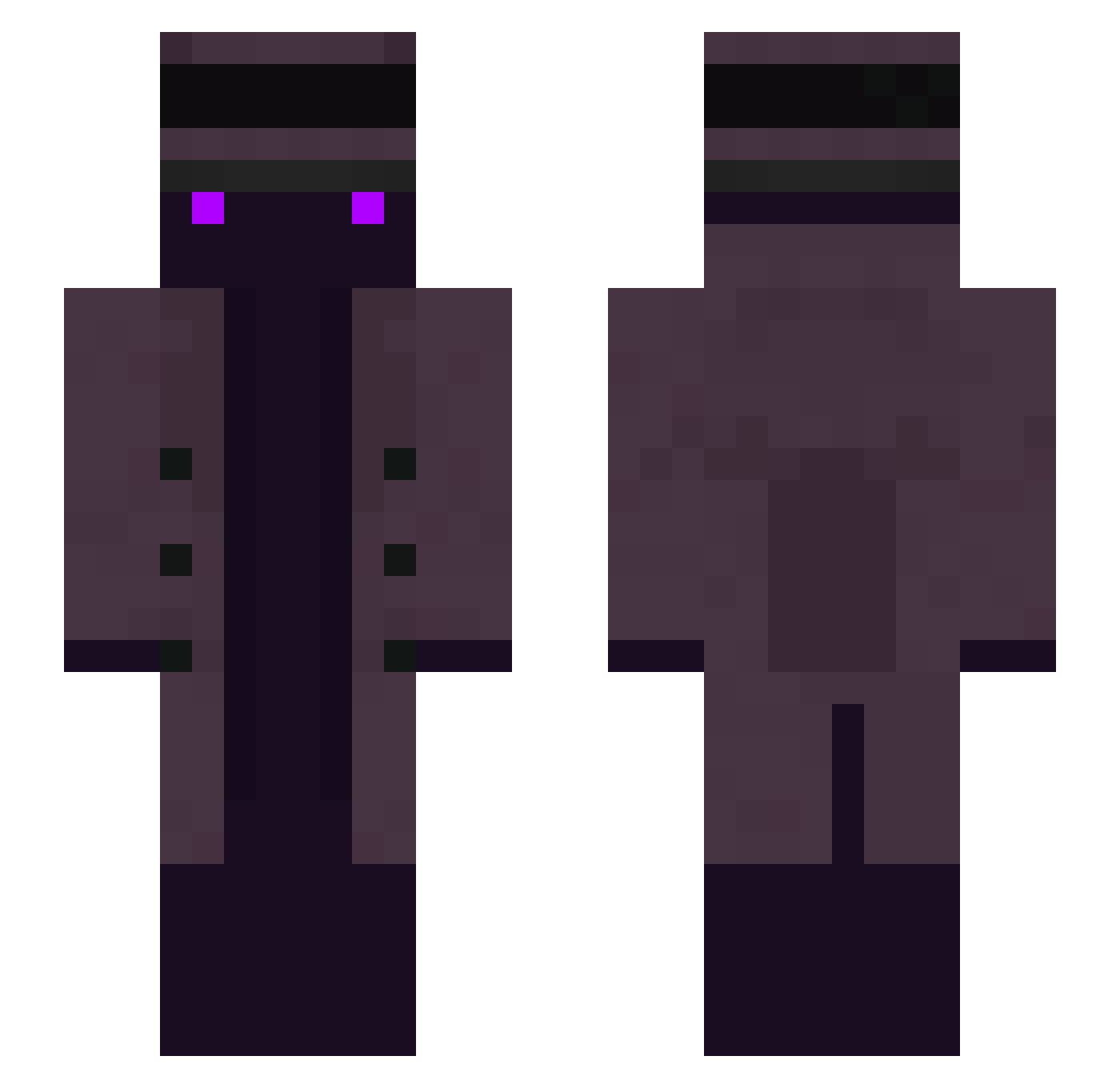
Current Minecraft skin of the player flyingsquirrel7, loaded from the official Mojang API. Rotate the 3D model with your mouse or finger, then download the skin as a PNG file and use it in Minecraft: Bedrock Edition or Java Edition for free. When flyingsquirrel7 changes their skin, this page updates automatically and the old skin stays in the history below.
Other players with this skin (258)
flyingsquirrel7 was the 167th player we have seen with this skin, first spotted on 05.10.2026. The same skin was seen on these players. Open a nickname to see their current skin and skin history.
 Nacho_Sauce PerqPQ Fenet1k Delyknight FortunateHeroYT UnculturedSwine1 FruitSandwich1 JaviGoons hun9748 Mightyyipan RMS1121 FelixGTS Arnvior_ Mad_hamburger sosososoososoyt MoisesSJ aviel15 ELi0tt6 Jellybelly869 _majius_ PrideFire Crono_22 Renietl ErasedWood Wazaa_ Antiguas Slinks002 MurKop cestoto RakkNationGaming tenseter ActuallyPoetic archer191940 Kislevit StaB1k A1denSss ratmadillo CallOfSinato Roarflmao Bwei1 GianpyMix R00X0 death_skulls SlothTheUser Temakio Hassan__ NoHaxJustMax Jyogre ClarkC36 Onilisia SEVITORRES qdog831 WILLIAM13FIX lmanske SugarHill Anony_mous2 grJdh xmg0100 teonino3627 _DoCHI_
More Top Hat Minecraft skins
How to install the flyingsquirrel7 skin
- Press the Download button above to save the skin as a PNG file.
- Minecraft: Bedrock Edition (PE): open the Dressing Room from the main menu (or tap your character → Edit Character), go to Classic Skins → Owned, press the + (new skin) button, choose the downloaded PNG and pick the Slim (Alex) model. Works on PC and mobile; consoles cannot import custom skins.
- Minecraft: Java Edition: open the Minecraft Launcher, go to the Skins tab, click New Skin, load the PNG, pick the Slim (Alex) model and press Save & Use. You can also upload it at minecraft.net → Profile → Change Skin.
The skin does not show up after import - what should I do?
Restart Minecraft and open the Dressing Room again - imported skins sometimes appear only after a restart. Also make sure you selected the imported skin and picked the Slim (Alex) model.
Which model should I choose, Classic or Slim?
This skin is designed for the Slim (Alex) model. If you pick the wrong model, the arms of the skin will look stretched or squeezed.
Is the skin of flyingsquirrel7 free to download?
Yes. Press Download, save the PNG file and use it in Minecraft: Bedrock Edition or Java Edition - no payment or registration needed. The skin also works on multiplayer servers and Realms.
More skins
Looking for more? Go back to all Minecraft skins and check the top skins of the week, month and all time, or find any player's skin by nickname.