
florianhoedl - Minecraft Skins & Skin History
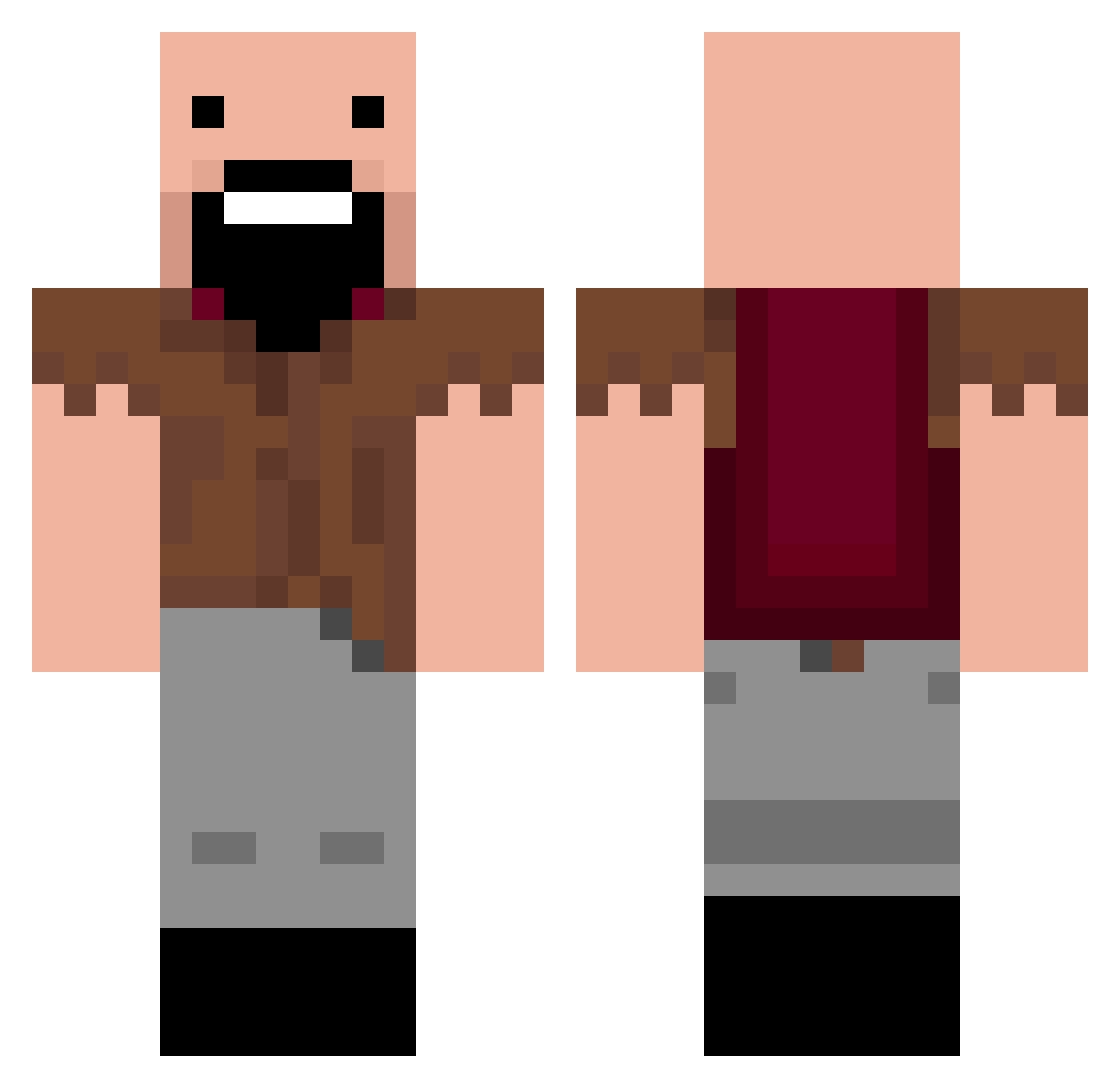
Current Minecraft skin of the player florianhoedl, loaded from the official Mojang API. Rotate the 3D model with your mouse or finger, then download the skin as a PNG file and use it in Minecraft: Bedrock Edition or Java Edition for free. When florianhoedl changes their skin, this page updates automatically and the old skin stays in the history below.
Other players with this skin (202)
florianhoedl was the 86th player we have seen with this skin, first spotted on 12.09.2026. The same skin was seen on these players. Open a nickname to see their current skin and skin history.
 jdoan00 GFLcrafter1 TigerShawk ed4usmc FinishHim0_0 Ezuxen spideyty1 zukster04 silvergish arkimmie arrobuilds TITANFALLGUY joe_tibo Jachuks280 moex2009 Lovechuan2k WilliamVeyron JardaCZ_16 tomwg123001 jordo1 Minedigger14 ethanwill24 Mattalici0us wandwaver10 cbowker14 sethy2 thegeorg42 DerGast mrazmir awesome_minions diaperash NotchTheGreat Thanos789 KhristianT zachsmo samsamlego stevej2002 minecraft2hobo nathanvalentin EightWanderer __apple219__ ryandennis121902 Aj99_ Indamenkiller mrafro1 utopiaman66 lindagreenwood matster321 gagu2012 elfswag5 LScoolman countryisaac WILLPOWER02 Roger_God AgentEscher Gqpeff poghog willthethrill20 Traxcrafter isaac0622
More Notch Minecraft skins
How to install the florianhoedl skin
- Press the Download button above to save the skin as a PNG file.
- Minecraft: Bedrock Edition (PE): open the Dressing Room from the main menu (or tap your character → Edit Character), go to Classic Skins → Owned, press the + (new skin) button, choose the downloaded PNG and pick the Classic (Steve) model. Works on PC and mobile; consoles cannot import custom skins.
- Minecraft: Java Edition: open the Minecraft Launcher, go to the Skins tab, click New Skin, load the PNG, pick the Classic (Steve) model and press Save & Use. You can also upload it at minecraft.net → Profile → Change Skin.
The skin does not show up after import - what should I do?
Restart Minecraft and open the Dressing Room again - imported skins sometimes appear only after a restart. Also make sure you selected the imported skin and picked the Classic (Steve) model.
Which model should I choose, Classic or Slim?
This skin is designed for the Classic (Steve) model. If you pick the wrong model, the arms of the skin will look stretched or squeezed.
Is the skin of florianhoedl free to download?
Yes. Press Download, save the PNG file and use it in Minecraft: Bedrock Edition or Java Edition - no payment or registration needed. The skin also works on multiplayer servers and Realms.
More skins
Looking for more? Go back to all Minecraft skins and check the top skins of the week, month and all time, or find any player's skin by nickname.