
flammarion2 - Minecraft Skins & Skin History
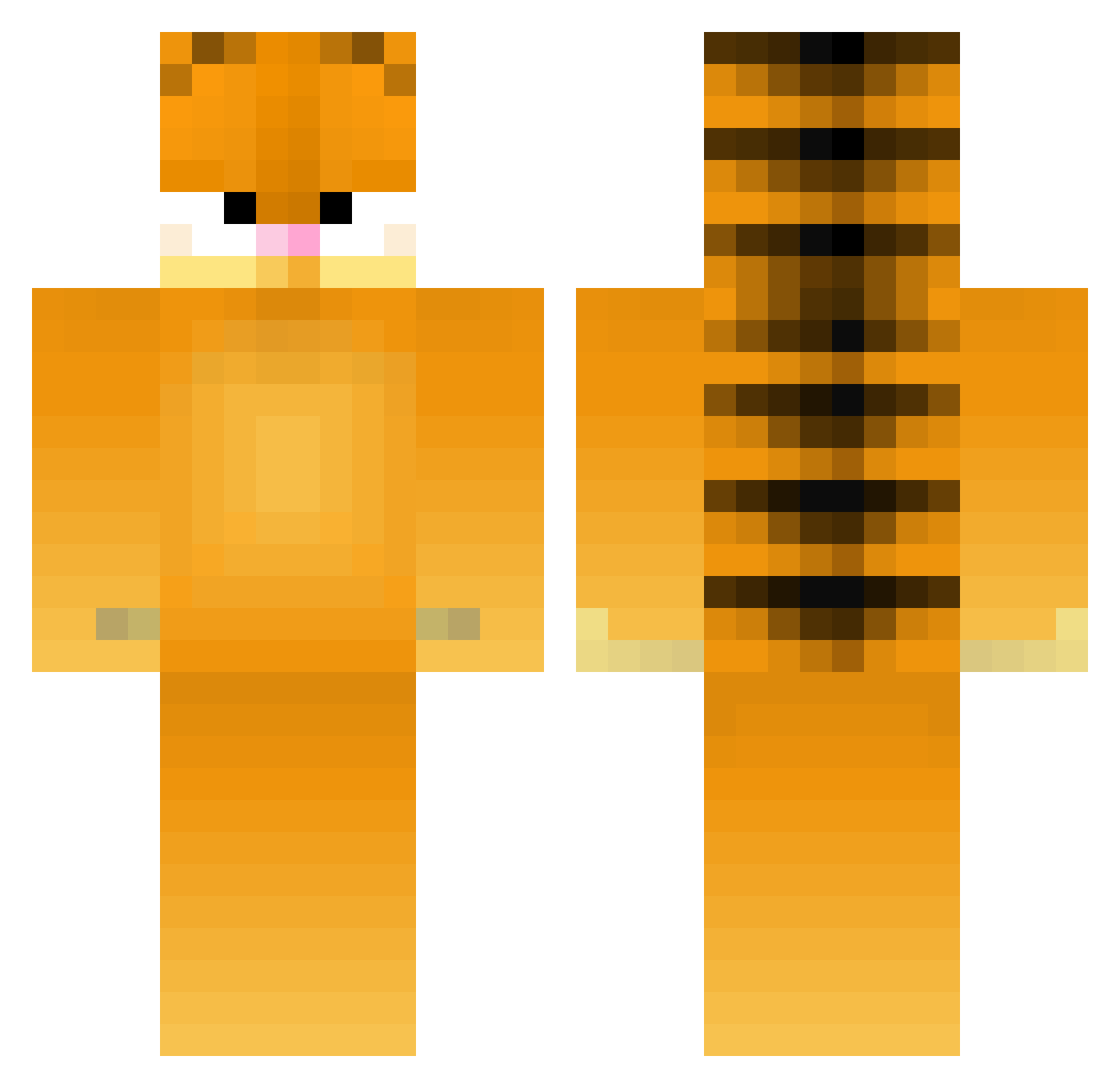
Current Minecraft skin of the player flammarion2, loaded from the official Mojang API. Rotate the 3D model with your mouse or finger, then download the skin as a PNG file and use it in Minecraft: Bedrock Edition or Java Edition for free. When flammarion2 changes their skin, this page updates automatically and the old skin stays in the history below.
Other players with this skin (179)
flammarion2 was the 37th player we have seen with this skin, first spotted on 17.08.2026. The same skin was seen on these players. Open a nickname to see their current skin and skin history.
 mart7745 Ty_Brigg BaldurHimself TheRareGiraffe
 Nilsouille legodimo pinguuu27 Tinisille pinkL_ady greb401 Lassi772 ferny9991 OddTaterTot cancanneednew67 Lithosee JunoIsC RedVelvet202 Fiziko_Mehanikas tristaank fwl_Rio Luftww Zulu slotkak0tka Cappachinos EmmaRose2601 weenerino nimas1 dandeliondab Siskaa Zinoviev8 psychoontabs_ Scrapey101 Schnimes Lilnogg GoatNips420 gmza
 Rlxine Jangslice Elmanuloco lidenskap hanmiau Ashes4321 zombiefiedpiglin bettyyyyyyyy Wrmyds RudinhoGaucho taesani Hazae00 ElMamao Highrise788 PURPLEDREADS Fr0doWsk1_ Cosmo9012 AloneCheeroky clausanunu swetzin Moonaqua Greenzero0 Moonshine27x PeterPoepvlek
More Garfield Minecraft skins
How to install the flammarion2 skin
- Press the Download button above to save the skin as a PNG file.
- Minecraft: Bedrock Edition (PE): open the Dressing Room from the main menu (or tap your character → Edit Character), go to Classic Skins → Owned, press the + (new skin) button, choose the downloaded PNG and pick the Classic (Steve) model. Works on PC and mobile; consoles cannot import custom skins.
- Minecraft: Java Edition: open the Minecraft Launcher, go to the Skins tab, click New Skin, load the PNG, pick the Classic (Steve) model and press Save & Use. You can also upload it at minecraft.net → Profile → Change Skin.
The skin does not show up after import - what should I do?
Restart Minecraft and open the Dressing Room again - imported skins sometimes appear only after a restart. Also make sure you selected the imported skin and picked the Classic (Steve) model.
Which model should I choose, Classic or Slim?
This skin is designed for the Classic (Steve) model. If you pick the wrong model, the arms of the skin will look stretched or squeezed.
Is the skin of flammarion2 free to download?
Yes. Press Download, save the PNG file and use it in Minecraft: Bedrock Edition or Java Edition - no payment or registration needed. The skin also works on multiplayer servers and Realms.
More skins
Looking for more? Go back to all Minecraft skins and check the top skins of the week, month and all time, or find any player's skin by nickname.