
flame9942 - Minecraft Skins & Skin History
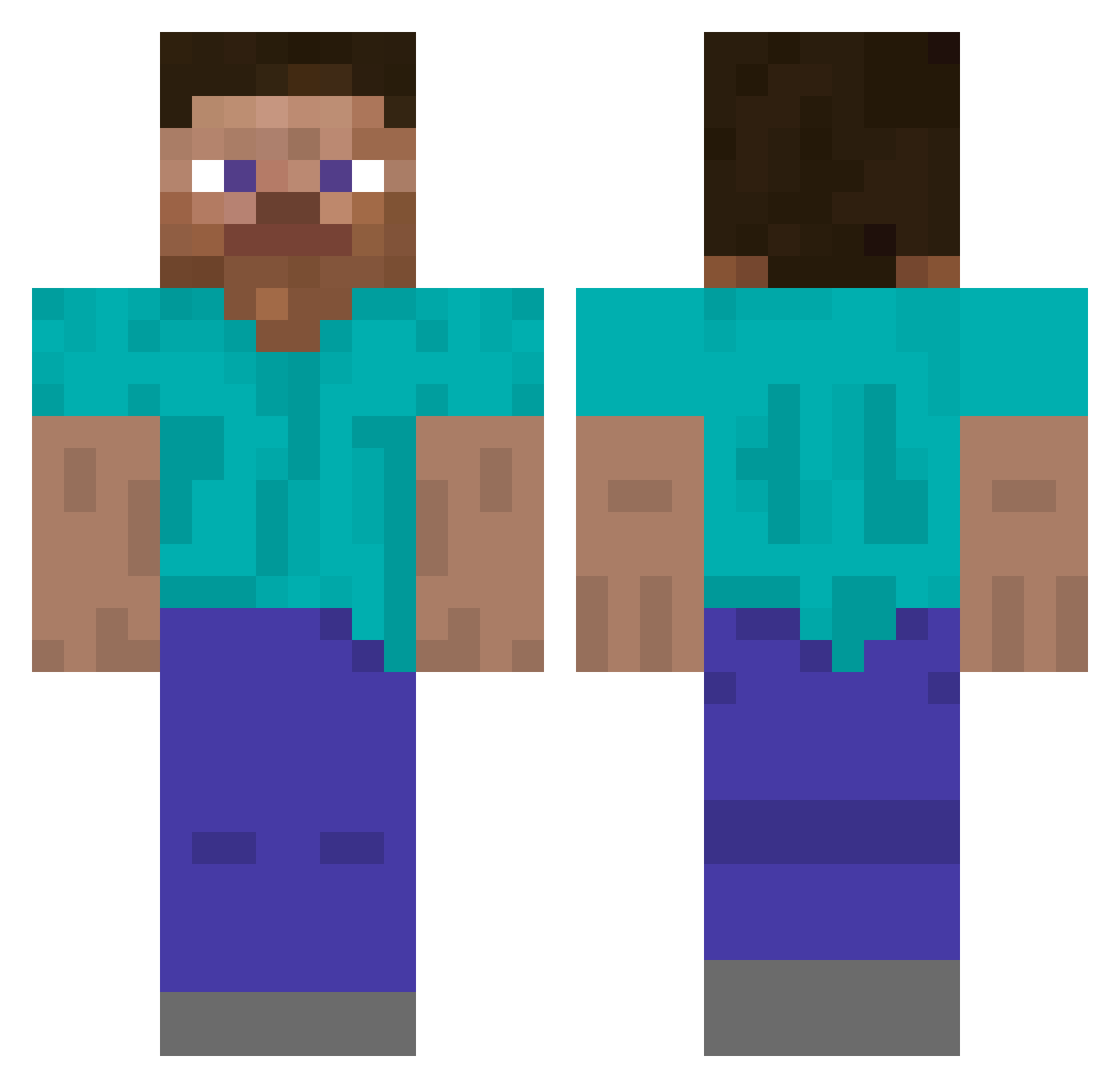
Current Minecraft skin of the player flame9942, loaded from the official Mojang API. Rotate the 3D model with your mouse or finger, then download the skin as a PNG file and use it in Minecraft: Bedrock Edition or Java Edition for free. When flame9942 changes their skin, this page updates automatically and the old skin stays in the history below.
Other players with this skin (338)
flame9942 was the 330th player we have seen with this skin, first spotted on 17.11.2026. The same skin was seen on these players. Open a nickname to see their current skin and skin history.
 _TimPlay_225 NORI_17 Ebisaku Flipdast ondra1907 Ramos049 Useful_Frog MrWhiteR GosteQu haroooni Lazyfowl UraniumTaster6 Andrei567890 coolguy40403 RedKnight_7K OfficialHige That1Drifter Cragganmore00 Eggegg2010 tylerlapointe Nexavorian Steve_919 tardigraed Mat1hewBryce dadominer96 meduzik raellkap SimpleLight bostonsamu ItzAmirKnight SEXY_MIN123 Der_Johann Crazed_Dutchman sucram14 Frotrue Doongu Heszn dejavaaa OwningRandoms Raiperi enzodad Sand1n torresnotfound Zhang_123456789 ProtoxMC altFLea Shroud__ Neko__Vanilla gliin Nadrhau thcn74 TamamoRan JungleAurelion TheFapMaster abcdevv 043s SlothZilla01 booqueffious MrDuckyTheThird Celxorth
How to install the flame9942 skin
- Press the Download button above to save the skin as a PNG file.
- Minecraft: Bedrock Edition (PE): open the Dressing Room from the main menu (or tap your character → Edit Character), go to Classic Skins → Owned, press the + (new skin) button, choose the downloaded PNG and pick the Classic (Steve) model. Works on PC and mobile; consoles cannot import custom skins.
- Minecraft: Java Edition: open the Minecraft Launcher, go to the Skins tab, click New Skin, load the PNG, pick the Classic (Steve) model and press Save & Use. You can also upload it at minecraft.net → Profile → Change Skin.
The skin does not show up after import - what should I do?
Restart Minecraft and open the Dressing Room again - imported skins sometimes appear only after a restart. Also make sure you selected the imported skin and picked the Classic (Steve) model.
Which model should I choose, Classic or Slim?
This skin is designed for the Classic (Steve) model. If you pick the wrong model, the arms of the skin will look stretched or squeezed.
Is the skin of flame9942 free to download?
Yes. Press Download, save the PNG file and use it in Minecraft: Bedrock Edition or Java Edition - no payment or registration needed. The skin also works on multiplayer servers and Realms.
More skins
Looking for more? Go back to all Minecraft skins and check the top skins of the week, month and all time, or find any player's skin by nickname.