
fishsticks123 - Minecraft Skins & Skin History
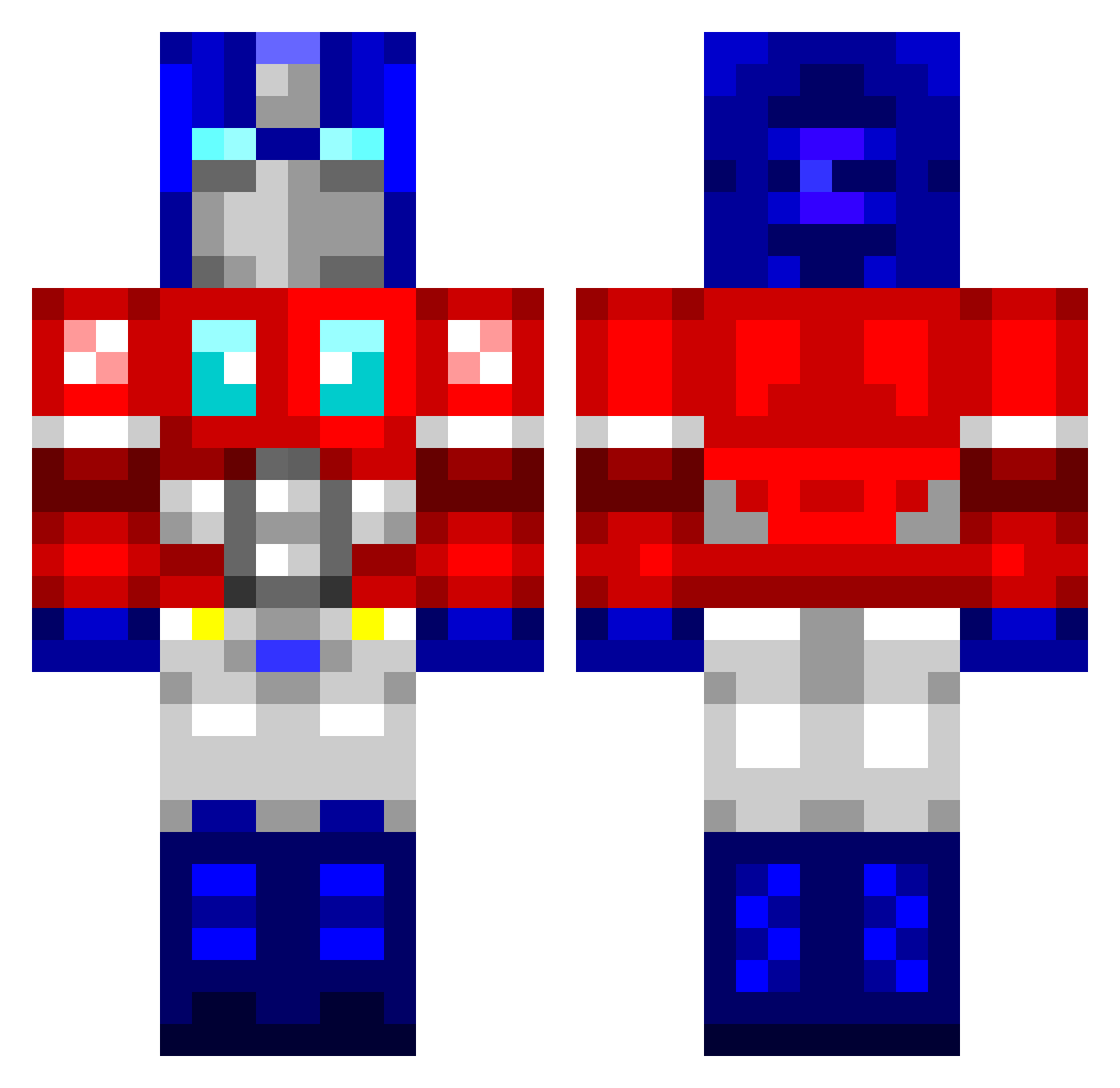
Current Minecraft skin of the player fishsticks123, loaded from the official Mojang API. Rotate the 3D model with your mouse or finger, then download the skin as a PNG file and use it in Minecraft: Bedrock Edition or Java Edition for free. When fishsticks123 changes their skin, this page updates automatically and the old skin stays in the history below.
Other players with this skin (760)
fishsticks123 was the 101st player we have seen with this skin, first spotted on 05.08.2026. The same skin was seen on these players. Open a nickname to see their current skin and skin history.
 Arc_Burn GBAMinh LiL_Jimmyx LAR5W OptimusOne equ4l1z3r tampaloser Jaydonald edy15912 sly_bob Antonzsimonsson Slabthekiller UberTater chris10100 Day_And_Knight BuffaloSamba Eleiisa RyDoZZZ FriskyBitz Jimpyy snobben_03 barricade823 SkunkDuck The_Frazz Aggronizzle KELPARIE flacid OptigusPrime CMDRnero MMMmmmm_icecream jockie123 DrGrin ORMWH1 VarHead reganicline13 Justpro100 schrinkan Bad_Koala McGrin E_MineCraft2 davejovi optimusry coton15 Rambers Makiii Mattcraft_13 _Circlebot llMagnuMll deluzie byron8595 confessor666 heckerman25 Robby11C Saggi_Clown MJPGrass huskypenguin Redeagle653 thatbadcookie Valkyrjah GGreyfire
More Optimus Prime Minecraft skins
See all 87 Optimus Prime skins
How to install the fishsticks123 skin
- Press the Download button above to save the skin as a PNG file.
- Minecraft: Bedrock Edition (PE): open the Dressing Room from the main menu (or tap your character → Edit Character), go to Classic Skins → Owned, press the + (new skin) button, choose the downloaded PNG and pick the Classic (Steve) model. Works on PC and mobile; consoles cannot import custom skins.
- Minecraft: Java Edition: open the Minecraft Launcher, go to the Skins tab, click New Skin, load the PNG, pick the Classic (Steve) model and press Save & Use. You can also upload it at minecraft.net → Profile → Change Skin.
The skin does not show up after import - what should I do?
Restart Minecraft and open the Dressing Room again - imported skins sometimes appear only after a restart. Also make sure you selected the imported skin and picked the Classic (Steve) model.
Which model should I choose, Classic or Slim?
This skin is designed for the Classic (Steve) model. If you pick the wrong model, the arms of the skin will look stretched or squeezed.
Is the skin of fishsticks123 free to download?
Yes. Press Download, save the PNG file and use it in Minecraft: Bedrock Edition or Java Edition - no payment or registration needed. The skin also works on multiplayer servers and Realms.
More skins
Looking for more? Go back to all Minecraft skins and check the top skins of the week, month and all time, or find any player's skin by nickname.