
fire_wolf121 - Minecraft Skins & Skin History
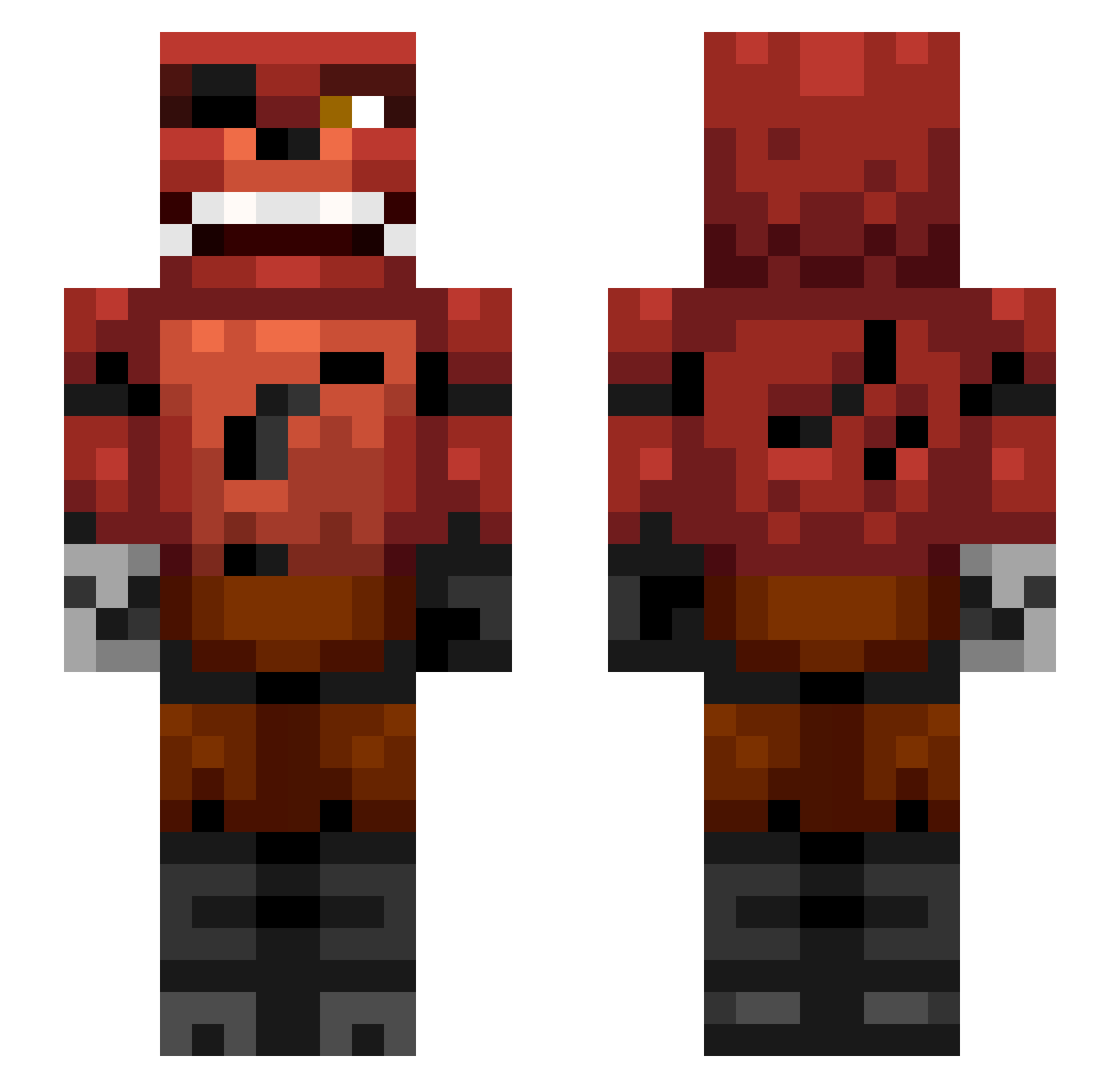
Current Minecraft skin of the player fire_wolf121, loaded from the official Mojang API. Rotate the 3D model with your mouse or finger, then download the skin as a PNG file and use it in Minecraft: Bedrock Edition or Java Edition for free. When fire_wolf121 changes their skin, this page updates automatically and the old skin stays in the history below.
Other players with this skin (407)
fire_wolf121 was the 359th player we have seen with this skin, first spotted on 05.11.2026. The same skin was seen on these players. Open a nickname to see their current skin and skin history.
 Mackey115 Brigadewing dangerousdan153 mcauleyd10 komcu_133 CharlieBear07 PatchyderPirat kratosmaniac _MULLY_ SeRgI97 JDthepotato22 lukenoot08 mohawkkenny xXTech_KnightXx LorD_Sam0 TB_Tich TheOneDatKilledU twilightgirl01 kayla1001 skyraider347 BMCB22 JSBlast sejkoxx deathpixy stevenater14 superkuperthijs Supertes taistelumanne123 minijam7 KoxWkNation Bobdiggity10 Dariusz098 _DarkSoulX_ phaesuh Epicfreddy101 zaythegamer27 MyNameIsJeff8172 MJMwolf mikk614a andrease2005 sodomy123 xXxstexpertxXx thasmin0 minecraffman maxsewell Matthewjd222 soccer0512 wasabi1drunk jjdogg HarshlyCritical Logan_Asher xHalcyonx kondardog Minedemolish chabo0 Pfahl02 WeeCallumD DanielisAwesome5 MrMMCraft foxyplays237
More Foxy Minecraft skins
How to install the fire_wolf121 skin
- Press the Download button above to save the skin as a PNG file.
- Minecraft: Bedrock Edition (PE): open the Dressing Room from the main menu (or tap your character → Edit Character), go to Classic Skins → Owned, press the + (new skin) button, choose the downloaded PNG and pick the Slim (Alex) model. Works on PC and mobile; consoles cannot import custom skins.
- Minecraft: Java Edition: open the Minecraft Launcher, go to the Skins tab, click New Skin, load the PNG, pick the Slim (Alex) model and press Save & Use. You can also upload it at minecraft.net → Profile → Change Skin.
The skin does not show up after import - what should I do?
Restart Minecraft and open the Dressing Room again - imported skins sometimes appear only after a restart. Also make sure you selected the imported skin and picked the Slim (Alex) model.
Which model should I choose, Classic or Slim?
This skin is designed for the Slim (Alex) model. If you pick the wrong model, the arms of the skin will look stretched or squeezed.
Is the skin of fire_wolf121 free to download?
Yes. Press Download, save the PNG file and use it in Minecraft: Bedrock Edition or Java Edition - no payment or registration needed. The skin also works on multiplayer servers and Realms.
More skins
Looking for more? Go back to all Minecraft skins and check the top skins of the week, month and all time, or find any player's skin by nickname.