
filmercbass - Minecraft Skins & Skin History
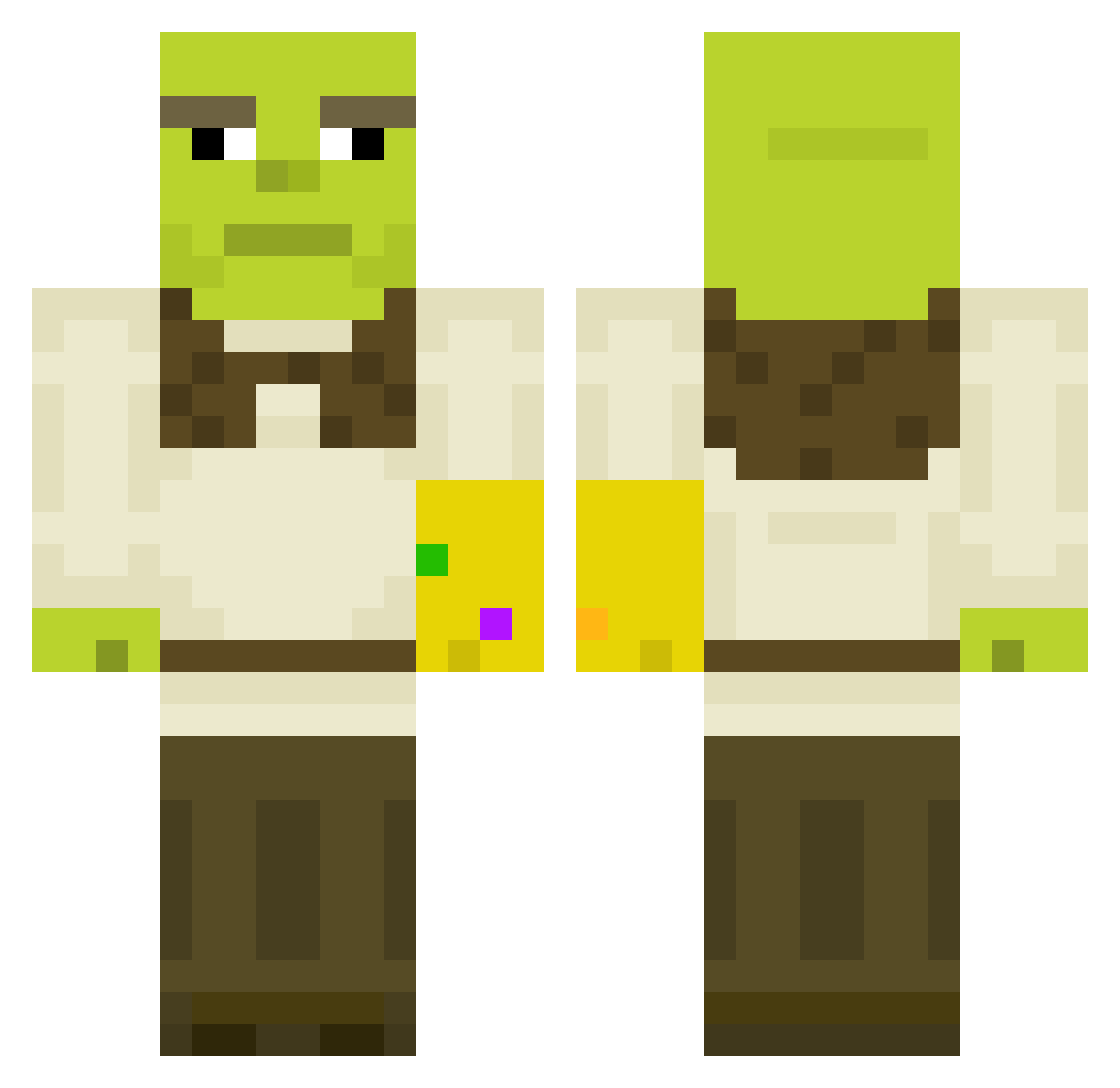
Current Minecraft skin of the player filmercbass, loaded from the official Mojang API. Rotate the 3D model with your mouse or finger, then download the skin as a PNG file and use it in Minecraft: Bedrock Edition or Java Edition for free. When filmercbass changes their skin, this page updates automatically and the old skin stays in the history below.
Other players with this skin (450)
filmercbass was the 373rd player we have seen with this skin, first spotted on 11.10.2026. The same skin was seen on these players. Open a nickname to see their current skin and skin history.
 KronEU spyrosg stravinski Odin227 Tombitto AmsWams Daniyull alneedle KendridLama 69Dodobird ieatfrogsdude Bunton11 Kenedian hazardgamer Foldgomb jvanloffelt minecraftpro2311 ImPuddin gtom27 Shadow_Ninja009 SuperBean98 RemyFromDa69 Ledeficient Wiljo420 merijn12 TarmacedToad SnipeUMum Benjaffa stonks42069 allschmidi PancakeYeti yuvaliloo extracredit69 Pern3k VolodyaEnglish Lukannn Giboneusz Quentchoin Mufcberry Caniovoa Beduardo1 PietroPablo Josenius69 Freaky_L alla12 Devalik taniaa Gabin_Ks pouletqc _Chestnut_Rice_ Gregons etosony Idd_a_gecim_bazd randcc Lawdricks xXJumperPlayerXx jackdogd Kalarepeczka Eduardo27 By_Zermo24
More Thanos Minecraft skins
How to install the filmercbass skin
- Press the Download button above to save the skin as a PNG file.
- Minecraft: Bedrock Edition (PE): open the Dressing Room from the main menu (or tap your character → Edit Character), go to Classic Skins → Owned, press the + (new skin) button, choose the downloaded PNG and pick the Classic (Steve) model. Works on PC and mobile; consoles cannot import custom skins.
- Minecraft: Java Edition: open the Minecraft Launcher, go to the Skins tab, click New Skin, load the PNG, pick the Classic (Steve) model and press Save & Use. You can also upload it at minecraft.net → Profile → Change Skin.
The skin does not show up after import - what should I do?
Restart Minecraft and open the Dressing Room again - imported skins sometimes appear only after a restart. Also make sure you selected the imported skin and picked the Classic (Steve) model.
Which model should I choose, Classic or Slim?
This skin is designed for the Classic (Steve) model. If you pick the wrong model, the arms of the skin will look stretched or squeezed.
Is the skin of filmercbass free to download?
Yes. Press Download, save the PNG file and use it in Minecraft: Bedrock Edition or Java Edition - no payment or registration needed. The skin also works on multiplayer servers and Realms.
More skins
Looking for more? Go back to all Minecraft skins and check the top skins of the week, month and all time, or find any player's skin by nickname.