
felipepardo - Minecraft Skins & Skin History
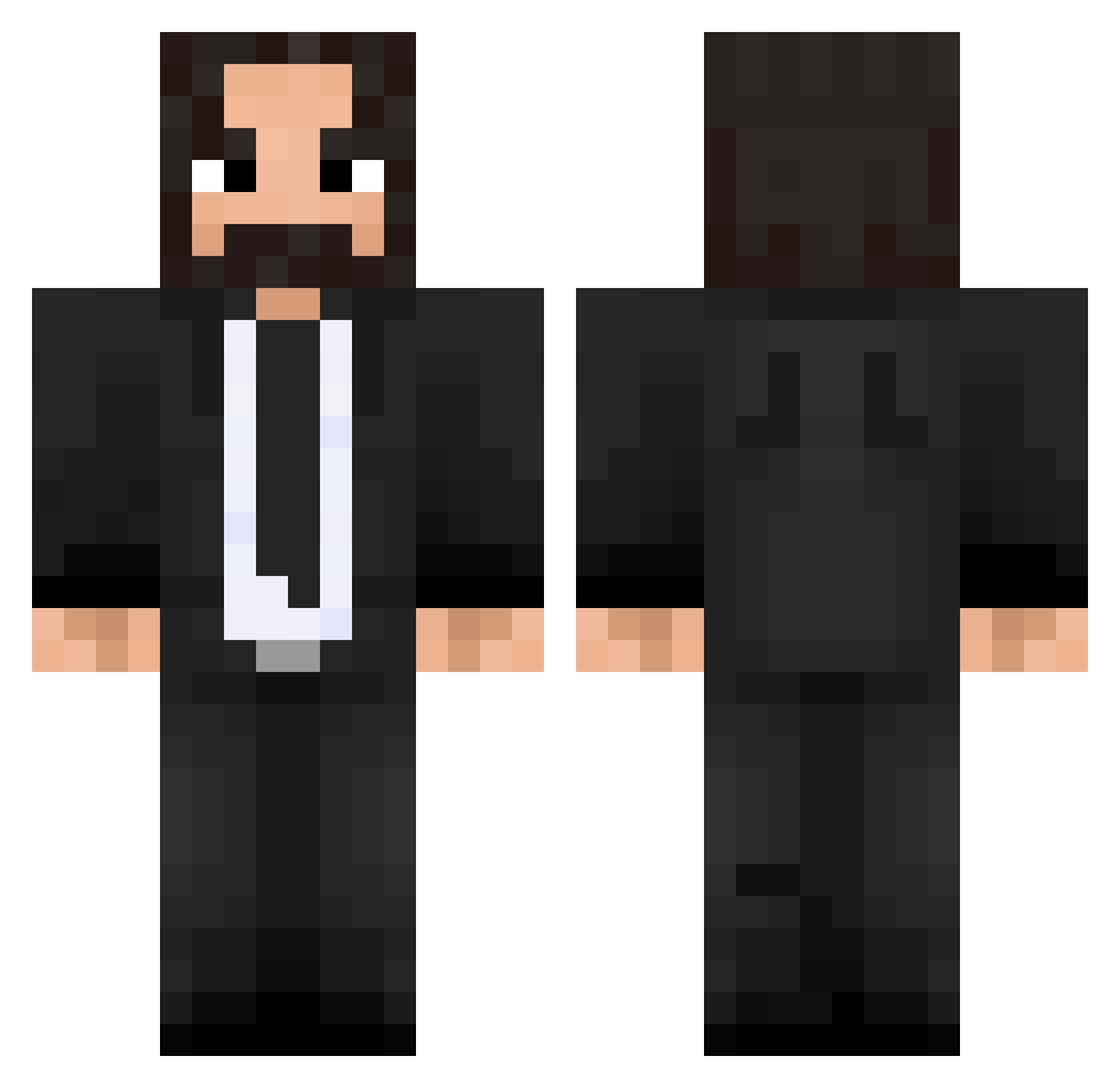
Current Minecraft skin of the player felipepardo, loaded from the official Mojang API. Rotate the 3D model with your mouse or finger, then download the skin as a PNG file and use it in Minecraft: Bedrock Edition or Java Edition for free. When felipepardo changes their skin, this page updates automatically and the old skin stays in the history below.
Other players with this skin (584)
felipepardo was the 479th player we have seen with this skin, first spotted on 02.11.2026. The same skin was seen on these players. Open a nickname to see their current skin and skin history.
 refreeze Sonaess LiteralPenguin NinjagoKai80 Maggot_ff Socia9605 ardaht HumanSnorlax avx1155 XSJ7 Speel1 wirqu ReMiX_LUL pkzen0n R2D2_David iQualy scoutsito SIIREi ThePoopLord MasamuneKEKW Rodrigo45 Capitan_Gamma Jones383 blatec xTheChadx edk_ Matz4k vDoons AlejandrOlias Juan_4715 johnwicksdoggo XENTAM Picaron JeuPeu Rozga123 mattiemick18 Javitoq Z1faisall S1scopes1S Zlo_X John_Wick97 the_menace_2013 tordenkule10 Xolofox Gun_ppang 2nd_breakfastt Paramessiah AndrewTensho arifinsalleh n4ch Akkeepo FireFox911fr biggerbrainbob Cubanoyeezus DeadNox77 min5un xWavyWavy Hatzuf ThePewterCheese H2OVB
More John Wick Minecraft skins
How to install the felipepardo skin
- Press the Download button above to save the skin as a PNG file.
- Minecraft: Bedrock Edition (PE): open the Dressing Room from the main menu (or tap your character → Edit Character), go to Classic Skins → Owned, press the + (new skin) button, choose the downloaded PNG and pick the Classic (Steve) model. Works on PC and mobile; consoles cannot import custom skins.
- Minecraft: Java Edition: open the Minecraft Launcher, go to the Skins tab, click New Skin, load the PNG, pick the Classic (Steve) model and press Save & Use. You can also upload it at minecraft.net → Profile → Change Skin.
The skin does not show up after import - what should I do?
Restart Minecraft and open the Dressing Room again - imported skins sometimes appear only after a restart. Also make sure you selected the imported skin and picked the Classic (Steve) model.
Which model should I choose, Classic or Slim?
This skin is designed for the Classic (Steve) model. If you pick the wrong model, the arms of the skin will look stretched or squeezed.
Is the skin of felipepardo free to download?
Yes. Press Download, save the PNG file and use it in Minecraft: Bedrock Edition or Java Edition - no payment or registration needed. The skin also works on multiplayer servers and Realms.
More skins
Looking for more? Go back to all Minecraft skins and check the top skins of the week, month and all time, or find any player's skin by nickname.