
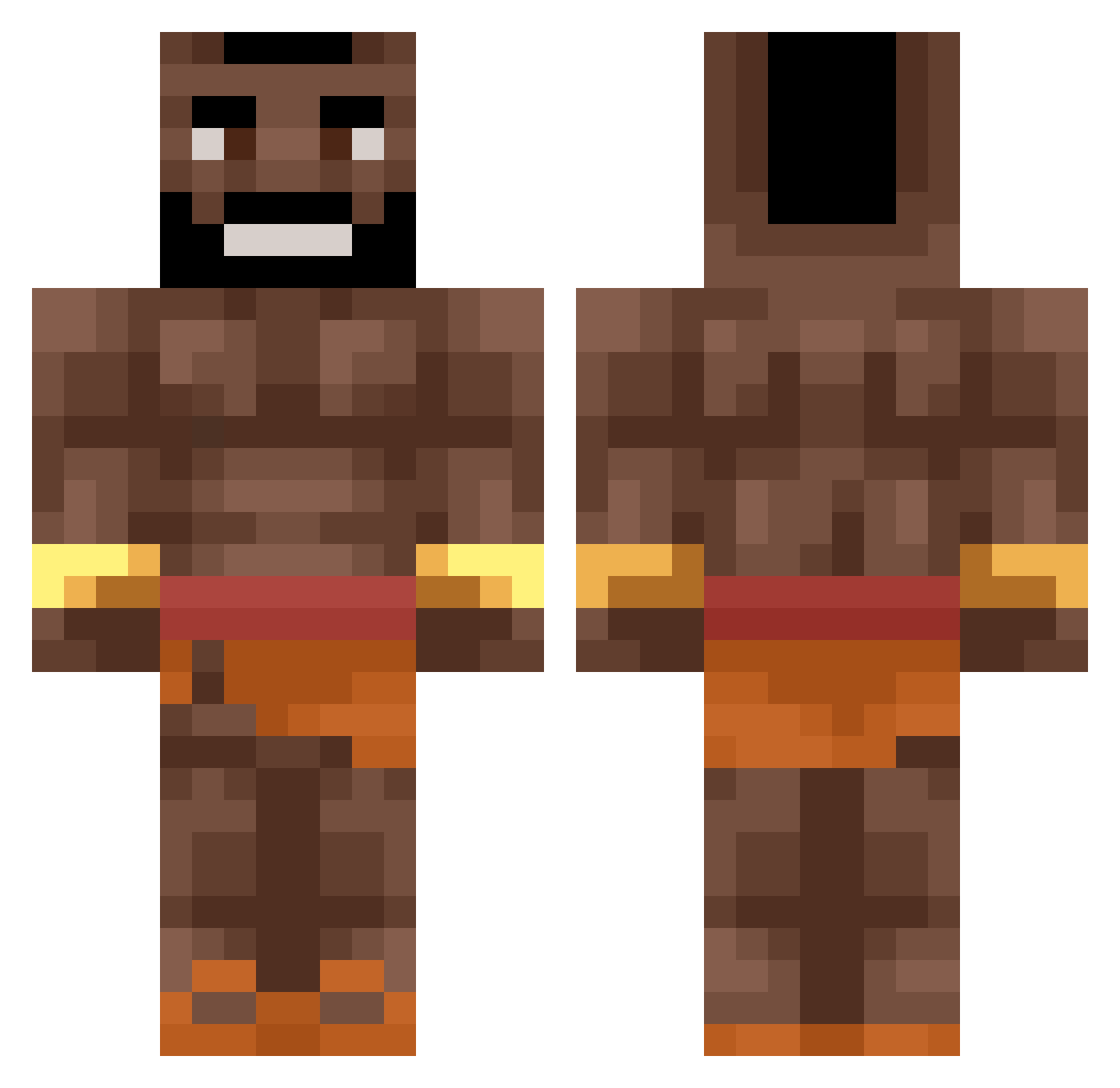
Current Minecraft skin of the player felipan10, loaded from the official Mojang API. Rotate the 3D model with your mouse or finger, then download the skin as a PNG file and use it in Minecraft: Bedrock Edition or Java Edition for free. When felipan10 changes their skin, this page updates automatically and the old skin stays in the history below.
Other players with this skin (451)
felipan10 was the 402nd player we have seen with this skin, first spotted on 09.10.2026. The same skin was seen on these players. Open a nickname to see their current skin and skin history.
 cozzer7 dotomik_ juls0 PowerMisiek thinblade charma69 Tadiuchampion ArtxrTheKid1802 riksa152 Papa_WiktoreQ qinkel Zhian_ Firesidebread50 Freakinducks Mr_Salmon gaychimpmonk GaryGapLPlayzz JoshytheGreat7 Suposter HasseMatKasse42 DerMischige CrazyJesus Tsele_ Sigma1995 ____Domo____ GriinGoo Burki035 Lotwood yaffik Mr_Bones15 Elisey09 Bhazsi Lilwafentragen Tigure MassDebater69420 SFTV_5 albyPERA awe_Maga Bxrnaa evn1030 Galachs Lycanrock_ Baby_Big kossue aokii_1 OkayBartix Novax59 Quiling Sammy1gg DonkeyKong55 YEET101010 DDADRI1 OmpaTape24 d0breww Yezper_ TimonSpee twsqcurl bar2agc YoungHoodrich Spenniebord29
More Actor Minecraft skins
How to install the felipan10 skin
- Press the Download button above to save the skin as a PNG file.
- Minecraft: Bedrock Edition (PE): open the Dressing Room from the main menu (or tap your character → Edit Character), go to Classic Skins → Owned, press the + (new skin) button, choose the downloaded PNG and pick the Classic (Steve) model. Works on PC and mobile; consoles cannot import custom skins.
- Minecraft: Java Edition: open the Minecraft Launcher, go to the Skins tab, click New Skin, load the PNG, pick the Classic (Steve) model and press Save & Use. You can also upload it at minecraft.net → Profile → Change Skin.
The skin does not show up after import - what should I do?
Restart Minecraft and open the Dressing Room again - imported skins sometimes appear only after a restart. Also make sure you selected the imported skin and picked the Classic (Steve) model.
Which model should I choose, Classic or Slim?
This skin is designed for the Classic (Steve) model. If you pick the wrong model, the arms of the skin will look stretched or squeezed.
Is the skin of felipan10 free to download?
Yes. Press Download, save the PNG file and use it in Minecraft: Bedrock Edition or Java Edition - no payment or registration needed. The skin also works on multiplayer servers and Realms.
More skins
Looking for more? Go back to all Minecraft skins and check the top skins of the week, month and all time, or find any player's skin by nickname.