
fekaemberke - Minecraft Skins & Skin History
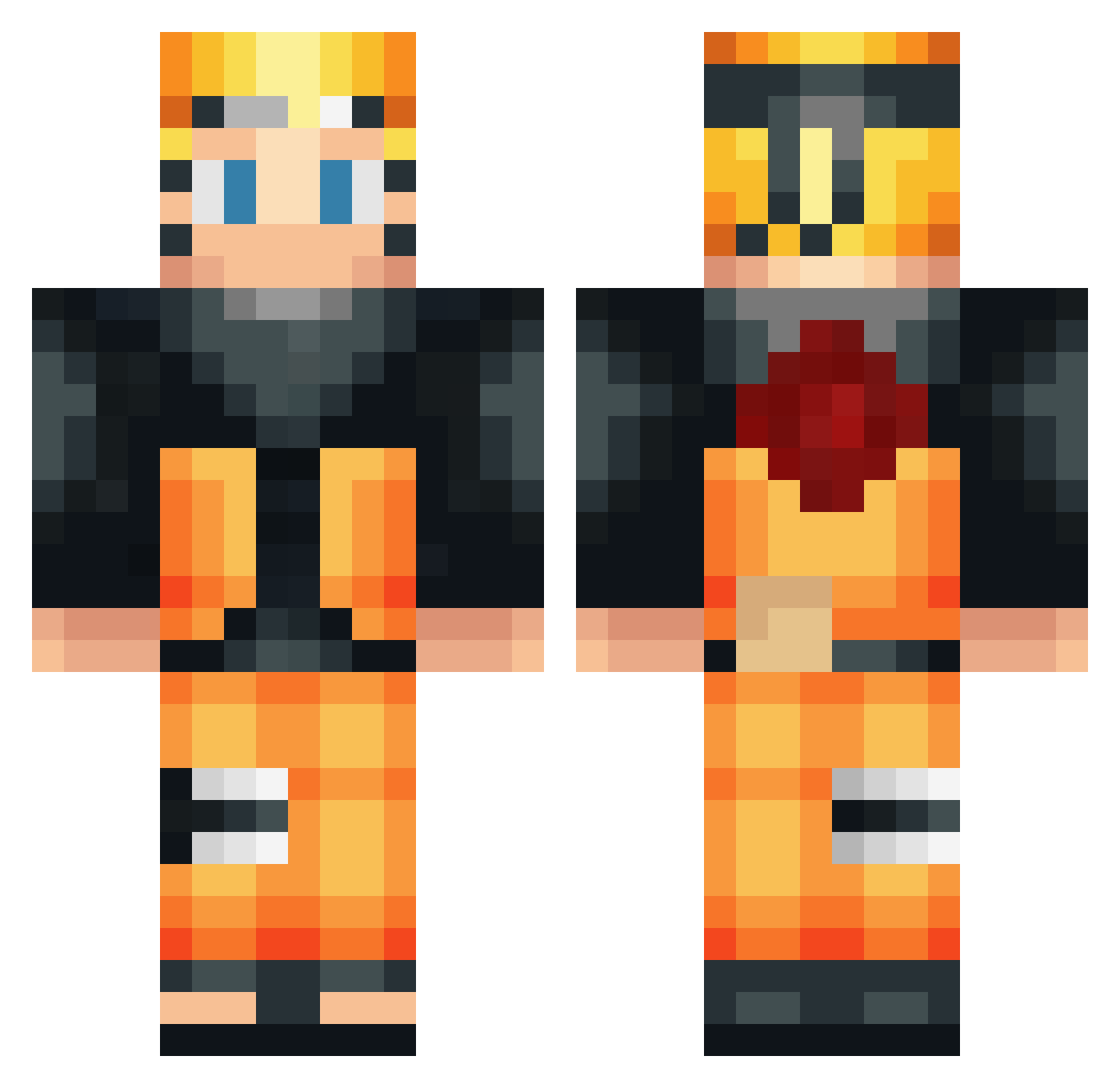
Current Minecraft skin of the player fekaemberke, loaded from the official Mojang API. Rotate the 3D model with your mouse or finger, then download the skin as a PNG file and use it in Minecraft: Bedrock Edition or Java Edition for free. When fekaemberke changes their skin, this page updates automatically and the old skin stays in the history below.
Other players with this skin (533)
fekaemberke was the 448th player we have seen with this skin, first spotted on 20.10.2026. The same skin was seen on these players. Open a nickname to see their current skin and skin history.
 Capte_ ElliotPerreault JamTheMage louismil1 AnHnY11 FUNKY_CRAFTER NakataSama Supreme_Legit TriodDiod deadguy478 Captain_Oscar nayarb7 KID13412 drazikovic mouradski Crash_ik Jfitz jdmjay Simon1435 ShurikDarling Leakym bridges11 Th3_Iron Xeros1 Deit1074 Steel_whisper DANI_KAPRR Gawer_26 Bissuu Mariydavi xX_Alsko Chromka LionellOG Cesarfilho27 Sharcar Vortex407 KennyZyzz qDez_ Frankiemk13 Azarth As_Joker lorenzozago123 Lauentiurus117 tutotuto11 Edgarr543 jonas10xx MKsoLive M4luk000 glash0g Luci_What BartjeC markv74 LORDFLOPALOT DoofyControl StyrDetHack PaZe_29 jiawei888 __Kiba__ Gku_ JoWhite23
More Naruto Uzumaki Minecraft skins
See all 473 Naruto Uzumaki skins
How to install the fekaemberke skin
- Press the Download button above to save the skin as a PNG file.
- Minecraft: Bedrock Edition (PE): open the Dressing Room from the main menu (or tap your character → Edit Character), go to Classic Skins → Owned, press the + (new skin) button, choose the downloaded PNG and pick the Classic (Steve) model. Works on PC and mobile; consoles cannot import custom skins.
- Minecraft: Java Edition: open the Minecraft Launcher, go to the Skins tab, click New Skin, load the PNG, pick the Classic (Steve) model and press Save & Use. You can also upload it at minecraft.net → Profile → Change Skin.
The skin does not show up after import - what should I do?
Restart Minecraft and open the Dressing Room again - imported skins sometimes appear only after a restart. Also make sure you selected the imported skin and picked the Classic (Steve) model.
Which model should I choose, Classic or Slim?
This skin is designed for the Classic (Steve) model. If you pick the wrong model, the arms of the skin will look stretched or squeezed.
Is the skin of fekaemberke free to download?
Yes. Press Download, save the PNG file and use it in Minecraft: Bedrock Edition or Java Edition - no payment or registration needed. The skin also works on multiplayer servers and Realms.
More skins
Looking for more? Go back to all Minecraft skins and check the top skins of the week, month and all time, or find any player's skin by nickname.