
featz - Minecraft Skins & Skin History
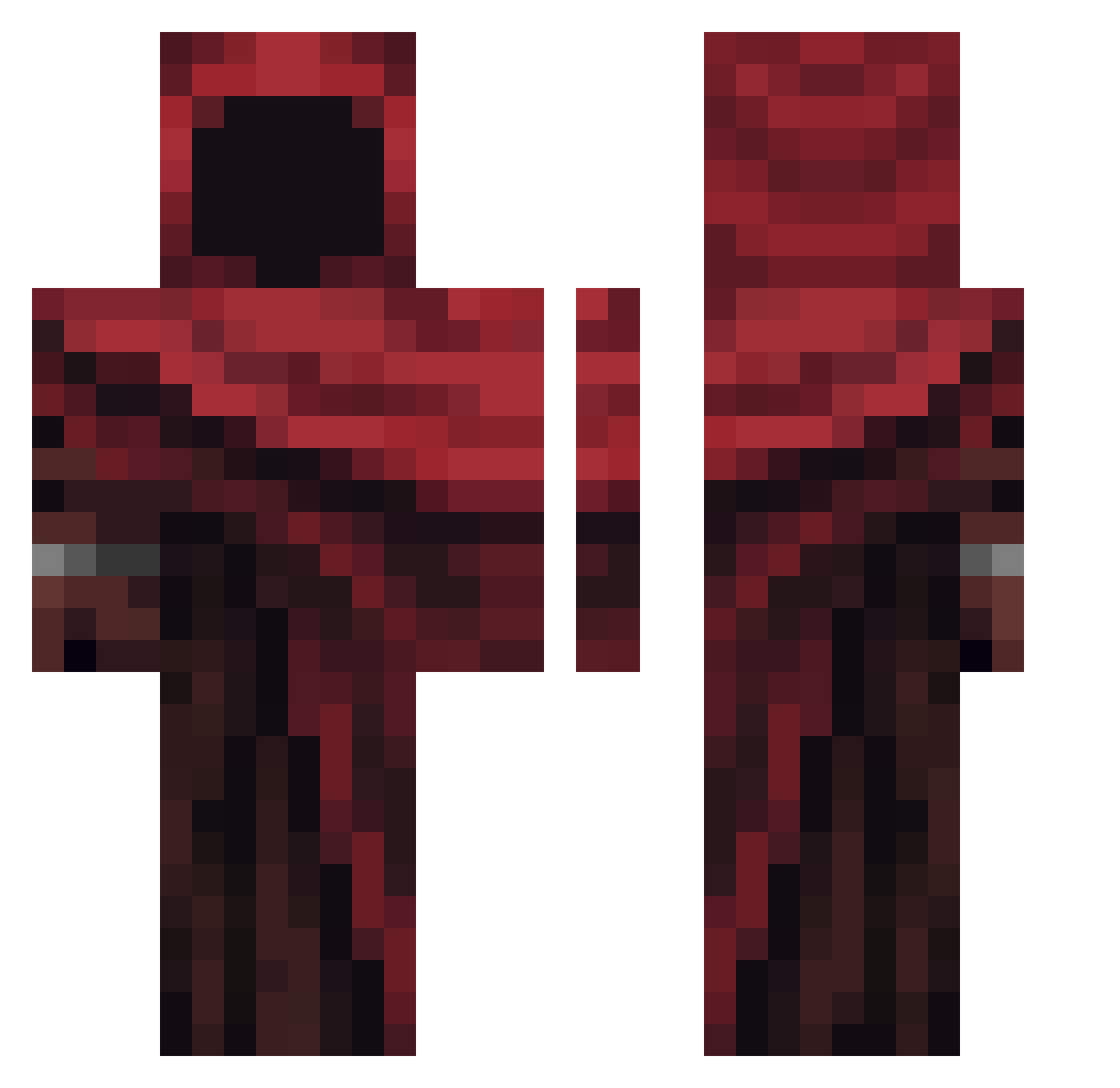
Current Minecraft skin of the player featz, loaded from the official Mojang API. Rotate the 3D model with your mouse or finger, then download the skin as a PNG file and use it in Minecraft: Bedrock Edition or Java Edition for free. When featz changes their skin, this page updates automatically and the old skin stays in the history below.
Other players with this skin (435)
featz was the 402nd player we have seen with this skin, first spotted on 09.11.2026. The same skin was seen on these players. Open a nickname to see their current skin and skin history.
 Kilimanjaro_0123 KingHustleDK QcB0y gomeswzin VIPbossgaming Frank_Daniel Ekroitz19 Joulian09 Paulo_On_Top Mongn1fai Thehacker_grrr ali20012000 mefingo DoktorZa Thundering14 The__Red__Death L_Dracon Fallaxy xxxv21 Lisou6938 PoDuMpLiNg t1m4ik blubba123 Dymuski2938 MinoTheGreat Official_Markhus Malypuszek PioneroLAS zeeeaan Lacabra0 Karius_DSX Trumpecito Mephistophelean Cgayert WielkiBug AbdelZ felpito_ holmiqq ImNotMikko GingerMatchStick prhb daeyuny jinyoung2006 Pablix02 AndreGarcia _BBrainMeltt_ SetWW doxxrutrix Gamer_Cod xruiii NewGamer98 jgle CorbeauZenox MeinBarth The_reaper4 ObiBen42 Murtinhadugrau simschoepp choccot 0Mirfy
More Rogue Minecraft skins
How to install the featz skin
- Press the Download button above to save the skin as a PNG file.
- Minecraft: Bedrock Edition (PE): open the Dressing Room from the main menu (or tap your character → Edit Character), go to Classic Skins → Owned, press the + (new skin) button, choose the downloaded PNG and pick the Classic (Steve) model. Works on PC and mobile; consoles cannot import custom skins.
- Minecraft: Java Edition: open the Minecraft Launcher, go to the Skins tab, click New Skin, load the PNG, pick the Classic (Steve) model and press Save & Use. You can also upload it at minecraft.net → Profile → Change Skin.
The skin does not show up after import - what should I do?
Restart Minecraft and open the Dressing Room again - imported skins sometimes appear only after a restart. Also make sure you selected the imported skin and picked the Classic (Steve) model.
Which model should I choose, Classic or Slim?
This skin is designed for the Classic (Steve) model. If you pick the wrong model, the arms of the skin will look stretched or squeezed.
Is the skin of featz free to download?
Yes. Press Download, save the PNG file and use it in Minecraft: Bedrock Edition or Java Edition - no payment or registration needed. The skin also works on multiplayer servers and Realms.
More skins
Looking for more? Go back to all Minecraft skins and check the top skins of the week, month and all time, or find any player's skin by nickname.