
fcbcristi - Minecraft Skins & Skin History
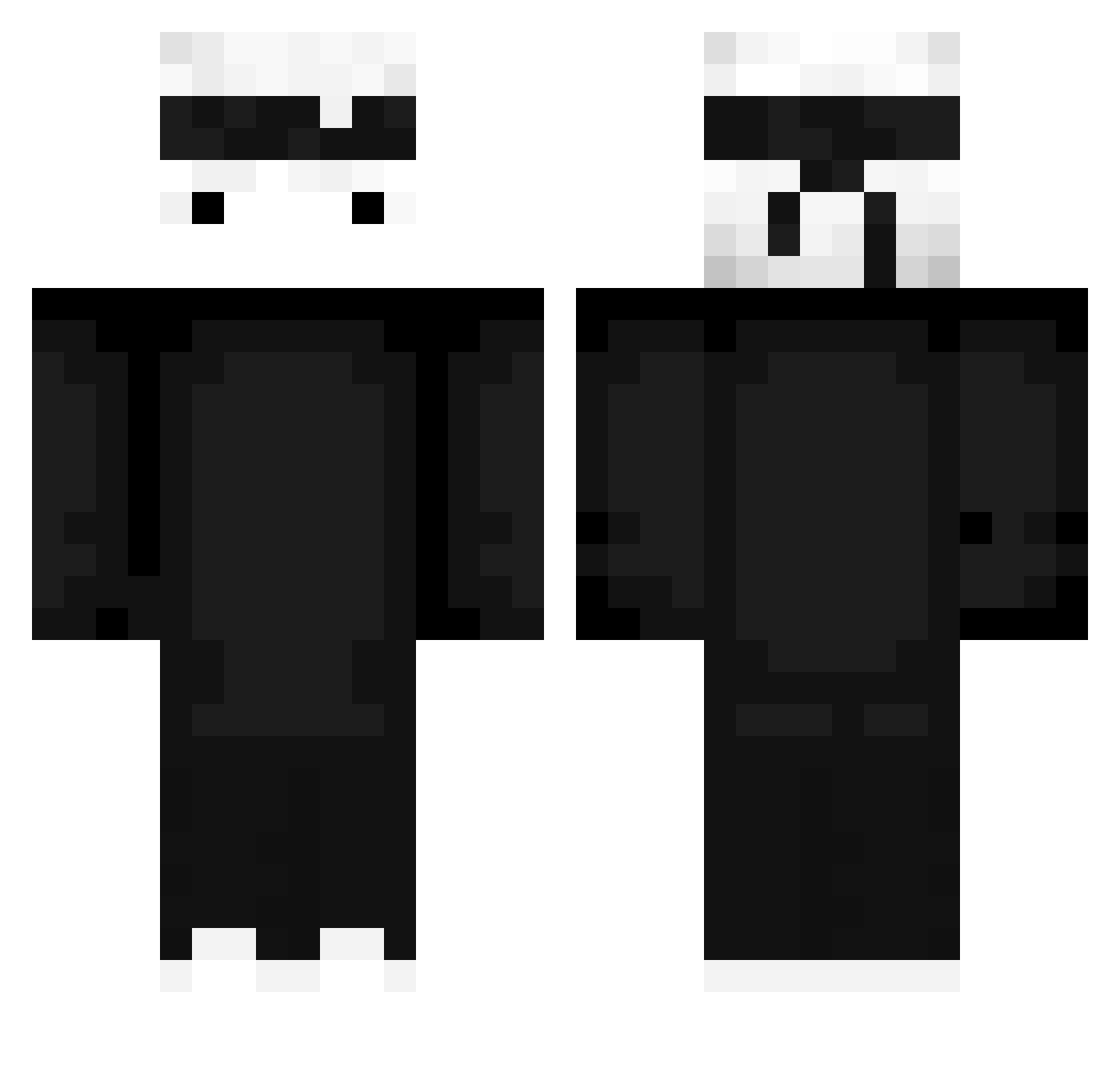
Current Minecraft skin of the player fcbcristi, loaded from the official Mojang API. Rotate the 3D model with your mouse or finger, then download the skin as a PNG file and use it in Minecraft: Bedrock Edition or Java Edition for free. When fcbcristi changes their skin, this page updates automatically and the old skin stays in the history below.
Other players with this skin (428)
fcbcristi was the 266th player we have seen with this skin, first spotted on 24.09.2026. The same skin was seen on these players. Open a nickname to see their current skin and skin history.
 rojandman Erenb3y Dr_quindin ByKickckerz yHeroo_ Anchor_US 330g bazergeam itzmegaaa xMichii Jheffrey1099 MeotrixTV Nightmare_9191 NotRell313 SirKarloss VoRekz DuckLuck IsaacGhost SheryVal e_m_o_t_i_o_n TaykoBR WS_dumme timinthehouse Leandrov2025 CHek_m xDefender_2 Fox68 Cute_Asian_Boy PizzaAutomat_ kinght159 Trop4ick itzN3pon shamefulLapwing8 Rafaeltay RMarci Camilo_sap tribalcrafter Reaper_WxD1 CHEH_H FathaJohn PuszekWomp Sasai_Kudasai Jxnsas _Reflaxis_ osaxus dabude Ha_Dan kou_www KOD_duranwashere CROSASA DavXCIII MrBoss0106 James420_ ZeyTorX Ttila oder1on kaiky7 JUSTMATE0 itzer1c Andy_Scream
More Ninja Minecraft skins
How to install the fcbcristi skin
- Press the Download button above to save the skin as a PNG file.
- Minecraft: Bedrock Edition (PE): open the Dressing Room from the main menu (or tap your character → Edit Character), go to Classic Skins → Owned, press the + (new skin) button, choose the downloaded PNG and pick the Classic (Steve) model. Works on PC and mobile; consoles cannot import custom skins.
- Minecraft: Java Edition: open the Minecraft Launcher, go to the Skins tab, click New Skin, load the PNG, pick the Classic (Steve) model and press Save & Use. You can also upload it at minecraft.net → Profile → Change Skin.
The skin does not show up after import - what should I do?
Restart Minecraft and open the Dressing Room again - imported skins sometimes appear only after a restart. Also make sure you selected the imported skin and picked the Classic (Steve) model.
Which model should I choose, Classic or Slim?
This skin is designed for the Classic (Steve) model. If you pick the wrong model, the arms of the skin will look stretched or squeezed.
Is the skin of fcbcristi free to download?
Yes. Press Download, save the PNG file and use it in Minecraft: Bedrock Edition or Java Edition - no payment or registration needed. The skin also works on multiplayer servers and Realms.
More skins
Looking for more? Go back to all Minecraft skins and check the top skins of the week, month and all time, or find any player's skin by nickname.