
faze_ZZZZ - Minecraft Skins & Skin History
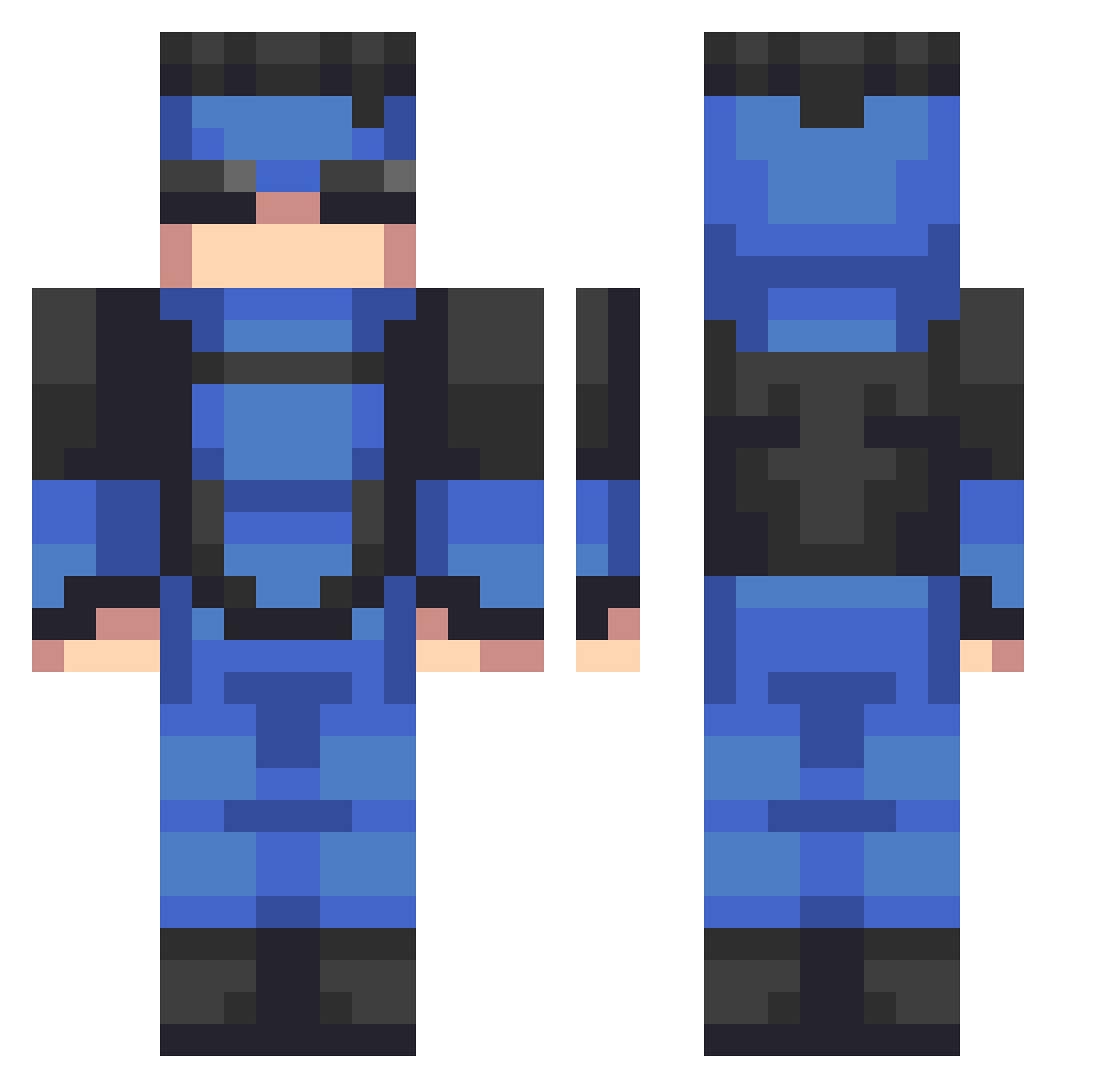
Current Minecraft skin of the player faze_ZZZZ, loaded from the official Mojang API. Rotate the 3D model with your mouse or finger, then download the skin as a PNG file and use it in Minecraft: Bedrock Edition or Java Edition for free. When faze_ZZZZ changes their skin, this page updates automatically and the old skin stays in the history below.
Other players with this skin (635)
faze_ZZZZ was the 597th player we have seen with this skin, first spotted on 12.11.2026. The same skin was seen on these players. Open a nickname to see their current skin and skin history.
 Marrll cpDRUSKIE1 BooMc20 alej246jay3 Ruhtrasks jorginho13 Khayree08 Sg21TheGoat MrSono thatotherfong Goodjobbob Ace_Briz LudicrousLemons Robinson_77 PainTalonn itdaGoose progood2017 TheLynx_ Soulretever90 Magicdaddi JollyWaffle Takivadi Collin_187 st_gg xl0lo Rosscruicky GetDERPY133 RykerTheBest dread2412 Geralt01 uInvincible WombRaiderv2009 k3v_man Yori_Tano ajisthegoat123 Oscargal12 DruggedUpLoser LonelyCabbage Dan4241 Emco12 CrookedCrook rolinhaGRANDE_ irizzursis Juandlito Mark_GRAYS0N_ Allen8408 rimskoy PRO576677 mriko hugoh306 s1m1d1 Brickwarr kosmiixx PokyLuke JLutke FeadGaming Labax_19 MetalHail Marquito16 iammefod
More Solid Snake Minecraft skins
How to install the faze_ZZZZ skin
- Press the Download button above to save the skin as a PNG file.
- Minecraft: Bedrock Edition (PE): open the Dressing Room from the main menu (or tap your character → Edit Character), go to Classic Skins → Owned, press the + (new skin) button, choose the downloaded PNG and pick the Classic (Steve) model. Works on PC and mobile; consoles cannot import custom skins.
- Minecraft: Java Edition: open the Minecraft Launcher, go to the Skins tab, click New Skin, load the PNG, pick the Classic (Steve) model and press Save & Use. You can also upload it at minecraft.net → Profile → Change Skin.
The skin does not show up after import - what should I do?
Restart Minecraft and open the Dressing Room again - imported skins sometimes appear only after a restart. Also make sure you selected the imported skin and picked the Classic (Steve) model.
Which model should I choose, Classic or Slim?
This skin is designed for the Classic (Steve) model. If you pick the wrong model, the arms of the skin will look stretched or squeezed.
Is the skin of faze_ZZZZ free to download?
Yes. Press Download, save the PNG file and use it in Minecraft: Bedrock Edition or Java Edition - no payment or registration needed. The skin also works on multiplayer servers and Realms.
More skins
Looking for more? Go back to all Minecraft skins and check the top skins of the week, month and all time, or find any player's skin by nickname.