
fanfan0808 - Minecraft Skins & Skin History
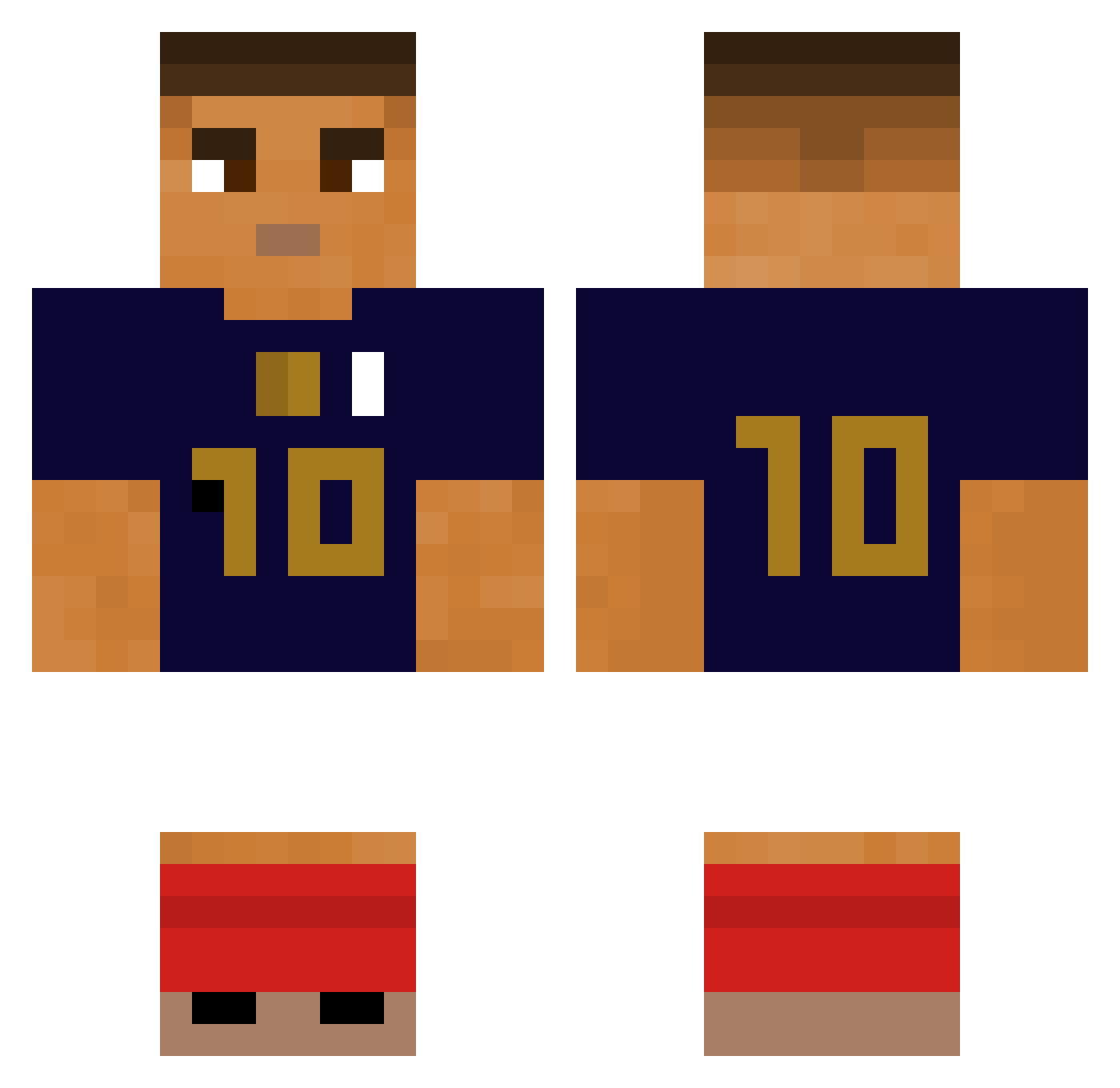
Current Minecraft skin of the player fanfan0808, loaded from the official Mojang API. Rotate the 3D model with your mouse or finger, then download the skin as a PNG file and use it in Minecraft: Bedrock Edition or Java Edition for free. When fanfan0808 changes their skin, this page updates automatically and the old skin stays in the history below.
Other players with this skin (387)
fanfan0808 was the 365th player we have seen with this skin, first spotted on 14.11.2026. The same skin was seen on these players. Open a nickname to see their current skin and skin history.
 CheMou barlasZz ClemenTmax Vreatix ToNo_K Drefamn san47san Xalagus MatthieuBNT Hade21 GiZMoZz_TV Loic_le_paysan NiKo_HD Jerh12 stefenge kwan5650 D1os69 abc_2 DBWNSGM Paasia Zy18 Ahmedysn KimKangMinn cincia21 chrupki_duszki porpoisingb Somekindathing Nayzon93 Hadibadi123 girthquakeer LeBGdu70 Typexxz chrisguopiano kinggoddo7 LauLau10 sergiocarlitos20 PaulBDX klaiizen Iamtherealpatrik kingten_ Mekampfe Monchi2 Ardaksoy Shemspai AEG67 Oplixlenul PHJ_0326 Purgatroy SicklyMuffin297 Bavarde Reniato SPANCA ebrahe istealyourdog rlatpgus1007 ManonEnGAV b4gueTT rabisca Kebab19 YS_Block
More Kylian Mbappe Minecraft skins
See all 42 Kylian Mbappe skins
How to install the fanfan0808 skin
- Press the Download button above to save the skin as a PNG file.
- Minecraft: Bedrock Edition (PE): open the Dressing Room from the main menu (or tap your character → Edit Character), go to Classic Skins → Owned, press the + (new skin) button, choose the downloaded PNG and pick the Classic (Steve) model. Works on PC and mobile; consoles cannot import custom skins.
- Minecraft: Java Edition: open the Minecraft Launcher, go to the Skins tab, click New Skin, load the PNG, pick the Classic (Steve) model and press Save & Use. You can also upload it at minecraft.net → Profile → Change Skin.
The skin does not show up after import - what should I do?
Restart Minecraft and open the Dressing Room again - imported skins sometimes appear only after a restart. Also make sure you selected the imported skin and picked the Classic (Steve) model.
Which model should I choose, Classic or Slim?
This skin is designed for the Classic (Steve) model. If you pick the wrong model, the arms of the skin will look stretched or squeezed.
Is the skin of fanfan0808 free to download?
Yes. Press Download, save the PNG file and use it in Minecraft: Bedrock Edition or Java Edition - no payment or registration needed. The skin also works on multiplayer servers and Realms.
More skins
Looking for more? Go back to all Minecraft skins and check the top skins of the week, month and all time, or find any player's skin by nickname.