
falsehood - Minecraft Skins & Skin History
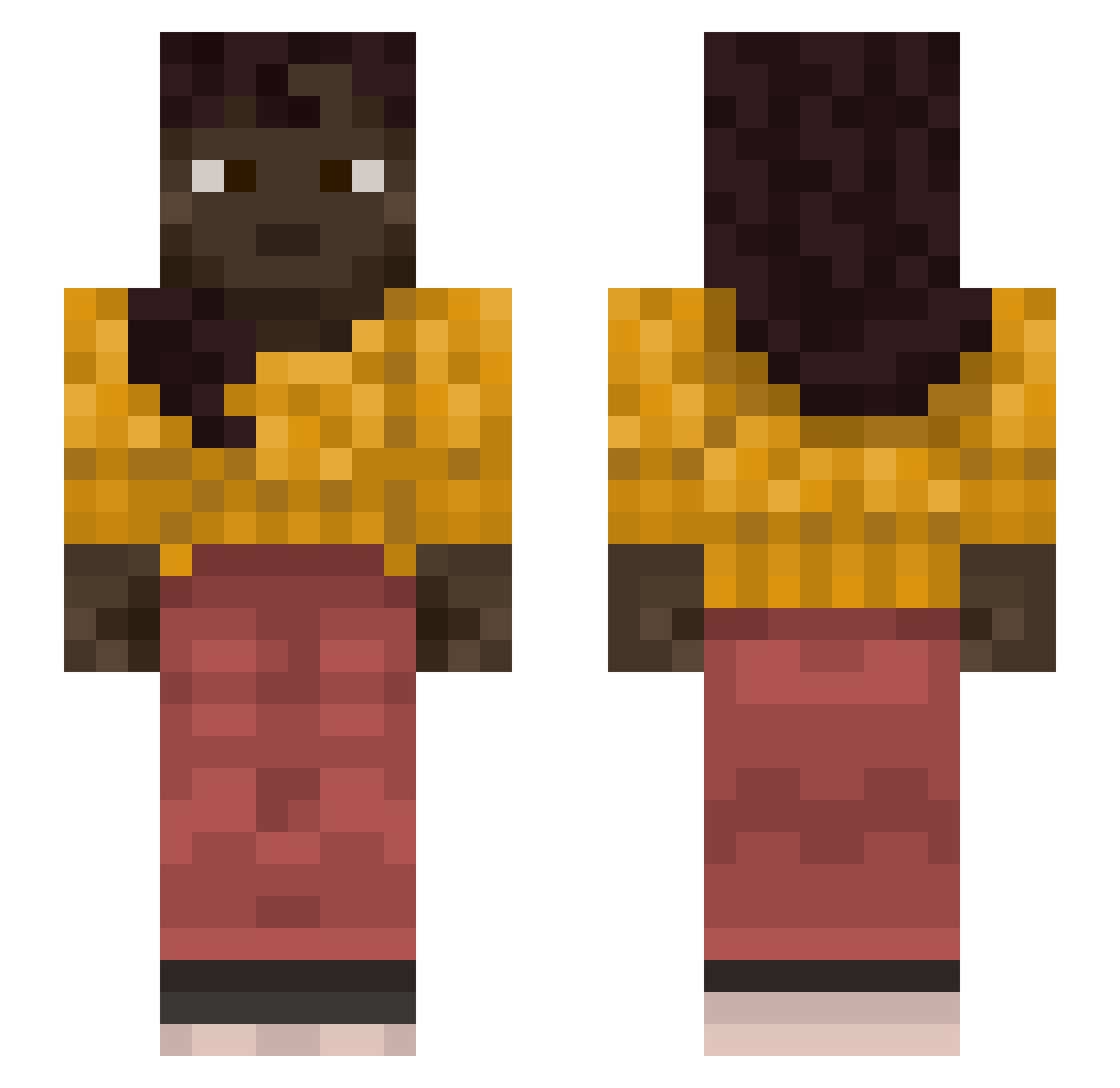
Current Minecraft skin of the player falsehood, loaded from the official Mojang API. Rotate the 3D model with your mouse or finger, then download the skin as a PNG file and use it in Minecraft: Bedrock Edition or Java Edition for free. When falsehood changes their skin, this page updates automatically and the old skin stays in the history below.
Other players with this skin (1127)
falsehood was the 672nd player we have seen with this skin, first spotted on 29.09.2026. The same skin was seen on these players. Open a nickname to see their current skin and skin history.
 marcelluschop YEASTED Melicitose Traitorism drow Vegnon PawcioSnajper_ qbads Crojiks FrulingBee bunbun223 knag _c_o_k_ detersive Unradiant oofit1212 kaka70 taxemic dark_smiles maxkelsey hances MattBrew2882 Taha Sooths Kililili dazabarn irondragon0329 EnneDiNe walmart_chick WysCope Chonkkkkkk B1T3K AstroRava DiverseFir ptuk1 TosHiBa_ Leimi747 tozzbee poisondeathguy SeBaziaJa KingPlayXY BellsofSmell wtf_minecraft cardalmond getAtom supervictory CPS03162006 cutwater TugOn Shlocks SpiffyMc APandasFluff Forrestero lousiest Hypostrophe numeros SoudeurOnline SNATHS BPSR DarGh3osT
More Braid Minecraft skins
How to install the falsehood skin
- Press the Download button above to save the skin as a PNG file.
- Minecraft: Bedrock Edition (PE): open the Dressing Room from the main menu (or tap your character → Edit Character), go to Classic Skins → Owned, press the + (new skin) button, choose the downloaded PNG and pick the Slim (Alex) model. Works on PC and mobile; consoles cannot import custom skins.
- Minecraft: Java Edition: open the Minecraft Launcher, go to the Skins tab, click New Skin, load the PNG, pick the Slim (Alex) model and press Save & Use. You can also upload it at minecraft.net → Profile → Change Skin.
The skin does not show up after import - what should I do?
Restart Minecraft and open the Dressing Room again - imported skins sometimes appear only after a restart. Also make sure you selected the imported skin and picked the Slim (Alex) model.
Which model should I choose, Classic or Slim?
This skin is designed for the Slim (Alex) model. If you pick the wrong model, the arms of the skin will look stretched or squeezed.
Is the skin of falsehood free to download?
Yes. Press Download, save the PNG file and use it in Minecraft: Bedrock Edition or Java Edition - no payment or registration needed. The skin also works on multiplayer servers and Realms.
More skins
Looking for more? Go back to all Minecraft skins and check the top skins of the week, month and all time, or find any player's skin by nickname.