
fafa25100 - Minecraft Skins & Skin History
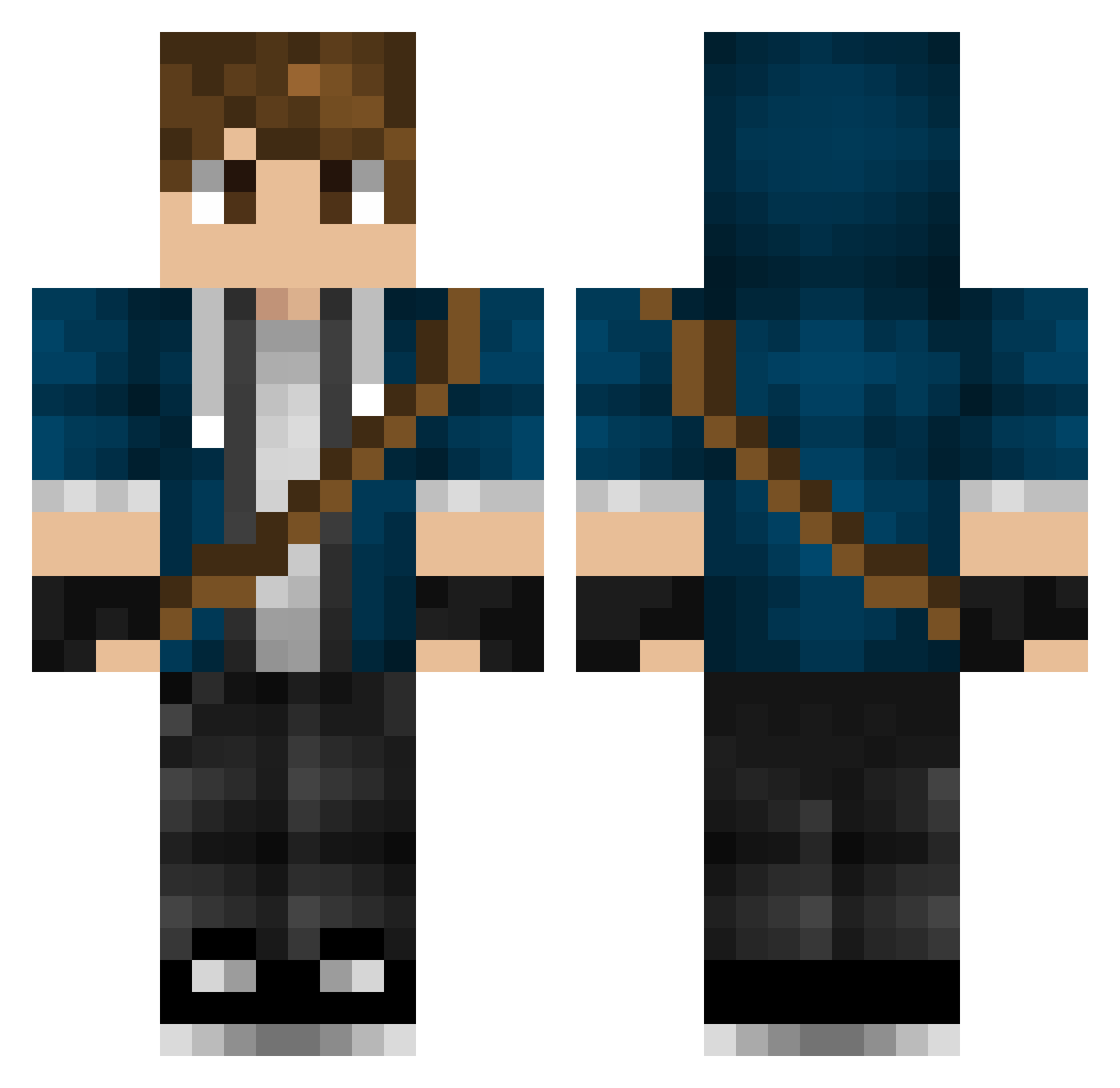
Current Minecraft skin of the player fafa25100, loaded from the official Mojang API. Rotate the 3D model with your mouse or finger, then download the skin as a PNG file and use it in Minecraft: Bedrock Edition or Java Edition for free. When fafa25100 changes their skin, this page updates automatically and the old skin stays in the history below.
Other players with this skin (447)
fafa25100 was the 214th player we have seen with this skin, first spotted on 17.09.2026. The same skin was seen on these players. Open a nickname to see their current skin and skin history.
 Panzerman44 PhoenixGuy20 Denjs1234 OverheadSheet93 Abeto_GM GrizzlyGizmo BLU3G0BL1N FeatheryFool62 Littleenemy Alex3378 Haariis Redflashx12 FlintedPVP Ingrym WeaverOfMist Zantet_ BlueWolfGER jmyr frightenedbao Neokre fghjjf HenryLam9861 Eldertoad thedoctorwho666 ClZbr BEKillerboyMC KevinKratos Jironox RiPetitor Wonkarocker KegleDK lknowuknow Romany308 KiaraStrange Veh0X NeonAnt luciscaelum victorgtat14 MoNeZ__ Lucas240595 super_cell EternalLight007 Cubesly Lucasvor Coysonn _vespah_ alan1975 Yaough BatmanProo toastedbagel69 nbchampion Lusketaa Swanny96 FullMetal_Wizard Senev9 Breezeney Spielendleicht Palhares1119 Strobardor shadowuchiha123
More Messenger Bag Minecraft skins
See all 535 Messenger Bag skins
How to install the fafa25100 skin
- Press the Download button above to save the skin as a PNG file.
- Minecraft: Bedrock Edition (PE): open the Dressing Room from the main menu (or tap your character → Edit Character), go to Classic Skins → Owned, press the + (new skin) button, choose the downloaded PNG and pick the Classic (Steve) model. Works on PC and mobile; consoles cannot import custom skins.
- Minecraft: Java Edition: open the Minecraft Launcher, go to the Skins tab, click New Skin, load the PNG, pick the Classic (Steve) model and press Save & Use. You can also upload it at minecraft.net → Profile → Change Skin.
The skin does not show up after import - what should I do?
Restart Minecraft and open the Dressing Room again - imported skins sometimes appear only after a restart. Also make sure you selected the imported skin and picked the Classic (Steve) model.
Which model should I choose, Classic or Slim?
This skin is designed for the Classic (Steve) model. If you pick the wrong model, the arms of the skin will look stretched or squeezed.
Is the skin of fafa25100 free to download?
Yes. Press Download, save the PNG file and use it in Minecraft: Bedrock Edition or Java Edition - no payment or registration needed. The skin also works on multiplayer servers and Realms.
More skins
Looking for more? Go back to all Minecraft skins and check the top skins of the week, month and all time, or find any player's skin by nickname.