
facu_agustin - Minecraft Skins & Skin History
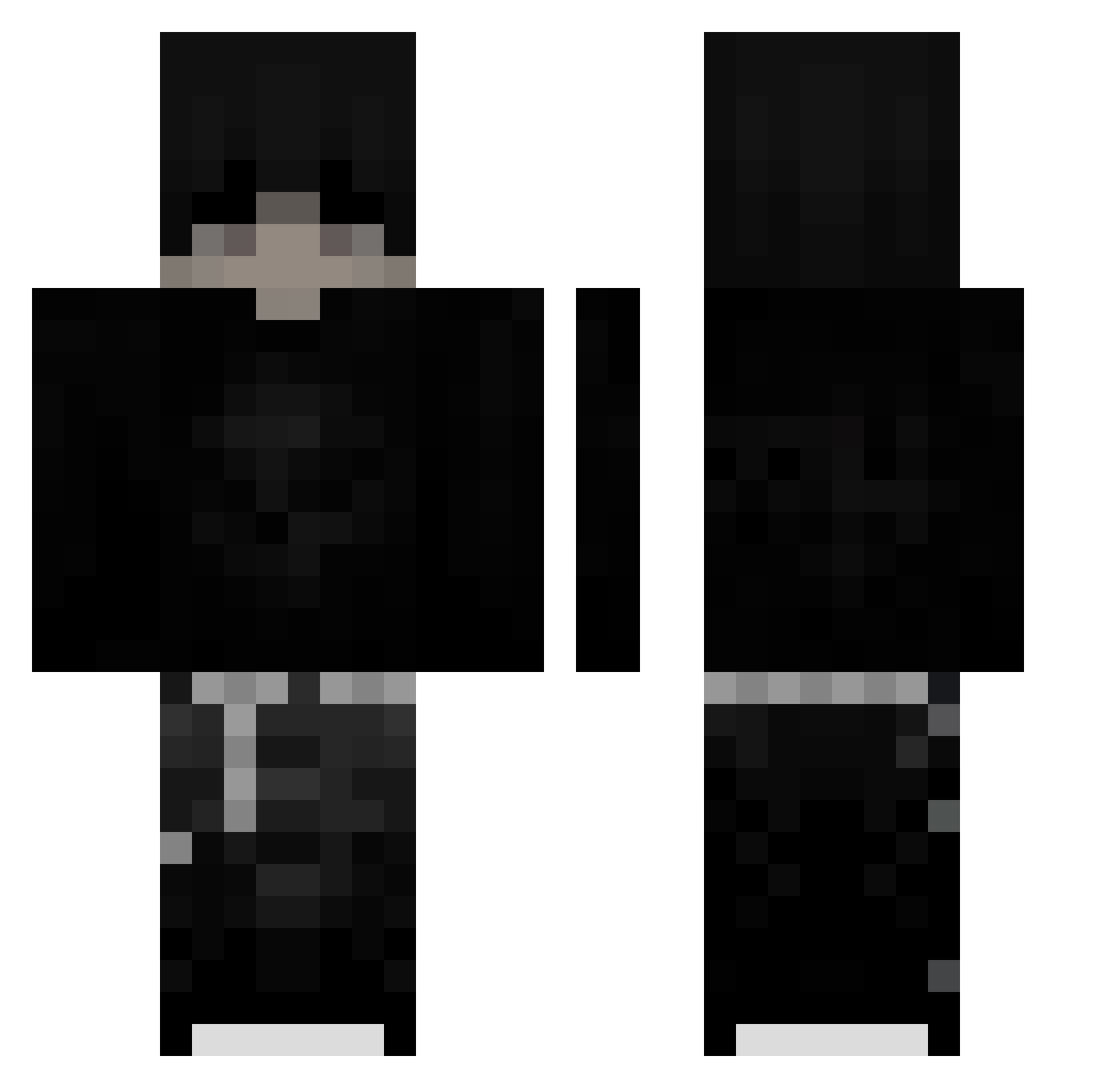
Current Minecraft skin of the player facu_agustin, loaded from the official Mojang API. Rotate the 3D model with your mouse or finger, then download the skin as a PNG file and use it in Minecraft: Bedrock Edition or Java Edition for free. When facu_agustin changes their skin, this page updates automatically and the old skin stays in the history below.
Other players with this skin (219)
facu_agustin was the 40th player we have seen with this skin, first spotted on 10.08.2026. The same skin was seen on these players. Open a nickname to see their current skin and skin history.
 Wahab_3 kimiwuh DuckAbysq kianskysmc talhazk38 Zapr0sz3nie_ BIGTHANG420 202016 Shrapnelll tacotomato spleafytv ThatBtcChippedMe Rullestolsimen TotemPuls maryatmo kxzeii phrbx sheluvszavv Hundi0815 macaisbad SageCow25458013 1V1owo mogalts_20yu9 BorgerKrig xatlas11 Hexlor_
 Ziemniator321 Sv2Gold0y5 LoganWolfGod kacceek19 xRaaven_ _Mxllowww_ Alejandrx_v 4wears Killerente51 azuremicrosoftco Abuto_yami malice777 olcxxxzi Cmosh Danyt_xD CStoehr12 InfernoScythe Jaczb40968 C4XENY Kantzn RizzlerFranek123 Vitalisy321 Beko1257 Ncrden Flowman123 uno77 sinsofenvy_ neroOnes
 4yb8 slodzik26 beanos6373 xxaciboao Slqyx _Sk1ll3d
More Emo Minecraft skins
How to install the facu_agustin skin
- Press the Download button above to save the skin as a PNG file.
- Minecraft: Bedrock Edition (PE): open the Dressing Room from the main menu (or tap your character → Edit Character), go to Classic Skins → Owned, press the + (new skin) button, choose the downloaded PNG and pick the Classic (Steve) model. Works on PC and mobile; consoles cannot import custom skins.
- Minecraft: Java Edition: open the Minecraft Launcher, go to the Skins tab, click New Skin, load the PNG, pick the Classic (Steve) model and press Save & Use. You can also upload it at minecraft.net → Profile → Change Skin.
The skin does not show up after import - what should I do?
Restart Minecraft and open the Dressing Room again - imported skins sometimes appear only after a restart. Also make sure you selected the imported skin and picked the Classic (Steve) model.
Which model should I choose, Classic or Slim?
This skin is designed for the Classic (Steve) model. If you pick the wrong model, the arms of the skin will look stretched or squeezed.
Is the skin of facu_agustin free to download?
Yes. Press Download, save the PNG file and use it in Minecraft: Bedrock Edition or Java Edition - no payment or registration needed. The skin also works on multiplayer servers and Realms.
More skins
Looking for more? Go back to all Minecraft skins and check the top skins of the week, month and all time, or find any player's skin by nickname.