
fabzeraa - Minecraft Skins & Skin History
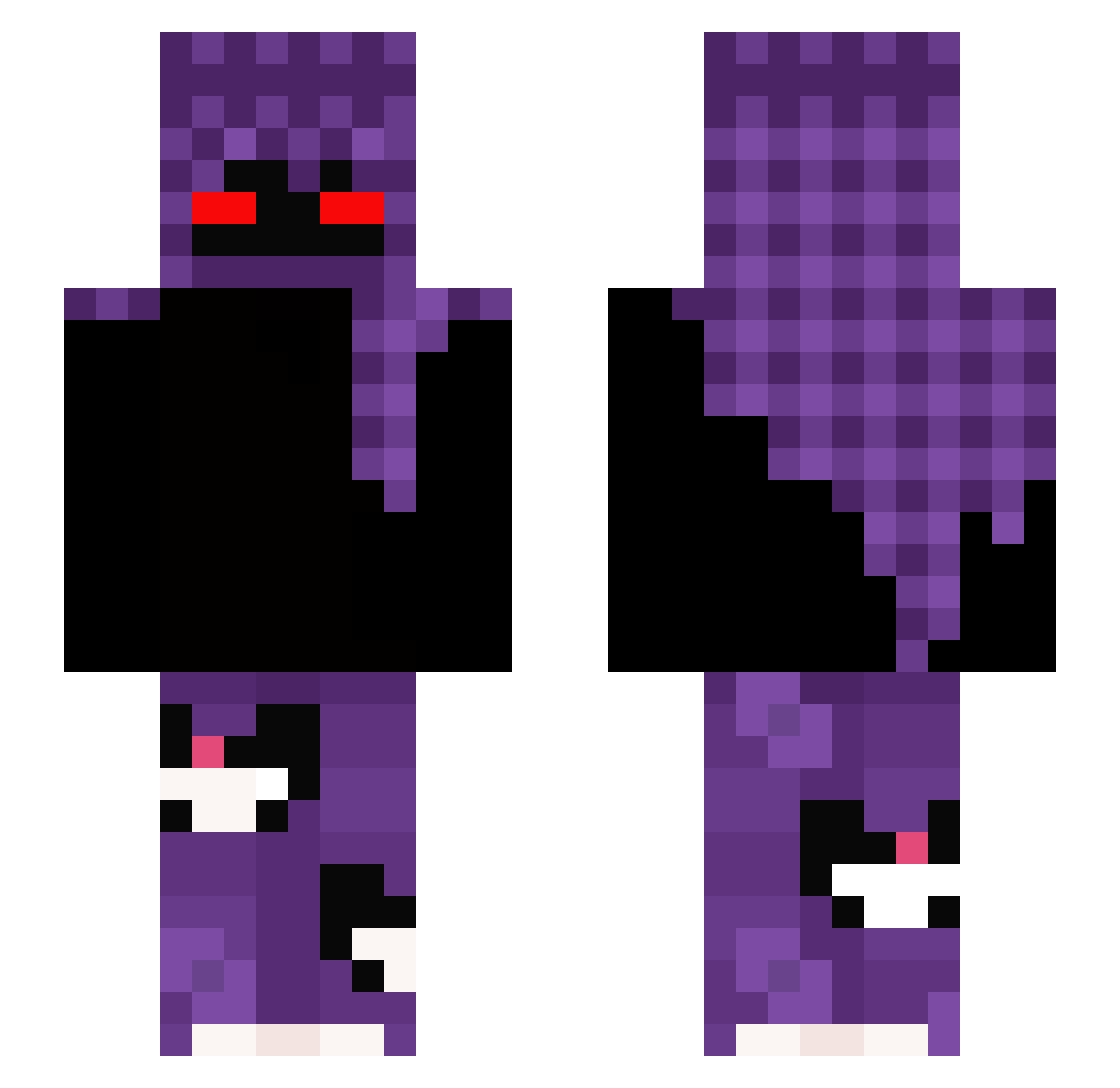
Current Minecraft skin of the player fabzeraa, loaded from the official Mojang API. Rotate the 3D model with your mouse or finger, then download the skin as a PNG file and use it in Minecraft: Bedrock Edition or Java Edition for free. When fabzeraa changes their skin, this page updates automatically and the old skin stays in the history below.
Other players with this skin (378)
fabzeraa was the 322nd player we have seen with this skin, first spotted on 06.11.2026. The same skin was seen on these players. Open a nickname to see their current skin and skin history.
 Tiddekul Merciuu macromm 0o0crispy juanselord pxv1_ Jaycru11 Cedragonic daverson22 Ayazinho7 PutinQ123 _ezzik_ ThePieterson ItzNotHound Juan_Baeza YuR1_P0jav Gou_lou nicosplash LIL_BUMMY Beba2 Roy1114 Rqven_1406 hanjaeho1998 HarrietTucker VipeZZAufCrack Nightshade_32 KarasTiMatros Rino7934 Kacpi11 gyz99 vitin7z Santiago_BY ricorssetv Qyrovex Bellakin77 fleurs_roses ridvan50 KinzoHD gdemel Htra1744 ShadowWasHere15 RysiuRybka AntonioBM23 ImSoSorryAbyss Krvl_Dropss RawZZZz Lucid1019 Rocketing Teckoy wookiMori Tamale068 44_BEDO Slammiee Caamzy VLADOXY1337 Danxxxx 22122022 LilLoko Vxlenteo vrxgief
More Cat Minecraft skins
How to install the fabzeraa skin
- Press the Download button above to save the skin as a PNG file.
- Minecraft: Bedrock Edition (PE): open the Dressing Room from the main menu (or tap your character → Edit Character), go to Classic Skins → Owned, press the + (new skin) button, choose the downloaded PNG and pick the Slim (Alex) model. Works on PC and mobile; consoles cannot import custom skins.
- Minecraft: Java Edition: open the Minecraft Launcher, go to the Skins tab, click New Skin, load the PNG, pick the Slim (Alex) model and press Save & Use. You can also upload it at minecraft.net → Profile → Change Skin.
The skin does not show up after import - what should I do?
Restart Minecraft and open the Dressing Room again - imported skins sometimes appear only after a restart. Also make sure you selected the imported skin and picked the Slim (Alex) model.
Which model should I choose, Classic or Slim?
This skin is designed for the Slim (Alex) model. If you pick the wrong model, the arms of the skin will look stretched or squeezed.
Is the skin of fabzeraa free to download?
Yes. Press Download, save the PNG file and use it in Minecraft: Bedrock Edition or Java Edition - no payment or registration needed. The skin also works on multiplayer servers and Realms.
More skins
Looking for more? Go back to all Minecraft skins and check the top skins of the week, month and all time, or find any player's skin by nickname.