
f4ki7 - Minecraft Skins & Skin History
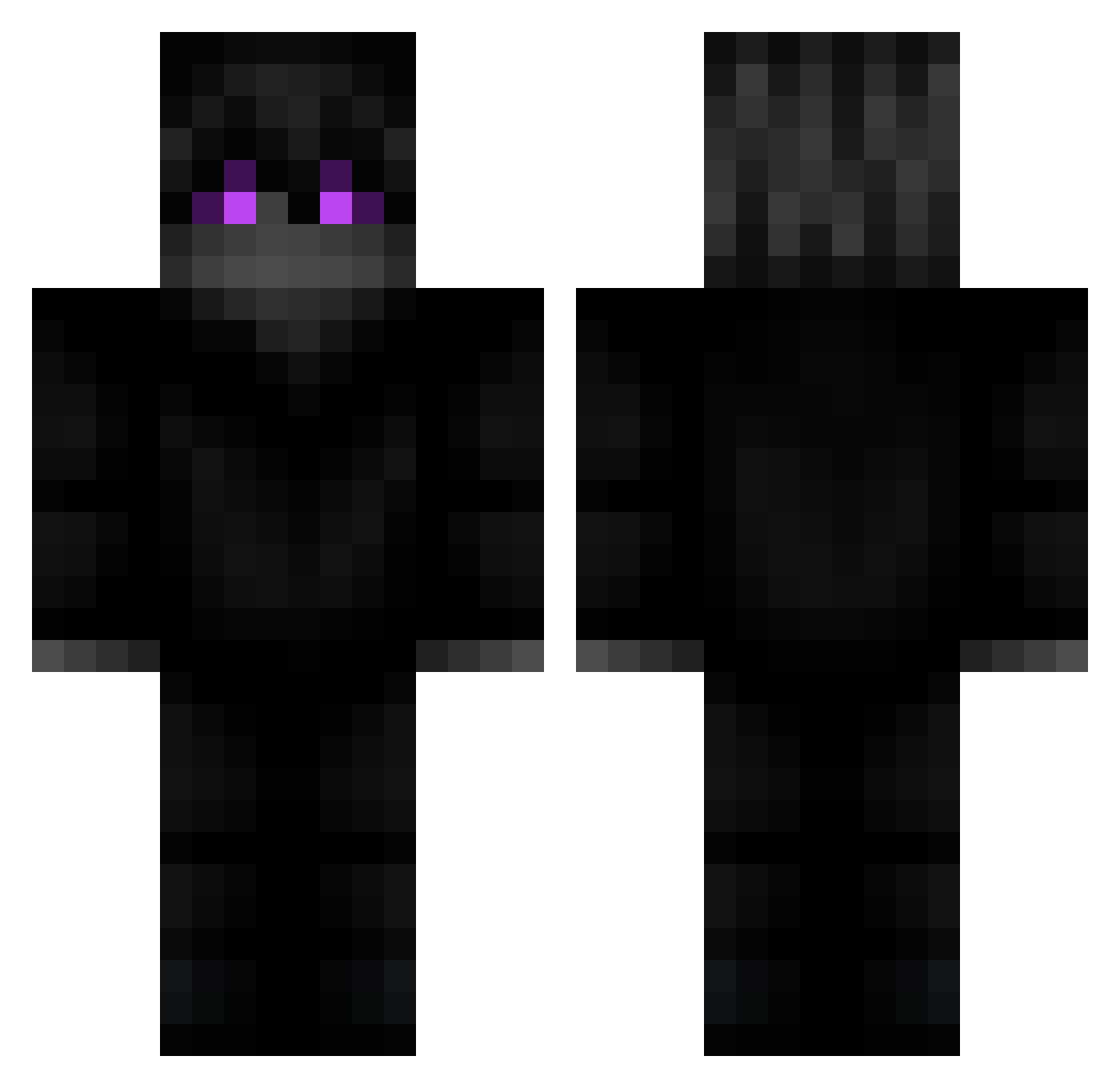
Current Minecraft skin of the player f4ki7, loaded from the official Mojang API. Rotate the 3D model with your mouse or finger, then download the skin as a PNG file and use it in Minecraft: Bedrock Edition or Java Edition for free. When f4ki7 changes their skin, this page updates automatically and the old skin stays in the history below.
Other players with this skin (271)
f4ki7 was the 249th player we have seen with this skin, first spotted on 10.11.2026. The same skin was seen on these players. Open a nickname to see their current skin and skin history.
 halkaa Talsseum Meez22 KiddPajita Decromatic BossAndres Hanterzoone Vampairos Pixelassault789 7Marshmellow yeezuro 1start1 HaxzerMC princeXY wwagss paskudek88 TOMMYBRAAA iTzBluu7 aaingg MrPokerface7 SenpaiImmortals Dead3ye1 TropicalImmortal RTGHutch Zetman206 L4nMan21 streamnight chuanqi4293 devino45 pumice5253 Komutanee Valadimir_Puddin BigThanos420 DarthEvade Ravontheus Juju_636 SnowyDace17 Tainz974 Kaatonn bartowski Race_X Alaerts19 i_love_mors _Noah_2k20 AtReIS_XXX Luiszx Zurrenderr IPuntedUrMOM ASAPGnocchii Szereg0wy hanyboy dashedhopess Treesome09 Kushyy_ coolkididk77 Andraith641 ElMutMutt Gqve_ PoletPeter M4NO1R
More Ender Dragon Minecraft skins
See all 757 Ender Dragon skins
How to install the f4ki7 skin
- Press the Download button above to save the skin as a PNG file.
- Minecraft: Bedrock Edition (PE): open the Dressing Room from the main menu (or tap your character → Edit Character), go to Classic Skins → Owned, press the + (new skin) button, choose the downloaded PNG and pick the Classic (Steve) model. Works on PC and mobile; consoles cannot import custom skins.
- Minecraft: Java Edition: open the Minecraft Launcher, go to the Skins tab, click New Skin, load the PNG, pick the Classic (Steve) model and press Save & Use. You can also upload it at minecraft.net → Profile → Change Skin.
The skin does not show up after import - what should I do?
Restart Minecraft and open the Dressing Room again - imported skins sometimes appear only after a restart. Also make sure you selected the imported skin and picked the Classic (Steve) model.
Which model should I choose, Classic or Slim?
This skin is designed for the Classic (Steve) model. If you pick the wrong model, the arms of the skin will look stretched or squeezed.
Is the skin of f4ki7 free to download?
Yes. Press Download, save the PNG file and use it in Minecraft: Bedrock Edition or Java Edition - no payment or registration needed. The skin also works on multiplayer servers and Realms.
More skins
Looking for more? Go back to all Minecraft skins and check the top skins of the week, month and all time, or find any player's skin by nickname.