
exxx1s - Minecraft Skins & Skin History
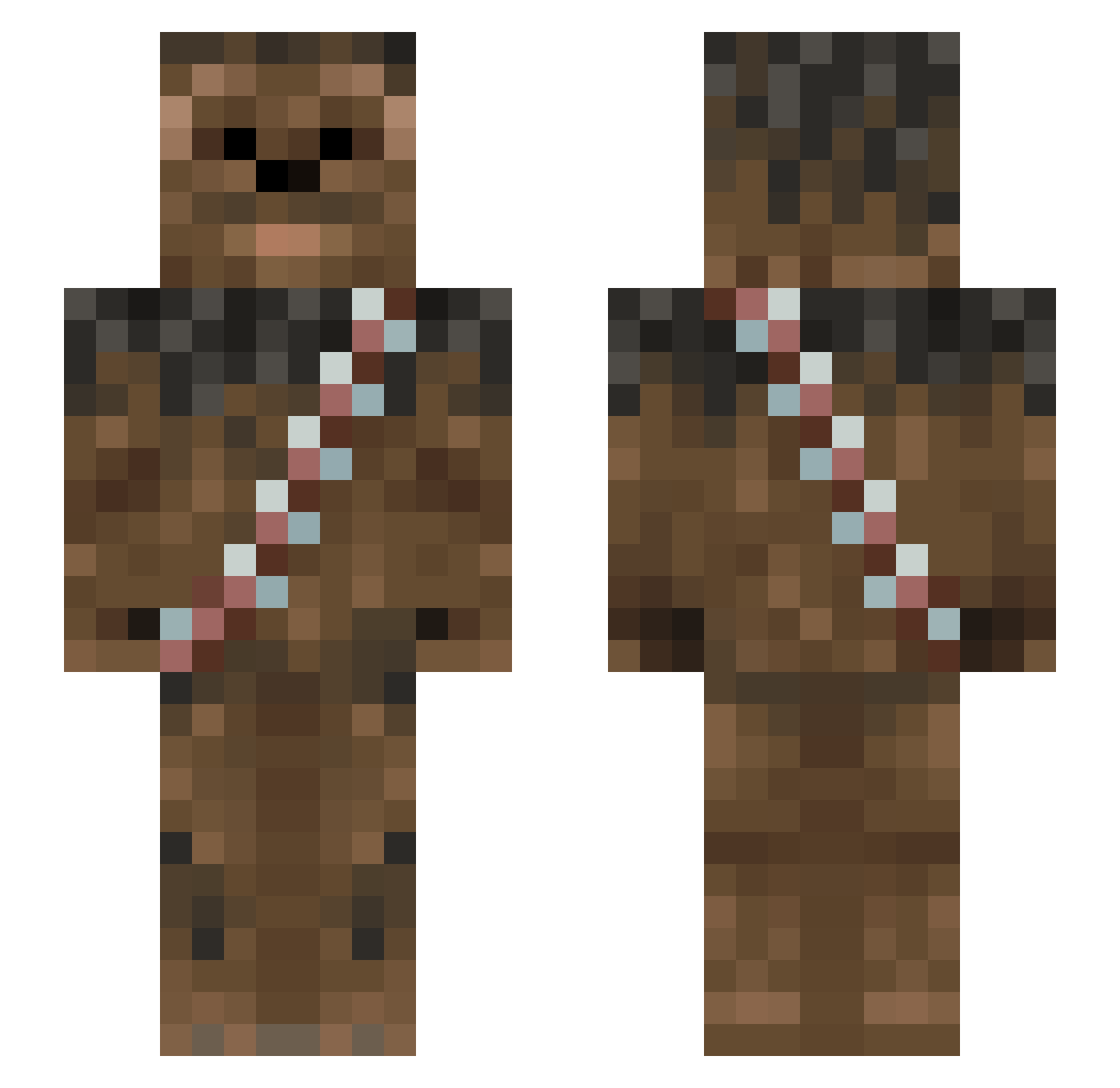
Current Minecraft skin of the player exxx1s, loaded from the official Mojang API. Rotate the 3D model with your mouse or finger, then download the skin as a PNG file and use it in Minecraft: Bedrock Edition or Java Edition for free. When exxx1s changes their skin, this page updates automatically and the old skin stays in the history below.
Other players with this skin (1013)
exxx1s was the 769th player we have seen with this skin, first spotted on 16.10.2026. The same skin was seen on these players. Open a nickname to see their current skin and skin history.
 Salasaar PrimoVera HudderButter Stache_Squatch Littlebossie _Webster_ rdctaylor DisturbedGods igor_gavi GambitGomez fightingpanda10 dvillarejo Numberjak edece Captain_Zeban CapnBallistic spartan27516 CommonSpaceBear proxzerk mickeyfreak revisFan Hazzaarrr PopePOV Josh072001 r0ckyz0r vxT3RMINATORxv Hammill95 Hairball77 jamesflin jazzyjack23 pepperoninipples SloppyWhilber domgwee Elvis5665 MrRandom61 Brutalix DEATHtheCATT669 Ektik jeslju Edna2001 BigKuci bobbyboo2002 MrDigs Jeff_Da_Maori Ricardo1971 LiquidTheG0d LewisY13 Chooie ty_oreally happyslayzer MightyTyke Solas78 thebajanbacca_go BOXTORTES Kumiturtle DoTheEyeThing ahistand Derd01 Dhinson919 TheEvilTamarin
More Wookiee Minecraft skins
How to install the exxx1s skin
- Press the Download button above to save the skin as a PNG file.
- Minecraft: Bedrock Edition (PE): open the Dressing Room from the main menu (or tap your character → Edit Character), go to Classic Skins → Owned, press the + (new skin) button, choose the downloaded PNG and pick the Slim (Alex) model. Works on PC and mobile; consoles cannot import custom skins.
- Minecraft: Java Edition: open the Minecraft Launcher, go to the Skins tab, click New Skin, load the PNG, pick the Slim (Alex) model and press Save & Use. You can also upload it at minecraft.net → Profile → Change Skin.
The skin does not show up after import - what should I do?
Restart Minecraft and open the Dressing Room again - imported skins sometimes appear only after a restart. Also make sure you selected the imported skin and picked the Slim (Alex) model.
Which model should I choose, Classic or Slim?
This skin is designed for the Slim (Alex) model. If you pick the wrong model, the arms of the skin will look stretched or squeezed.
Is the skin of exxx1s free to download?
Yes. Press Download, save the PNG file and use it in Minecraft: Bedrock Edition or Java Edition - no payment or registration needed. The skin also works on multiplayer servers and Realms.
More skins
Looking for more? Go back to all Minecraft skins and check the top skins of the week, month and all time, or find any player's skin by nickname.