
extager - Minecraft Skins & Skin History
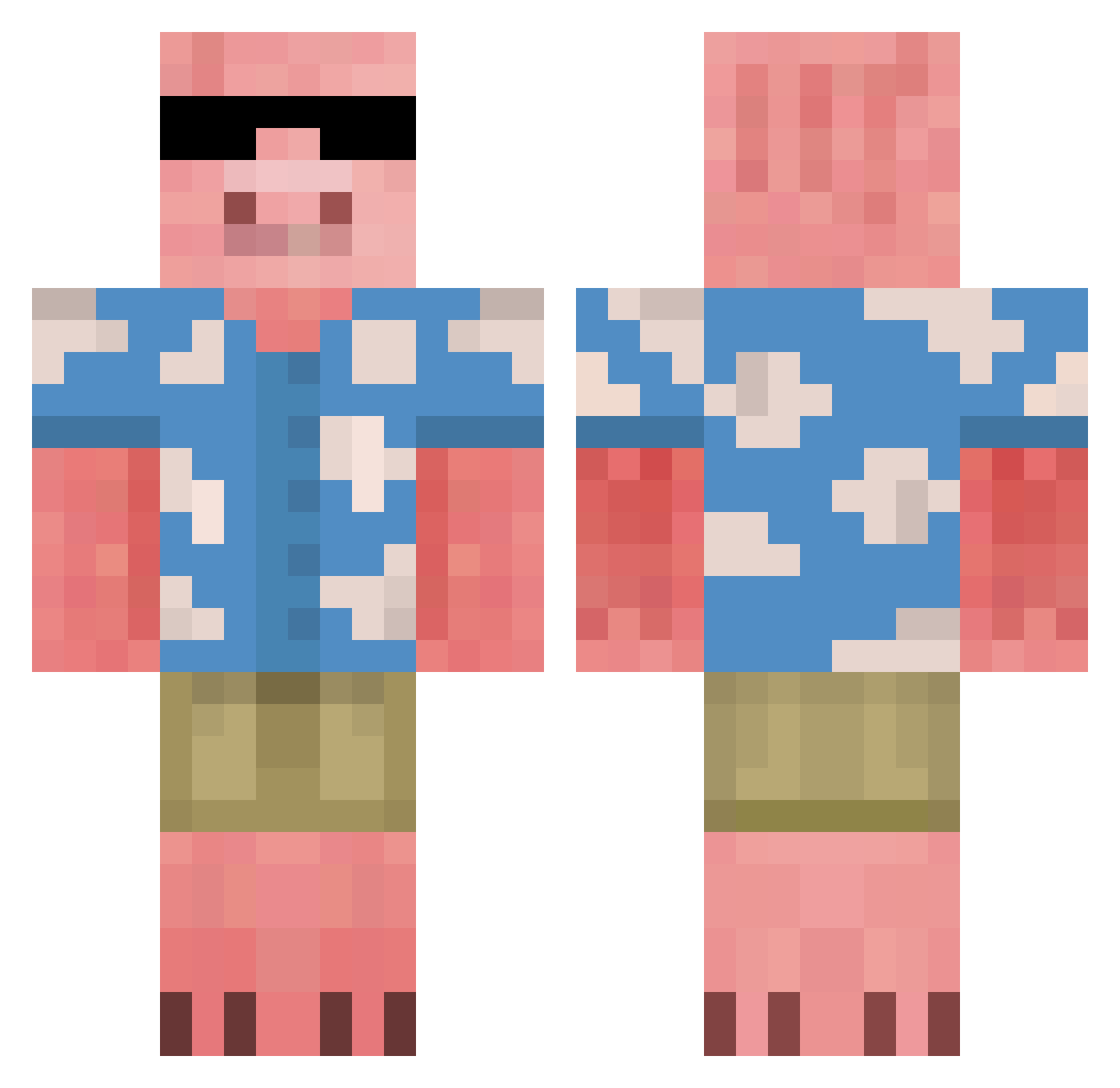
Current Minecraft skin of the player extager, loaded from the official Mojang API. Rotate the 3D model with your mouse or finger, then download the skin as a PNG file and use it in Minecraft: Bedrock Edition or Java Edition for free. When extager changes their skin, this page updates automatically and the old skin stays in the history below.
Other players with this skin (675)
extager was the 119th player we have seen with this skin, first spotted on 12.08.2026. The same skin was seen on these players. Open a nickname to see their current skin and skin history.
 Toasterfork RaiderMatter jubiscreubio tigara1559 heartsocold DziugaKusas Crazy_horse21 JumpusTheGreat no_logan ofearthandwater else46 lillyiscool ParkTaehoon0614 __Bddowon TioNathos AntonKin Shultzzzzz Chaskyyyy ark4660 IncredibileJuJu SPRUCEGOOSE9631 EV_TI ST_RPLATINUM Darth_Ted Neox143 KEYS0_ DINO_guzn MrSknavtPL tmczq emilis111 jacoobyboy StealYoTing5038 ishatinyourpants daehwanlee Chef_Clay Groooth Ethan1098 serzantukas rabbitblack theeaustinowens IchinoseMaki LiamShala PlutoInc DariusPham Fattypiglet9 PoftheNut tinet1000 PretzelTwist liljuste Pensrule8787 xKawaiiZ_ Bergaren Gotogin alessio3219 Empan_07 CHeckerz137 Lillan203 Travis1137 Jonim1es Haewon_love
More Piglin Minecraft skins
How to install the extager skin
- Press the Download button above to save the skin as a PNG file.
- Minecraft: Bedrock Edition (PE): open the Dressing Room from the main menu (or tap your character → Edit Character), go to Classic Skins → Owned, press the + (new skin) button, choose the downloaded PNG and pick the Classic (Steve) model. Works on PC and mobile; consoles cannot import custom skins.
- Minecraft: Java Edition: open the Minecraft Launcher, go to the Skins tab, click New Skin, load the PNG, pick the Classic (Steve) model and press Save & Use. You can also upload it at minecraft.net → Profile → Change Skin.
The skin does not show up after import - what should I do?
Restart Minecraft and open the Dressing Room again - imported skins sometimes appear only after a restart. Also make sure you selected the imported skin and picked the Classic (Steve) model.
Which model should I choose, Classic or Slim?
This skin is designed for the Classic (Steve) model. If you pick the wrong model, the arms of the skin will look stretched or squeezed.
Is the skin of extager free to download?
Yes. Press Download, save the PNG file and use it in Minecraft: Bedrock Edition or Java Edition - no payment or registration needed. The skin also works on multiplayer servers and Realms.
More skins
Looking for more? Go back to all Minecraft skins and check the top skins of the week, month and all time, or find any player's skin by nickname.