
etn1e - Minecraft Skins & Skin History
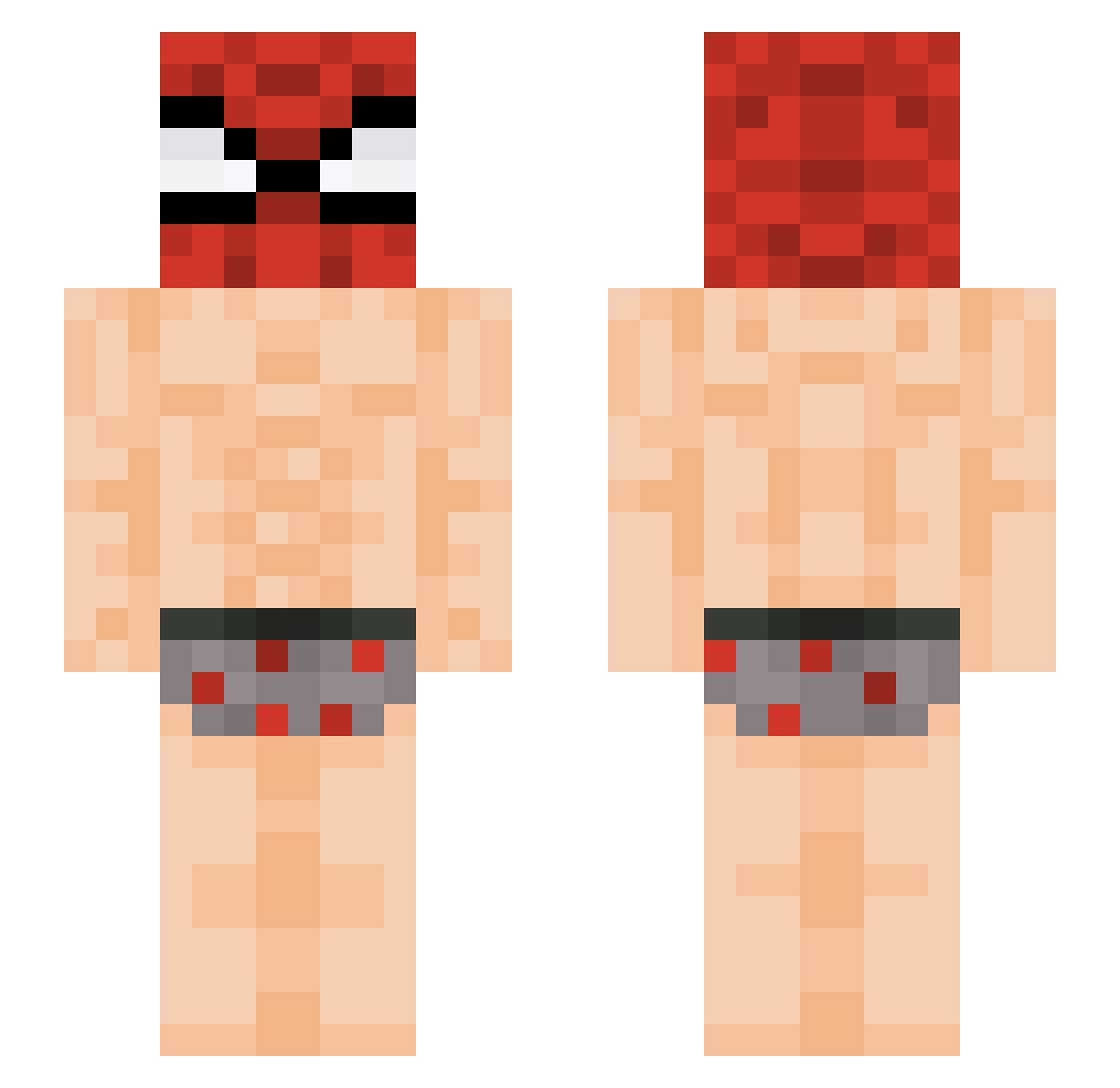
Current Minecraft skin of the player etn1e, loaded from the official Mojang API. Rotate the 3D model with your mouse or finger, then download the skin as a PNG file and use it in Minecraft: Bedrock Edition or Java Edition for free. When etn1e changes their skin, this page updates automatically and the old skin stays in the history below.
Other players with this skin (435)
etn1e was the 272nd player we have seen with this skin, first spotted on 02.10.2026. The same skin was seen on these players. Open a nickname to see their current skin and skin history.
 Chuyinnnn pedro025 TannerD_Liciouss NelsonosleN KriminalXD MillManzo Kietcacliet Gostplayer53 Cisco_7_ starschout37 bbakgu_8523 thew1ckyman Cebus228 qmirass elmasmalodemicas Penguin6989 YrnabNayrbBryan _t0bys ThatHighJedi Vncs1212 Emmanuel122704 gamja_tang33 m4tia69 ekonko BenDan00 TheNoahDeCoco Cogetove pepsighg evyxia _Hoonry_ woo071215 BlaxBy Mavrix19 hamsiprogamer Izutsushi_ ar1davd1d solaranlage69 VGPR Al3xx666 ItsMeJeam Jairxx14 _Reyo_ fonZ5 dabin_Choi popoxito wssbdaiwdgbkwfh RalfinsOnTop DASHASSASSIN69 PlqnesIsObese ArabianMarsh afkplayer22 SRui6 elevatelul Warrior6509 Boxxy_GG Karz3l_ jakotaa RevengeOnWaffle KillerCrepper888 skadouu
More Spider Man Minecraft skins
How to install the etn1e skin
- Press the Download button above to save the skin as a PNG file.
- Minecraft: Bedrock Edition (PE): open the Dressing Room from the main menu (or tap your character → Edit Character), go to Classic Skins → Owned, press the + (new skin) button, choose the downloaded PNG and pick the Slim (Alex) model. Works on PC and mobile; consoles cannot import custom skins.
- Minecraft: Java Edition: open the Minecraft Launcher, go to the Skins tab, click New Skin, load the PNG, pick the Slim (Alex) model and press Save & Use. You can also upload it at minecraft.net → Profile → Change Skin.
The skin does not show up after import - what should I do?
Restart Minecraft and open the Dressing Room again - imported skins sometimes appear only after a restart. Also make sure you selected the imported skin and picked the Slim (Alex) model.
Which model should I choose, Classic or Slim?
This skin is designed for the Slim (Alex) model. If you pick the wrong model, the arms of the skin will look stretched or squeezed.
Is the skin of etn1e free to download?
Yes. Press Download, save the PNG file and use it in Minecraft: Bedrock Edition or Java Edition - no payment or registration needed. The skin also works on multiplayer servers and Realms.
More skins
Looking for more? Go back to all Minecraft skins and check the top skins of the week, month and all time, or find any player's skin by nickname.