
ese_tnbg - Minecraft Skins & Skin History
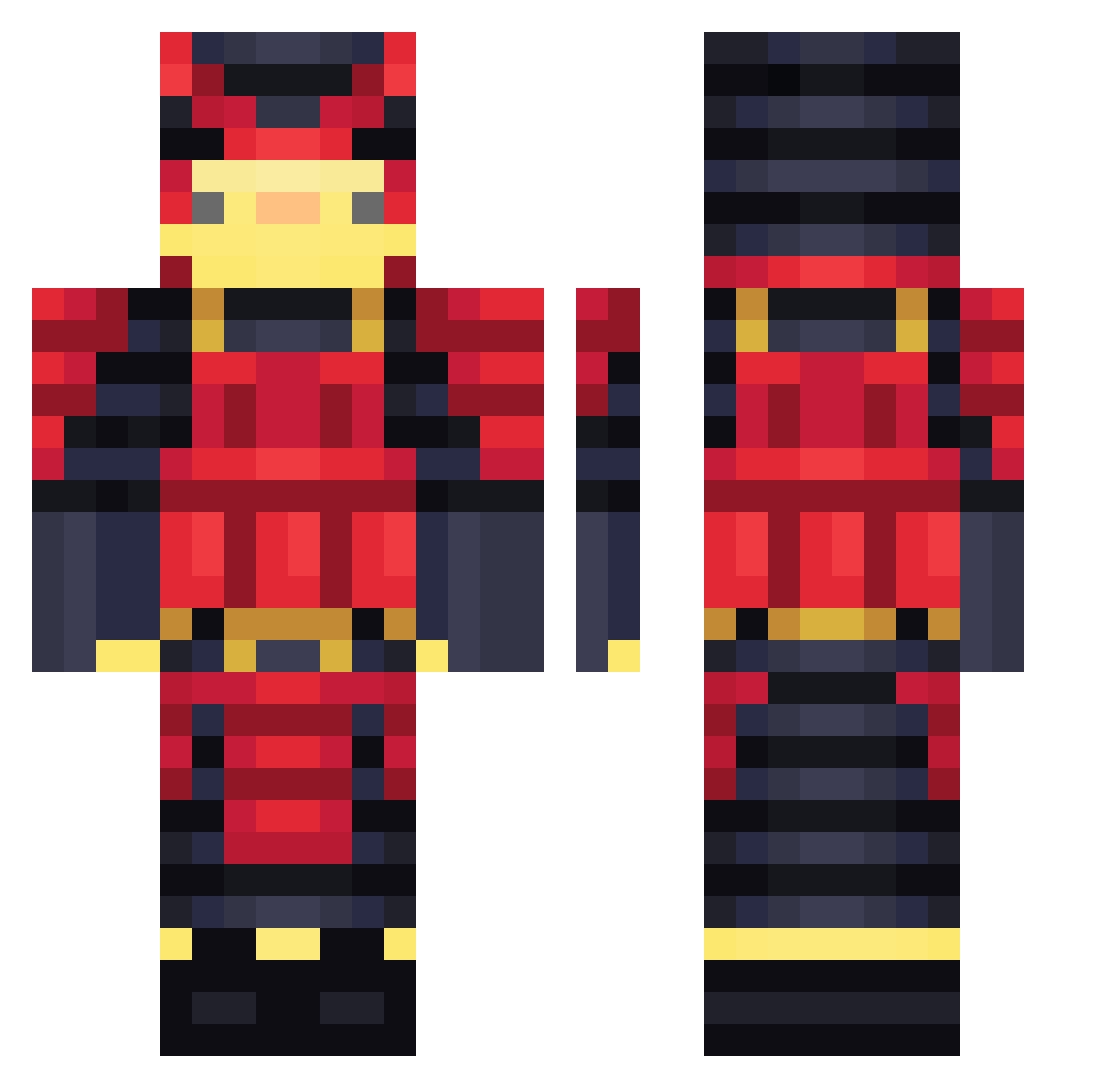
Current Minecraft skin of the player ese_tnbg, loaded from the official Mojang API. Rotate the 3D model with your mouse or finger, then download the skin as a PNG file and use it in Minecraft: Bedrock Edition or Java Edition for free. When ese_tnbg changes their skin, this page updates automatically and the old skin stays in the history below.
Other players with this skin (460)
ese_tnbg was the 319th player we have seen with this skin, first spotted on 07.10.2026. The same skin was seen on these players. Open a nickname to see their current skin and skin history.
 KirumaK Blenkitny D4NNYCOCO BalliN_GG_R THESAIQDEWHNUDDS robotboy2098 ihatebees21 Etsukiik MobZer0h ElkinIL BiraLira CharloSSus Tadzix420 GabrielSeila guxu959 anoty5 Gyeoki_ HydroFercho BJStuff ranian_tmr 14years88months mikaoic Puvmo Gaby168 officernoodles delitxx TinnyCan itztoddynhoztx fluca20_ContentC DJosema loganslz xNycro GabEsto CT_84 AechS2 Renseud ShaiYael salaaa WujasGargulec Cyerx Wolkinho GIMBOGI lNeuTroNl dxmin_ LArmada clix_mc Sooshi9702 Sweettz44 Hyberexe ddh1612 OniLeChomeur saider qSasukee Licornio DDomo6466 orcalove Fried_Nuggets LRChristian Lerdode jossvo06
More Samurai Minecraft skins
How to install the ese_tnbg skin
- Press the Download button above to save the skin as a PNG file.
- Minecraft: Bedrock Edition (PE): open the Dressing Room from the main menu (or tap your character → Edit Character), go to Classic Skins → Owned, press the + (new skin) button, choose the downloaded PNG and pick the Classic (Steve) model. Works on PC and mobile; consoles cannot import custom skins.
- Minecraft: Java Edition: open the Minecraft Launcher, go to the Skins tab, click New Skin, load the PNG, pick the Classic (Steve) model and press Save & Use. You can also upload it at minecraft.net → Profile → Change Skin.
The skin does not show up after import - what should I do?
Restart Minecraft and open the Dressing Room again - imported skins sometimes appear only after a restart. Also make sure you selected the imported skin and picked the Classic (Steve) model.
Which model should I choose, Classic or Slim?
This skin is designed for the Classic (Steve) model. If you pick the wrong model, the arms of the skin will look stretched or squeezed.
Is the skin of ese_tnbg free to download?
Yes. Press Download, save the PNG file and use it in Minecraft: Bedrock Edition or Java Edition - no payment or registration needed. The skin also works on multiplayer servers and Realms.
More skins
Looking for more? Go back to all Minecraft skins and check the top skins of the week, month and all time, or find any player's skin by nickname.