
erykisexpl0 - Minecraft Skins & Skin History
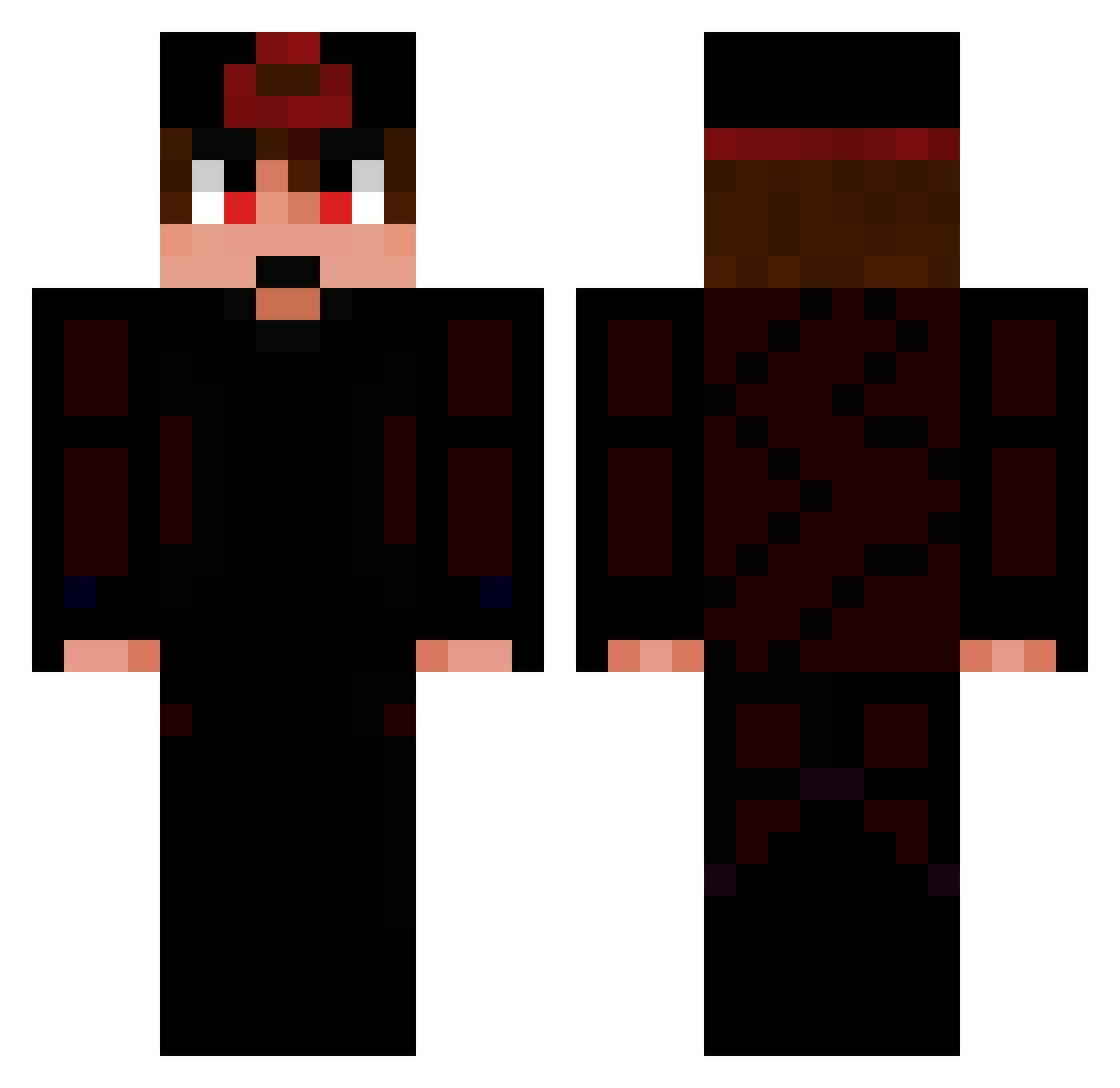
Current Minecraft skin of the player erykisexpl0, loaded from the official Mojang API. Rotate the 3D model with your mouse or finger, then download the skin as a PNG file and use it in Minecraft: Bedrock Edition or Java Edition for free. When erykisexpl0 changes their skin, this page updates automatically and the old skin stays in the history below.
Other players with this skin (52)
erykisexpl0 was the 27th player we have seen with this skin, first spotted on 12.09.2026. The same skin was seen on these players. Open a nickname to see their current skin and skin history.
 Xx_Thats_Lory_xX zwse Knockingg joaquimm DuanQiao_ Gience7896 Faint3069 CR0P brokenxz Ouryh nepeke LuU213 gyanm0 kyuska 2019marcel HaiFeuer980979 MERCV Leog_04 kyzouuuu Dogly Chester9786 jydenn Mc_Mauco Karonison jz_lCsKFQBYXa228 Knsie xITzMiyaChanx serts NapaljeniKlokan Rhyek dPk10 gffo hmmmmteresting SagiDK javimaldito ItsFritzyy pushmetoedge CLOUD9MATTHEW Karzy Pablosky92 toyelor qodSmokeVape Kalistenix HyKoxX_ AlvarixBr Unfa1rAdvantage YEEORNOPE FalSenMC jonam33 Kysf4qqot xPikachuxx sliven
How to install the erykisexpl0 skin
- Press the Download button above to save the skin as a PNG file.
- Minecraft: Bedrock Edition (PE): open the Dressing Room from the main menu (or tap your character → Edit Character), go to Classic Skins → Owned, press the + (new skin) button, choose the downloaded PNG and pick the Classic (Steve) model. Works on PC and mobile; consoles cannot import custom skins.
- Minecraft: Java Edition: open the Minecraft Launcher, go to the Skins tab, click New Skin, load the PNG, pick the Classic (Steve) model and press Save & Use. You can also upload it at minecraft.net → Profile → Change Skin.
The skin does not show up after import - what should I do?
Restart Minecraft and open the Dressing Room again - imported skins sometimes appear only after a restart. Also make sure you selected the imported skin and picked the Classic (Steve) model.
Which model should I choose, Classic or Slim?
This skin is designed for the Classic (Steve) model. If you pick the wrong model, the arms of the skin will look stretched or squeezed.
Is the skin of erykisexpl0 free to download?
Yes. Press Download, save the PNG file and use it in Minecraft: Bedrock Edition or Java Edition - no payment or registration needed. The skin also works on multiplayer servers and Realms.
More skins
Looking for more? Go back to all Minecraft skins and check the top skins of the week, month and all time, or find any player's skin by nickname.