
erwan4921 - Minecraft Skins & Skin History
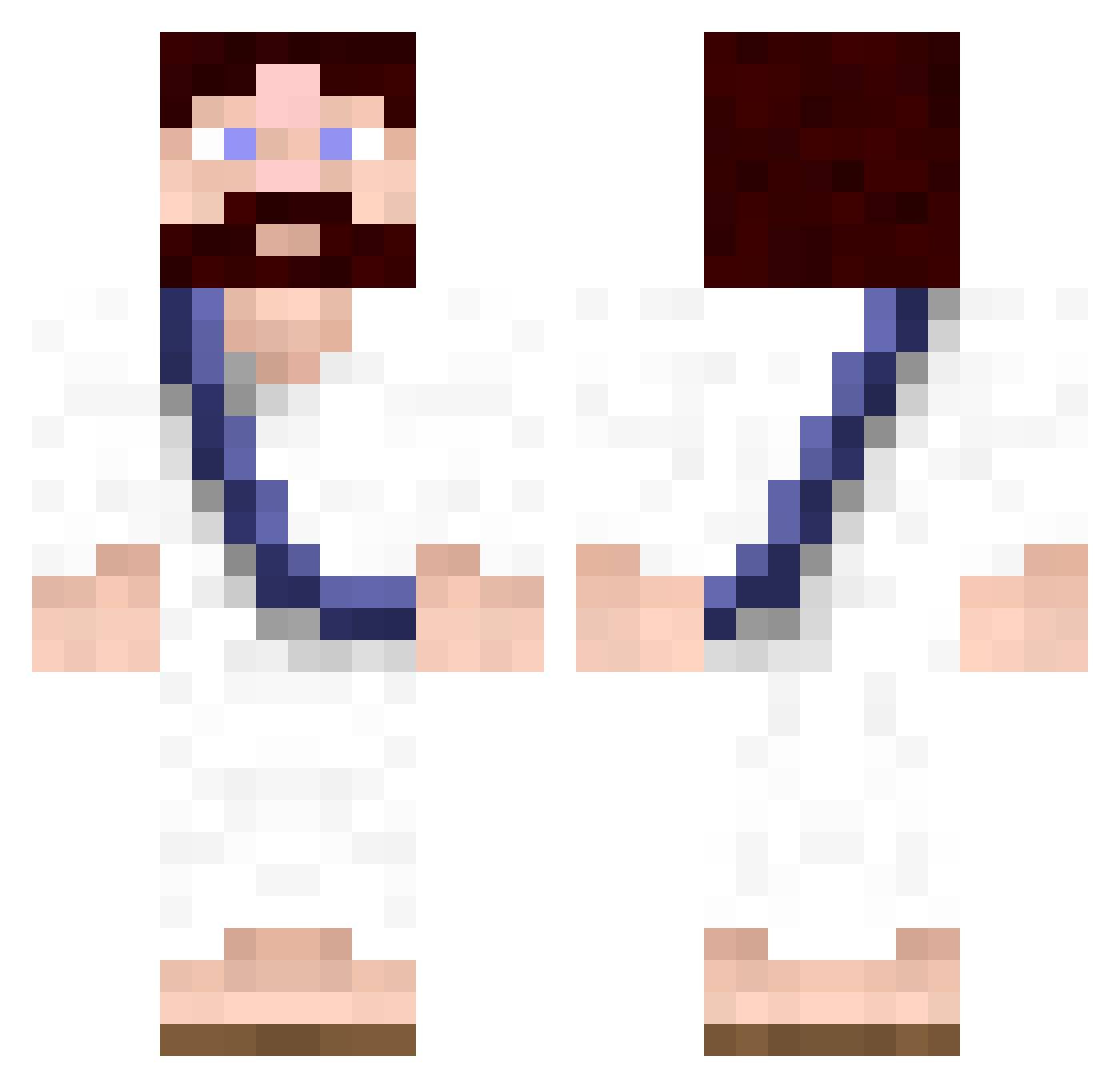
Current Minecraft skin of the player erwan4921, loaded from the official Mojang API. Rotate the 3D model with your mouse or finger, then download the skin as a PNG file and use it in Minecraft: Bedrock Edition or Java Edition for free. When erwan4921 changes their skin, this page updates automatically and the old skin stays in the history below.
Other players with this skin (619)
erwan4921 was the 21st player we have seen with this skin, first spotted on 26.07.2026. The same skin was seen on these players. Open a nickname to see their current skin and skin history.
 Dr3AmSlave Tecccc spuzzy123 RJ_Stalin DresdenC Husky_Starcraft Mwortis ThE_sCuLpTuRe ptitrenaud OGeezus Barys fubanski Green_Bastard Jumblez KILRMAX TheHickster Interruptus Mike_MDC TheChriste CAMERON22B Mattman540 OleSeed thejesus2010 Alryvo xarasu SilverThrasher Laxdude167 RumbleCrumble123 henrikali Parazytes mK_9028 n00binator xTAUx phiLizZbozZ Louis_Le_Grand MasterTigre DrShox SzilardF brice81000 SuperJesus2 confiusion91 CJayD ianlawlor nickeljoe xTim15 yogman23 AaronCoppa introvio zatanna20 tetsii Keegan2334 Gorck42 majnuun2 Prophet_v4 QTMcWhiskerz Bubski3 Alpha9r Bz55555 Devl1n666 Sassypants77
More Bible Minecraft skins
How to install the erwan4921 skin
- Press the Download button above to save the skin as a PNG file.
- Minecraft: Bedrock Edition (PE): open the Dressing Room from the main menu (or tap your character → Edit Character), go to Classic Skins → Owned, press the + (new skin) button, choose the downloaded PNG and pick the Classic (Steve) model. Works on PC and mobile; consoles cannot import custom skins.
- Minecraft: Java Edition: open the Minecraft Launcher, go to the Skins tab, click New Skin, load the PNG, pick the Classic (Steve) model and press Save & Use. You can also upload it at minecraft.net → Profile → Change Skin.
The skin does not show up after import - what should I do?
Restart Minecraft and open the Dressing Room again - imported skins sometimes appear only after a restart. Also make sure you selected the imported skin and picked the Classic (Steve) model.
Which model should I choose, Classic or Slim?
This skin is designed for the Classic (Steve) model. If you pick the wrong model, the arms of the skin will look stretched or squeezed.
Is the skin of erwan4921 free to download?
Yes. Press Download, save the PNG file and use it in Minecraft: Bedrock Edition or Java Edition - no payment or registration needed. The skin also works on multiplayer servers and Realms.
More skins
Looking for more? Go back to all Minecraft skins and check the top skins of the week, month and all time, or find any player's skin by nickname.