
erwan0123 - Minecraft Skins & Skin History
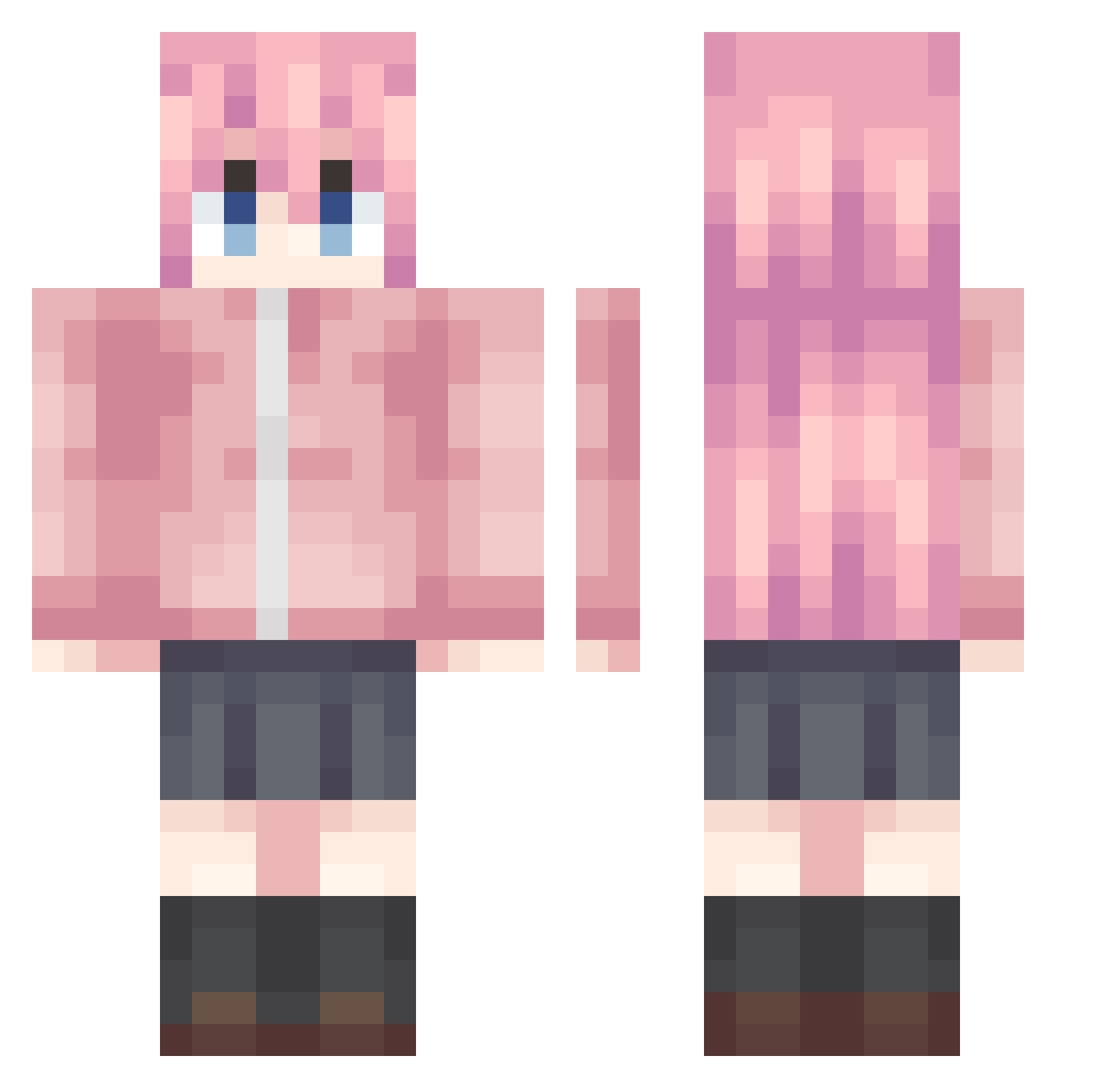
Current Minecraft skin of the player erwan0123, loaded from the official Mojang API. Rotate the 3D model with your mouse or finger, then download the skin as a PNG file and use it in Minecraft: Bedrock Edition or Java Edition for free. When erwan0123 changes their skin, this page updates automatically and the old skin stays in the history below.
Other players with this skin (992)
erwan0123 was the 275th player we have seen with this skin, first spotted on 24.08.2026. The same skin was seen on these players. Open a nickname to see their current skin and skin history.
 fubukikaze wpqsy limizumi xiaoxing0727 q1397 StrmarKoi 657567567 Alkaid492 Cookie1135 GuGuoge miaomiaodala Kciba
 KazamataNeri1 warm_starts lmor_ jormungand0524 jlc111 _Chicking_ guoougou Houraiji_Kyuusyo qianhe02 Maybel1e xw0723
 takomiko 3__1 Ryanzhao Auxo233 4A7MD_ Ui11 Yoku_yi Sirius011 illusion0715 SkadiLaopo_520 didichen Ralph0810 B1f0rst Tomori521 yufolunchan DeepSea3652 yoursocean CFXM_ Ballingmote Estrelas_ skeskin 0acong0 __Hiro___ zxelanTwO Festtan MWTQWQ KrunkAintDead7 kishimoto1234 kh66789 Flvec lulugi777 Judgmenters FBAI YZMLXR LengCheng kyq11 gotn_
More Bocchi Minecraft skins
How to install the erwan0123 skin
- Press the Download button above to save the skin as a PNG file.
- Minecraft: Bedrock Edition (PE): open the Dressing Room from the main menu (or tap your character → Edit Character), go to Classic Skins → Owned, press the + (new skin) button, choose the downloaded PNG and pick the Classic (Steve) model. Works on PC and mobile; consoles cannot import custom skins.
- Minecraft: Java Edition: open the Minecraft Launcher, go to the Skins tab, click New Skin, load the PNG, pick the Classic (Steve) model and press Save & Use. You can also upload it at minecraft.net → Profile → Change Skin.
The skin does not show up after import - what should I do?
Restart Minecraft and open the Dressing Room again - imported skins sometimes appear only after a restart. Also make sure you selected the imported skin and picked the Classic (Steve) model.
Which model should I choose, Classic or Slim?
This skin is designed for the Classic (Steve) model. If you pick the wrong model, the arms of the skin will look stretched or squeezed.
Is the skin of erwan0123 free to download?
Yes. Press Download, save the PNG file and use it in Minecraft: Bedrock Edition or Java Edition - no payment or registration needed. The skin also works on multiplayer servers and Realms.
More skins
Looking for more? Go back to all Minecraft skins and check the top skins of the week, month and all time, or find any player's skin by nickname.