
epicelite543 - Minecraft Skins & Skin History
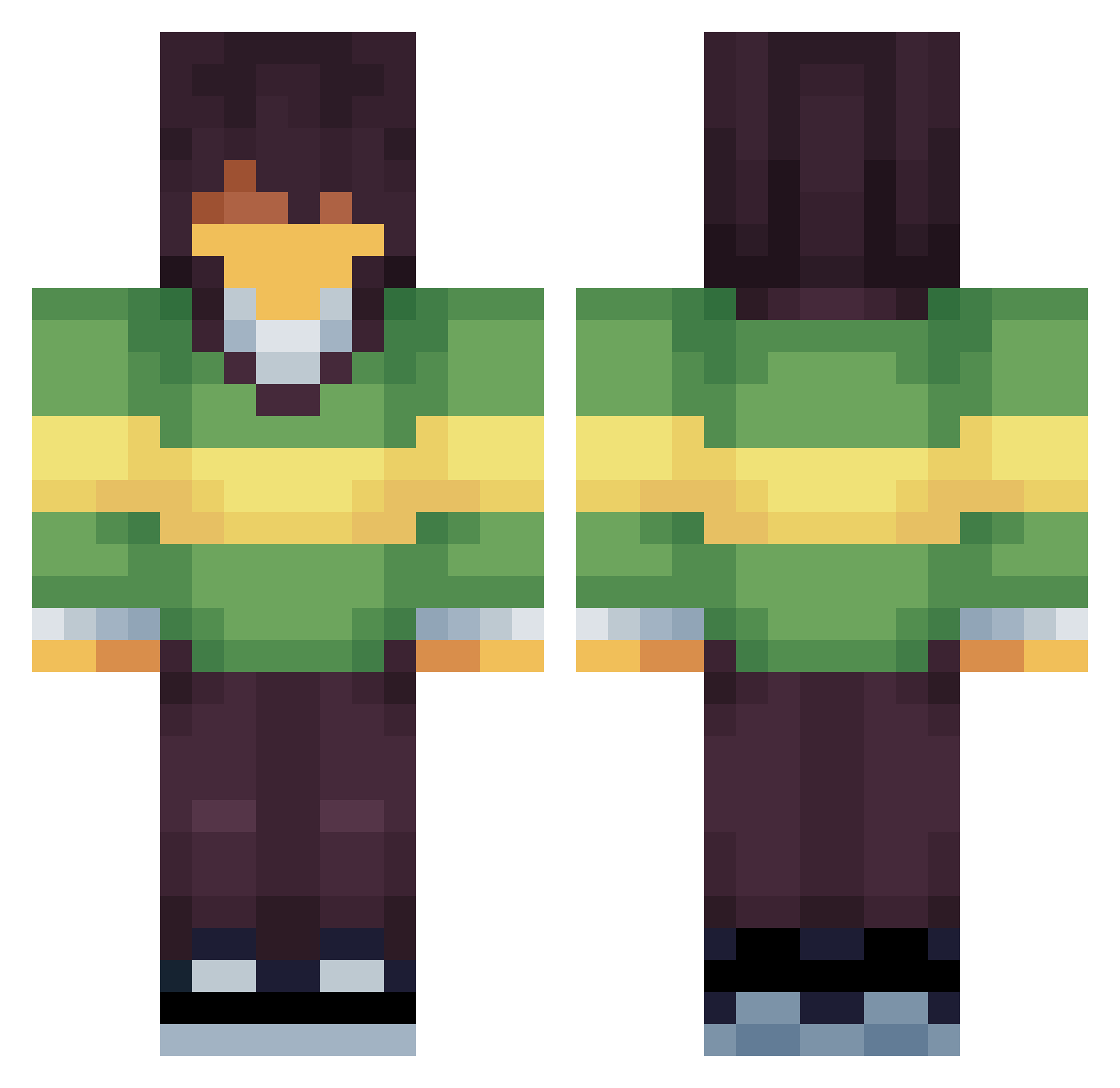
Current Minecraft skin of the player epicelite543, loaded from the official Mojang API. Rotate the 3D model with your mouse or finger, then download the skin as a PNG file and use it in Minecraft: Bedrock Edition or Java Edition for free. When epicelite543 changes their skin, this page updates automatically and the old skin stays in the history below.
Other players with this skin (71)
epicelite543 was the 34th player we have seen with this skin, first spotted on 07.09.2026. The same skin was seen on these players. Open a nickname to see their current skin and skin history.
 Terrarian258
 akimaki4 THEGusinator1234 vampiricis0 ElRapazGrande Jaroogaa Nadirent ffemboy Your_Mom156 Jashtac08 4n1s BadTrix Akisatooo atesata
 CassTR_ BeefiestPatty VaelithAquaris ImmPalo bigcatmochi tails_playz borlsack Lenouix
 Yuikio KrispySUCKS _nyctophile bertwawaguy ppman235 1mp4CtTR
 Eden_05 JustAzar Rasores nimbletimbers ilsash El1Bazinguer Shik0sa rkestt
 SwiftSlime01 barrytheman1
 Altaz_
 happyman253 nozmos derarovele
 rhafhss bolt2300 ImSoDizzy_ brackstoh HiteHT Damslett BisutoYT Primeez
 Juras_sky Noir80 vasilakis0115 LoafingAround Santinosuc4 nebuzo pineapple_yum
 roseyknight
 Corinstalk KrisSword
Previous skins of epicelite543
Skins that epicelite543 wore before, newest first. Click a skin to open its page and download it.
More Kris Minecraft skins
How to install the epicelite543 skin
- Press the Download button above to save the skin as a PNG file.
- Minecraft: Bedrock Edition (PE): open the Dressing Room from the main menu (or tap your character → Edit Character), go to Classic Skins → Owned, press the + (new skin) button, choose the downloaded PNG and pick the Classic (Steve) model. Works on PC and mobile; consoles cannot import custom skins.
- Minecraft: Java Edition: open the Minecraft Launcher, go to the Skins tab, click New Skin, load the PNG, pick the Classic (Steve) model and press Save & Use. You can also upload it at minecraft.net → Profile → Change Skin.
The skin does not show up after import - what should I do?
Restart Minecraft and open the Dressing Room again - imported skins sometimes appear only after a restart. Also make sure you selected the imported skin and picked the Classic (Steve) model.
Which model should I choose, Classic or Slim?
This skin is designed for the Classic (Steve) model. If you pick the wrong model, the arms of the skin will look stretched or squeezed.
Is the skin of epicelite543 free to download?
Yes. Press Download, save the PNG file and use it in Minecraft: Bedrock Edition or Java Edition - no payment or registration needed. The skin also works on multiplayer servers and Realms.
More skins
Looking for more? Go back to all Minecraft skins and check the top skins of the week, month and all time, or find any player's skin by nickname.