
enharu - Minecraft Skins & Skin History
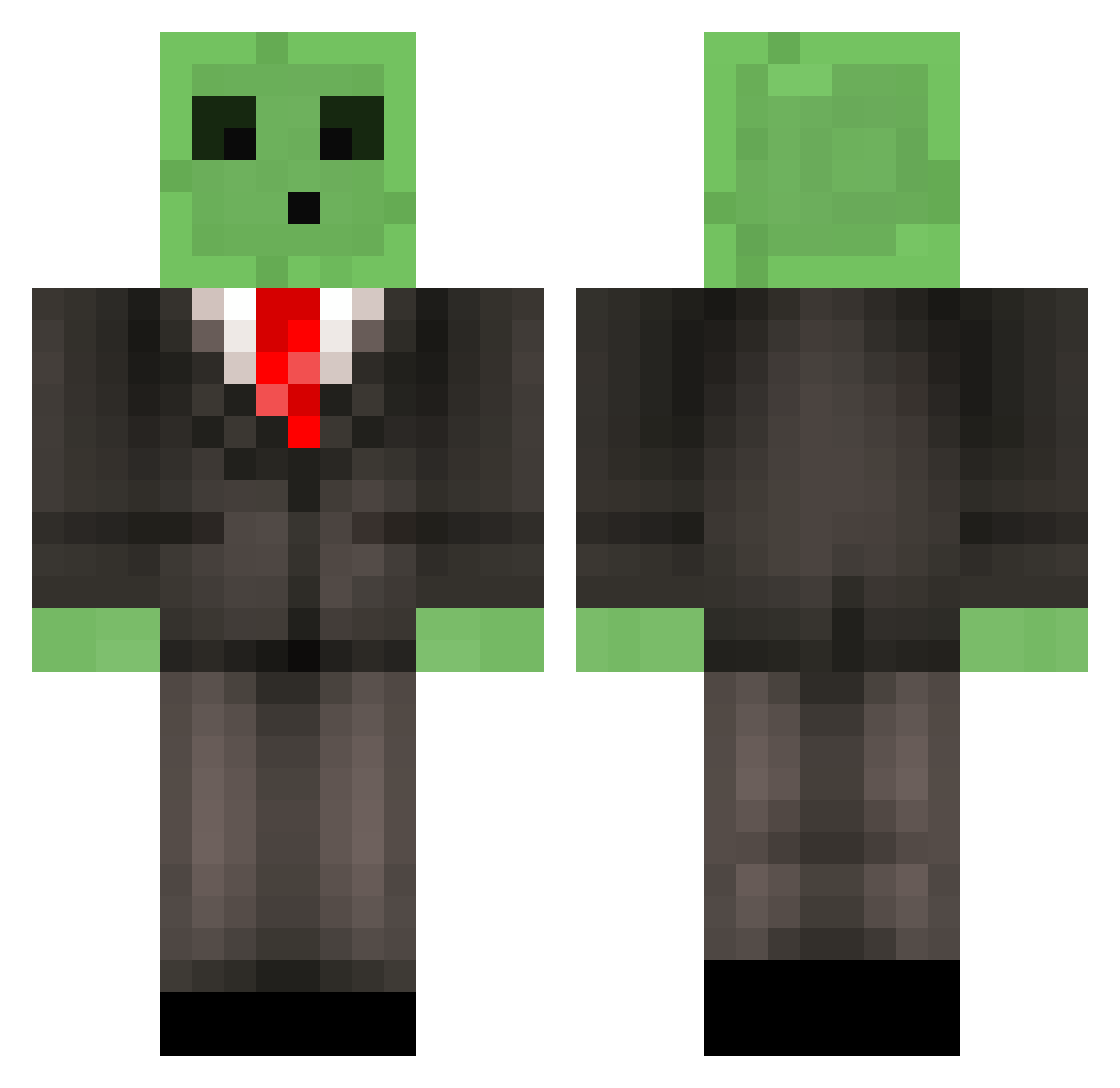
Current Minecraft skin of the player enharu, loaded from the official Mojang API. Rotate the 3D model with your mouse or finger, then download the skin as a PNG file and use it in Minecraft: Bedrock Edition or Java Edition for free. When enharu changes their skin, this page updates automatically and the old skin stays in the history below.
Other players with this skin (510)
enharu was the 154th player we have seen with this skin, first spotted on 21.08.2026. The same skin was seen on these players. Open a nickname to see their current skin and skin history.
 csi27 alih12 Quinten_ J350Zr Coolstern VinnieFo10 Filbert12345 us2guys ytoshi ketilas CH0C0LATE_M00SE redfuzzyfred Mackynator1 xMJHDx DieLochis minepleb henners118 Haipi stifken Crafter_662 Pie5237 Zyronian Boltster1 Edner MadeInFlight legomine77 jcp323 roel_2000 Swedaren1337 DoughBoy27 Lagontinas twiggz20 lassekiller Bobette321 OnyxLynx w33ble DF_Olli beauzooka Mrvoidreaver jmgrath Sondermolle Arr0wYT laphroaig_ major1234 SimplyKevin2 JesusEatsPie Edgar44 Florisss Po0n_Slayer Woh1110 Vinboy360 SkyTheKidpc AK_Arthur ninjagreggz Ronnin926 ronanoconn toyxmadness7 peanutbutta95 squintmonk BryanMC13
More Slime Minecraft skins
How to install the enharu skin
- Press the Download button above to save the skin as a PNG file.
- Minecraft: Bedrock Edition (PE): open the Dressing Room from the main menu (or tap your character → Edit Character), go to Classic Skins → Owned, press the + (new skin) button, choose the downloaded PNG and pick the Classic (Steve) model. Works on PC and mobile; consoles cannot import custom skins.
- Minecraft: Java Edition: open the Minecraft Launcher, go to the Skins tab, click New Skin, load the PNG, pick the Classic (Steve) model and press Save & Use. You can also upload it at minecraft.net → Profile → Change Skin.
The skin does not show up after import - what should I do?
Restart Minecraft and open the Dressing Room again - imported skins sometimes appear only after a restart. Also make sure you selected the imported skin and picked the Classic (Steve) model.
Which model should I choose, Classic or Slim?
This skin is designed for the Classic (Steve) model. If you pick the wrong model, the arms of the skin will look stretched or squeezed.
Is the skin of enharu free to download?
Yes. Press Download, save the PNG file and use it in Minecraft: Bedrock Edition or Java Edition - no payment or registration needed. The skin also works on multiplayer servers and Realms.
More skins
Looking for more? Go back to all Minecraft skins and check the top skins of the week, month and all time, or find any player's skin by nickname.