
enddryy7 - Minecraft Skins & Skin History
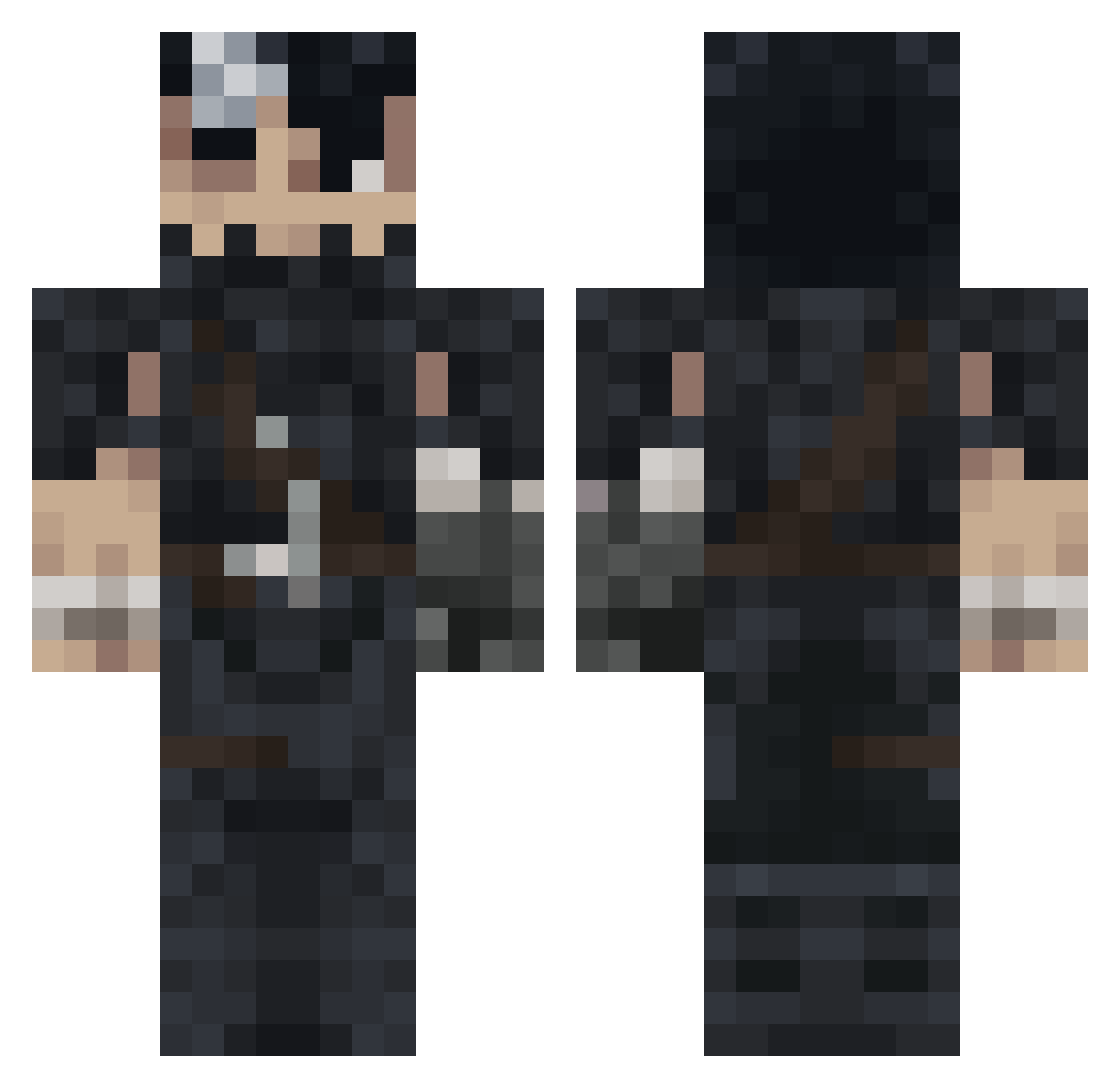
Current Minecraft skin of the player enddryy7, loaded from the official Mojang API. Rotate the 3D model with your mouse or finger, then download the skin as a PNG file and use it in Minecraft: Bedrock Edition or Java Edition for free. When enddryy7 changes their skin, this page updates automatically and the old skin stays in the history below.
Other players with this skin (993)
enddryy7 was the 747th player we have seen with this skin, first spotted on 11.10.2026. The same skin was seen on these players. Open a nickname to see their current skin and skin history.
 Deadkill08805 vinnyfvr rorroo3o TaZe4 gr0tesk7787 RanoToons hugeballs666 JANG0218 EDGiiir24 besersk _ItsLoki__ bmyesh JayMo777 flobiiiiii Lisen_miho YanLeroy SuperD0nut InfomanYT KidKayKeel Lordjoris06 AigleVaillant1 MonarchicAngel Haetred AKIRA_DESU wildony ScaevaTheGreat SansKafasii dlanonfire Allsnake Nayam22 joseruiz2819 kokogal1234 SucioDan_22 SOLO94 Longgar Rybn_ 623037 Enzo_Freitas beebo37 MDAwecka DobbertIsCool AnderARG Jxckok GenjiHtr sabitouchihaxd waldennnn iAce0 OWCaPepe Darkin_04 llDarkWinterll FengJei brando_diego HpZeroS Worinberg NathanTarga Jix132 DontBeSuprised MrViceJR Ponchyn UglyFrankk
More Guts Minecraft skins
How to install the enddryy7 skin
- Press the Download button above to save the skin as a PNG file.
- Minecraft: Bedrock Edition (PE): open the Dressing Room from the main menu (or tap your character → Edit Character), go to Classic Skins → Owned, press the + (new skin) button, choose the downloaded PNG and pick the Classic (Steve) model. Works on PC and mobile; consoles cannot import custom skins.
- Minecraft: Java Edition: open the Minecraft Launcher, go to the Skins tab, click New Skin, load the PNG, pick the Classic (Steve) model and press Save & Use. You can also upload it at minecraft.net → Profile → Change Skin.
The skin does not show up after import - what should I do?
Restart Minecraft and open the Dressing Room again - imported skins sometimes appear only after a restart. Also make sure you selected the imported skin and picked the Classic (Steve) model.
Which model should I choose, Classic or Slim?
This skin is designed for the Classic (Steve) model. If you pick the wrong model, the arms of the skin will look stretched or squeezed.
Is the skin of enddryy7 free to download?
Yes. Press Download, save the PNG file and use it in Minecraft: Bedrock Edition or Java Edition - no payment or registration needed. The skin also works on multiplayer servers and Realms.
More skins
Looking for more? Go back to all Minecraft skins and check the top skins of the week, month and all time, or find any player's skin by nickname.