
emmabld - Minecraft Skins & Skin History
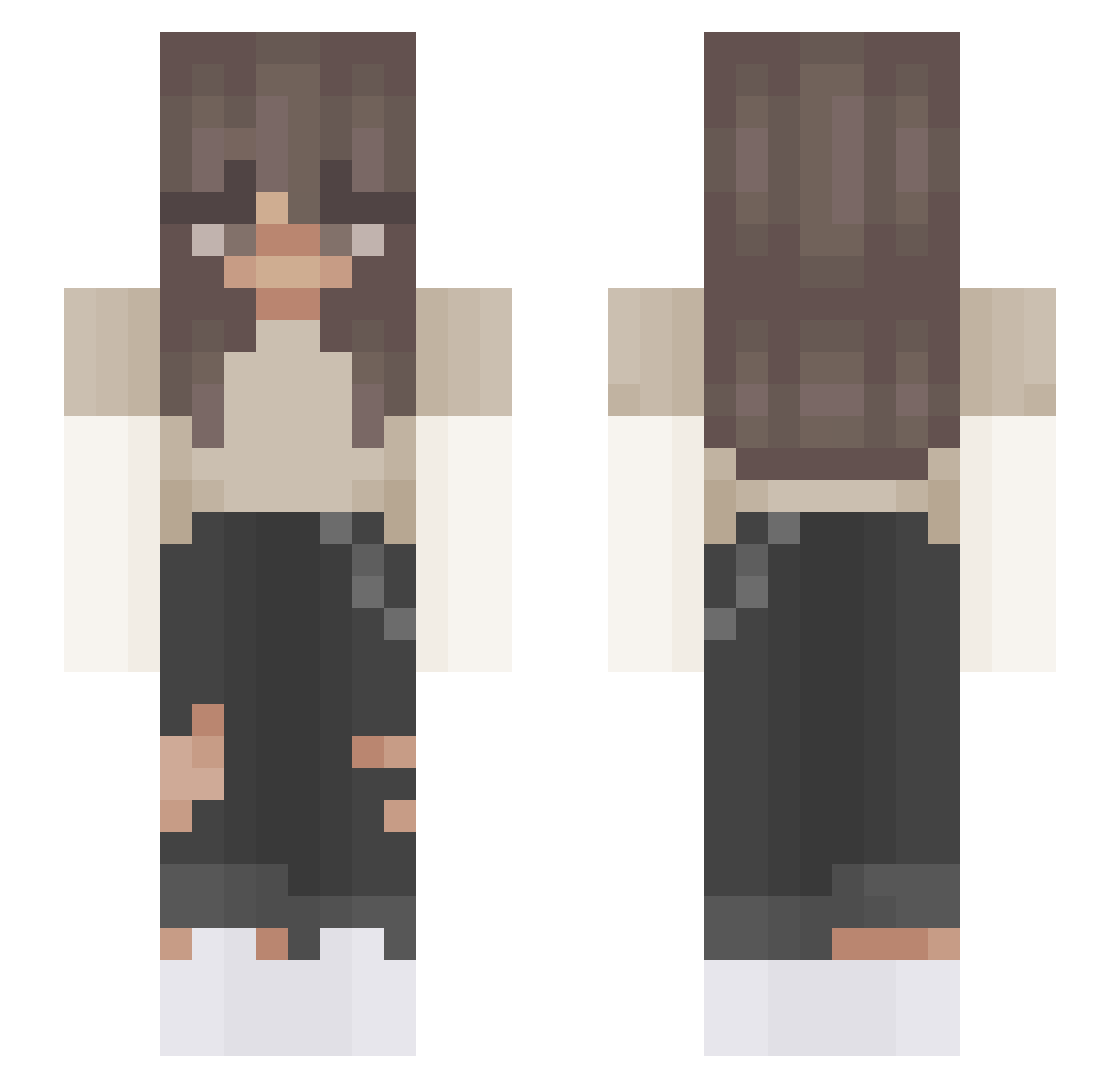
Current Minecraft skin of the player emmabld, loaded from the official Mojang API. Rotate the 3D model with your mouse or finger, then download the skin as a PNG file and use it in Minecraft: Bedrock Edition or Java Edition for free. When emmabld changes their skin, this page updates automatically and the old skin stays in the history below.
Other players with this skin (408)
emmabld was the 113th player we have seen with this skin, first spotted on 26.08.2026. The same skin was seen on these players. Open a nickname to see their current skin and skin history.
 AnnieIsM Machemna xlaura3x emjacobs Izabelka11 Incompetant auspexs rhiaasr j_h0man Kayxye Jimin_ssi_ AApocalypseee lulu075 glosif vanduuh JJJuana Krowft Arianna0219 Patala1234 linooma AquaDarkMist SleepyCheems 1ana1 kai_215 ameliaketch 1_hana AsianLotuz Iriskx_ FactionHub wagisi Kennyeet jetenkoen Laureesa nadiacoppola Monique_ PinkLily2010 leilahh RYDER454 Heidi_Was_Here Killer_AK DinoNug12 burgers_69 Itz_Lata Blania1509 megaming6996 iuhvmari Xuxalot Carber11719 k4mar1a ykda esistnichtlegit RealestGamerEmma Amaryllis26 AngelKiller666 KawaiiCookie35 Alick2007 flxtabi Jeroabc Maeyachii Crypt1cRa1n
More Grunge Minecraft skins
How to install the emmabld skin
- Press the Download button above to save the skin as a PNG file.
- Minecraft: Bedrock Edition (PE): open the Dressing Room from the main menu (or tap your character → Edit Character), go to Classic Skins → Owned, press the + (new skin) button, choose the downloaded PNG and pick the Slim (Alex) model. Works on PC and mobile; consoles cannot import custom skins.
- Minecraft: Java Edition: open the Minecraft Launcher, go to the Skins tab, click New Skin, load the PNG, pick the Slim (Alex) model and press Save & Use. You can also upload it at minecraft.net → Profile → Change Skin.
The skin does not show up after import - what should I do?
Restart Minecraft and open the Dressing Room again - imported skins sometimes appear only after a restart. Also make sure you selected the imported skin and picked the Slim (Alex) model.
Which model should I choose, Classic or Slim?
This skin is designed for the Slim (Alex) model. If you pick the wrong model, the arms of the skin will look stretched or squeezed.
Is the skin of emmabld free to download?
Yes. Press Download, save the PNG file and use it in Minecraft: Bedrock Edition or Java Edition - no payment or registration needed. The skin also works on multiplayer servers and Realms.
More skins
Looking for more? Go back to all Minecraft skins and check the top skins of the week, month and all time, or find any player's skin by nickname.